
JOURNAL
AI Workflow Mastery: Cross-Tool Comparison & Combo Workflows
Detailed comparison of Claude Skills vs Gemini Gems vs NotebookLM, plus 4 powerful combo workflows that chain all three tools together for maximum output.
On this page
You’ve learned each tool individually. You’ve seen role-specific workflows. Now let’s get tactical — when exactly should you pick one tool over another, and how do you chain all three for workflows that none of them could handle alone?
Head-to-Head Comparison
Customization Depth
| Dimension | Claude Skills | Gemini Gems | NotebookLM |
|---|---|---|---|
| Instruction complexity | Very high — code, scripts, XML, chained skills | Medium — natural language instructions | Low — mainly source selection |
| Persona control | Full control (persona, rules, constraints, examples) | Good control (purpose, goals, behavior) | Limited (notebook-level settings) |
| Output format | Fully customizable with templates | Customizable with instructions | Predefined formats (summary, FAQs, etc.) |
| Automation | Scripts, tool calling, MCP integrations | Google Workspace integration | Auto-generation (audio, video, mind maps) |
| Learning from examples | Few-shot examples in SKILL.md | Knowledge files with past examples | Sources as grounding material |
Winner for customization: Claude Skills (deepest control)
Knowledge & Memory
| Dimension | Claude Skills | Gemini Gems | NotebookLM |
|---|---|---|---|
| Context window | ~200K tokens (conversation) | ~1M tokens (with knowledge files) | ~500K words per source (50 sources) |
| Knowledge persistence | Per-project, per-conversation | Permanent via knowledge files | Permanent via notebook sources |
| Format support | Text, code, images | Text, PDF, documents | PDF, Docs, Slides, URLs, YouTube, audio |
| Source grounding | Optional (through Projects) | Optional (through knowledge files) | Always (it only uses your sources) |
| Multi-modal | Text + code + images | Text + images + Google Workspace | Text + audio + video + mind maps |
Winner for knowledge: NotebookLM (widest source format support + guaranteed grounding)
Output Types
| Output | Claude Skills | Gemini Gems | NotebookLM |
|---|---|---|---|
| Text/prose | ✅ Excellent | ✅ Excellent | ✅ Good |
| Code | ✅ Excellent | ✅ Good | ❌ No |
| Audio | ❌ No | ❌ No | ✅ Audio Overviews |
| Video | ❌ No | ❌ No | ✅ Video Overviews |
| Mind maps | ❌ No | ❌ No | ✅ Interactive |
| Flashcards/quizzes | ❌ No | ❌ No | ✅ Auto-generated |
| Slide decks | ❌ No | ✅ Via Google Slides | ✅ PPTX export |
| Infographics | ❌ No | ❌ No | ✅ Auto-generated |
Winner for output variety: NotebookLM (unique multimodal outputs)
Team & Enterprise
| Dimension | Claude Skills | Gemini Gems | NotebookLM |
|---|---|---|---|
| Sharing | Via Projects (team plans) | Via Workspace (org-wide) | Via shared notebooks |
| Governance | Git-based version control | Gem Manager | Notebook-level access |
| API access | Full API (Claude API) | Gemini API | Coming soon |
| Enterprise plan | Claude Team / Enterprise | Google Workspace AI | Google Workspace AI |
| SSO/SCIM | Yes (Enterprise) | Yes (Workspace) | Yes (Workspace) |
Winner for enterprise: Tie — Claude for API/dev, Gemini/NotebookLM for Workspace shops
The Decision Matrix
Use this flowchart to pick the right tool:
What's your primary need?
│
├── "I need AI to do a specific, complex task consistently"
│   └── Claude Skills
│       Best when: task is well-defined, repeatable, needs code/scripts
│
├── "I need an AI that knows my company/project deeply"
│   └── Gemini Gems
│       Best when: you have docs to upload, need Workspace integration
│
├── "I need to analyze/synthesize multiple documents"
│   └── NotebookLM
│       Best when: research-heavy, need citations, want multi-format output
│
├── "I need consistent brand voice across content"
│   └── Gemini Gems (knowledge files with brand docs)
│       Alternative: Claude Skills (with brand voice skill)
│
├── "I need to learn something new quickly"
│   └── NotebookLM (upload docs, generate study materials)
│
└── "I need all of the above"
    └── Combo workflow (see below)
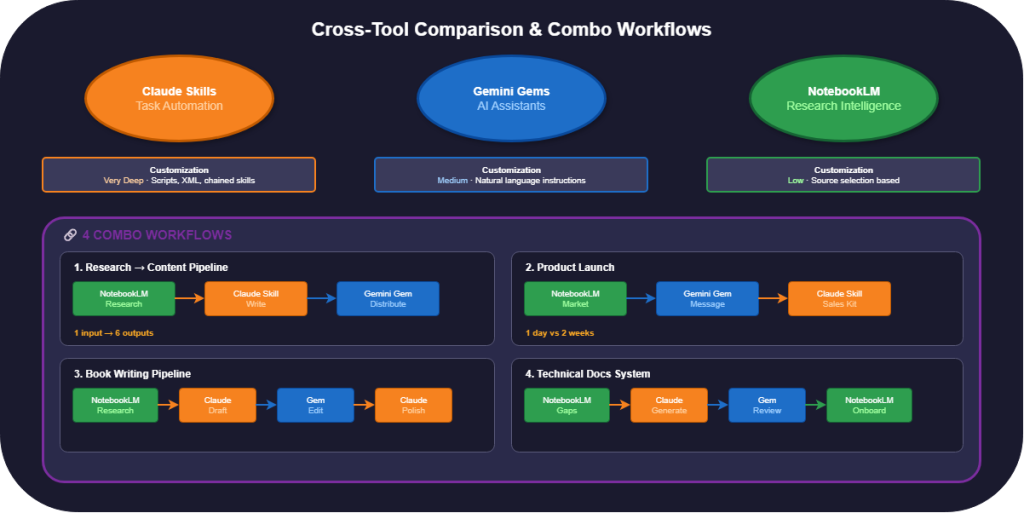
4 Combo Workflows
Combo 1: Research-to-Content Pipeline
Goal: Turn raw research into polished, multi-format content.
Phase 1: RESEARCH (NotebookLM)
├── Upload 10-15 sources on the topic
├── Generate Audio Overview for initial understanding
├── Ask targeted questions to extract key insights
└── Export structured summary to Google Docs

Phase 2: CREATE (Claude Skill)
├── Feed the summary into Content Writer skill
├── Generate long-form blog post
├── Run through Editor skill for quality check
└── Output: polished 2,000-word article

Phase 3: DISTRIBUTE (Gemini Gem)
├── Feed article into Content Repurposer Gem
├── Generate platform-specific versions:
│   ├── Twitter thread (8-12 tweets)
│   ├── LinkedIn article (professional angle)
│   ├── Instagram carousel script
│   └── Newsletter excerpt
└── Output: 5 ready-to-publish pieces
Result: 1 research session → 1 article → 5 platform pieces = 6 outputs from 1 input.
Combo 2: Product Launch Workflow
Goal: Prepare all materials for a product launch.
Phase 1: MARKET ANALYSIS (NotebookLM)
├── Upload: competitor products, market reports, customer feedback
├── Query: "What positioning gap can we exploit?"
├── Query: "What are customers' top 3 unmet needs?"
├── Generate: Mind Map of competitive landscape
└── Export: positioning document

Phase 2: MESSAGING (Gemini Gem)
├── Gem: "Product Messaging Strategist"
├── Knowledge: brand guidelines, positioning doc from Phase 1
├── Generate: tagline options, homepage copy, feature descriptions
├── Generate: email announcement sequence (5-email drip)
└── Output: complete messaging framework

Phase 3: SALES ENABLEMENT (Claude Skill)
├── Skill: "Sales Deck Generator"
├── Input: messaging framework + product specs
├── Generate: sales one-pager, battle card vs competitors
├── Generate: FAQ document for sales team
├── Generate: objection handling scripts
└── Output: complete sales toolkit
Result: Market analysis → Messaging → Sales materials. Total time: 1 day instead of 2 weeks.
Combo 3: Book Writing Pipeline
Goal: Research, write, and edit a non-fiction book.
Phase 1: DEEP RESEARCH (NotebookLM)
├── Create notebooks per chapter topic
├── Upload: academic papers, interviews, reference books
├── Generate: Mind Map of book structure
├── Generate: Audio Overviews for each chapter's research
└── Export: chapter-by-chapter research summaries

Phase 2: DRAFTING (Claude Skill)
├── Skill: "Book Chapter Writer — [Genre]"
├── Input: research summary + outline + voice sample
├── Generate: first draft of each chapter
├── Maintain: voice consistency across chapters
└── Output: complete first draft

Phase 3: DEVELOPMENTAL EDIT (Gemini Gem)
├── Gem: "Developmental Editor"
├── Knowledge: genre conventions, author's previous works, style guide
├── Review: chapter by chapter for:
│   ├── Structural issues
│   ├── Argument flow
│   ├── Reader engagement
│   └── Chapter-to-chapter transitions
└── Output: edit notes + revision suggestions

Phase 4: LINE EDIT (Claude Skill)
├── Skill: "Line Editor"
├── Final prose polish
├── Consistency check
└── Output: publication-ready manuscript
Result: A complete book pipeline from research to publication-ready manuscript.
Combo 4: Technical Documentation System
Goal: Maintain comprehensive, up-to-date technical docs.
Phase 1: KNOWLEDGE BASE (NotebookLM)
├── Upload: codebase READMEs, architecture docs, API specs
├── Auto-generate: system overview from uploaded docs
├── Query: "What's undocumented?" (gap analysis)
└── Export: documentation gaps report

Phase 2: DOC GENERATION (Claude Skill)
├── Skill: "API Documentation Writer"
├── Input: code files + gaps report
├── Generate: missing API docs, tutorials, runbooks
├── Format: consistent with existing docs
└── Output: draft documentation

Phase 3: REVIEW & PUBLISH (Gemini Gem)
├── Gem: "Technical Writing Reviewer"
├── Knowledge: style guide, existing docs for consistency
├── Review: accuracy, completeness, readability
├── Suggest: improvements, missing sections
└── Output: approved documentation

Phase 4: ONBOARDING (NotebookLM)
├── Upload: all documentation into onboarding notebook
├── Generate: Audio Overview for new team members
├── Generate: Quiz for knowledge verification
└── Share: notebook with new hires
Result: Self-maintaining documentation system with onboarding built in.
Anti-Patterns to Avoid
❌ Using NotebookLM for Creative Writing
NotebookLM is grounded in sources. It excels at synthesis, not creation. Use Claude Skills or Gemini Gems for creative work.
❌ Using Claude Skills for Team Knowledge
If your team needs shared, persistent knowledge, use Gemini Gems (knowledge files) or NotebookLM (notebooks). Claude Skills are better for task execution.
❌ Using One Tool for Everything
Each tool has a sweet spot. Forcing a single tool to do everything produces mediocre results across the board.
❌ Not Verifying AI Outputs
Even NotebookLM (the most grounded tool) can misinterpret sources. Always verify critical outputs.
The Future: Agentic AI Workflows
The trajectory is clear: these tools are becoming more autonomous. What’s coming:
- Claude: Deeper tool integration via MCP, autonomous task execution
- Gemini Gems: Conditional logic, looping, multi-step automation across Workspace
- NotebookLM: Public API access, automated source discovery, agentic research
The workflows you build today are the foundation for tomorrow’s fully automated systems.
Your Action Plan
- This week: Pick your highest-impact combo workflow and build Phase 1
- Next week: Complete the full pipeline
- This month: Measure time saved and output quality
- Ongoing: Iterate on instructions, expand to new workflows
Related reading
07 Oct 2026 · 4 min read
ai
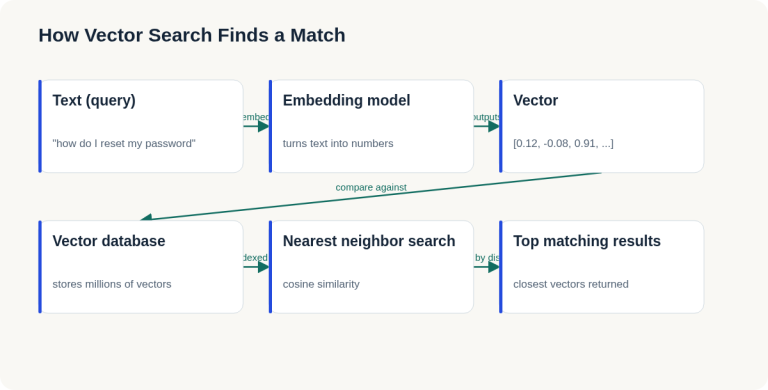
English Lesson — Tuesday Morning: Embeddings & Vector Search Vocabulary
Daily English practice for tech professionals: embed, vector database, and nearest neighbor search vocabulary with pronunciation and exercises.
Read more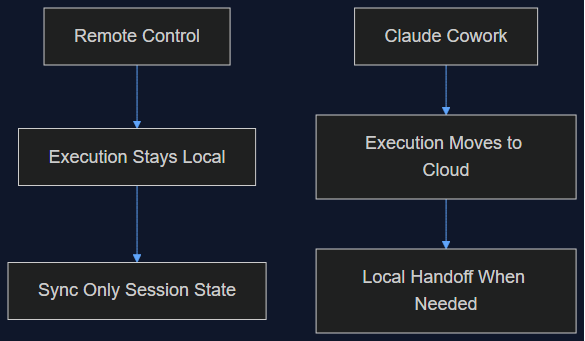
06 Oct 2026 · 5 min read
agentic coding
Claude Cowork Just Did the Thing I Said Remote Control Wasn't Doing
In August I wrote that Claude Code's Remote Control was a sync layer, not a cloud migration, and that keeping execution local was the point. This week Anthropic moved Cowork's execution to the cloud by default. Here's why both were the right call — for different products.
Read more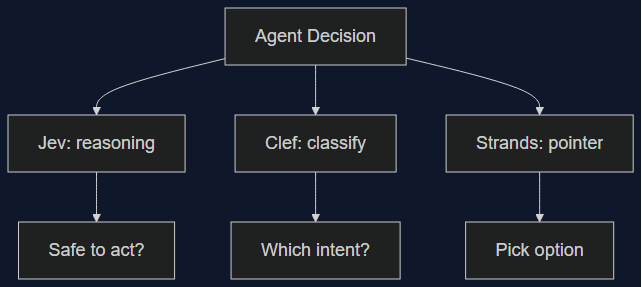
03 Oct 2026 · 5 min read
agents
Three Decision Models Shipped in One Week — None of Them Wins Outright
Cloudflare's Clef/Clef-flash and Amazon's Strands Decider both launched October 1st aiming at TypeSafe's Jev. I lined up the real benchmark, latency, and pricing numbers — the category is real, but picking a winner depends entirely on which decision you're automating.
Read more
Discussion
Comments are reviewed before publication. Your email is kept private.