
JOURNAL
HyperFrames for Expert Interviews and Professional Podcasts
Package an expert interview with accurate bilingual captions, evidence-backed cards, and a practical AI-agent permissions storyboard.
On this page
A professional podcast can teach one practical distinction without turning the guest into a slogan. HyperFrames is useful when an interview needs accurate captions, restrained information cards, or an accompanying visual explanation. This article develops an original storyboard about AI-agent permissions. It is a production proposal, not a rendered case study, and its fictional dialogue is never attributed to a real expert.
1. Choose the editorial job before the visual style
Separate three jobs. Add captions to an existing clear, single-subject recording through embedded-captions. Add designed titles, definitions, and pull-quotes through talking-head-recut. Both preserve the underlying footage and audio. Selecting excerpts, removing pauses, changing order, or remixing material belongs to general-video. These distinctions are explicit in the official captions and recuts guide.
A fourth job is a companion explainer with invented diagrams. It can teach the mechanism separately, leaving the interview available in full. Decide whether success means understanding the guest, finding the complete episode, or applying a procedure. Those goals need different endings and different evidence.
2. Build an evidence packet that survives translation
Gather the original recording, a timestamped transcript, the guest’s preferred name and role, pronunciation notes, an approved glossary, publication permission, and the episode URL. Record which speaker owns each sentence. Keep corrections in a reviewed transcript rather than silently repairing words inside animation code. A statement about what a system might do must retain that uncertainty in both languages.
Use a small claim ledger: source time, exact spoken words, proposed card text, translation, reviewer, and approval state. A definition written by the editor should be labeled “editor’s explanation.” An on-screen quotation needs matching words in the recording. A diagram of an agent’s permissions is an explanatory model unless it documents a supplied implementation.
3. Original example: an agent requests permission
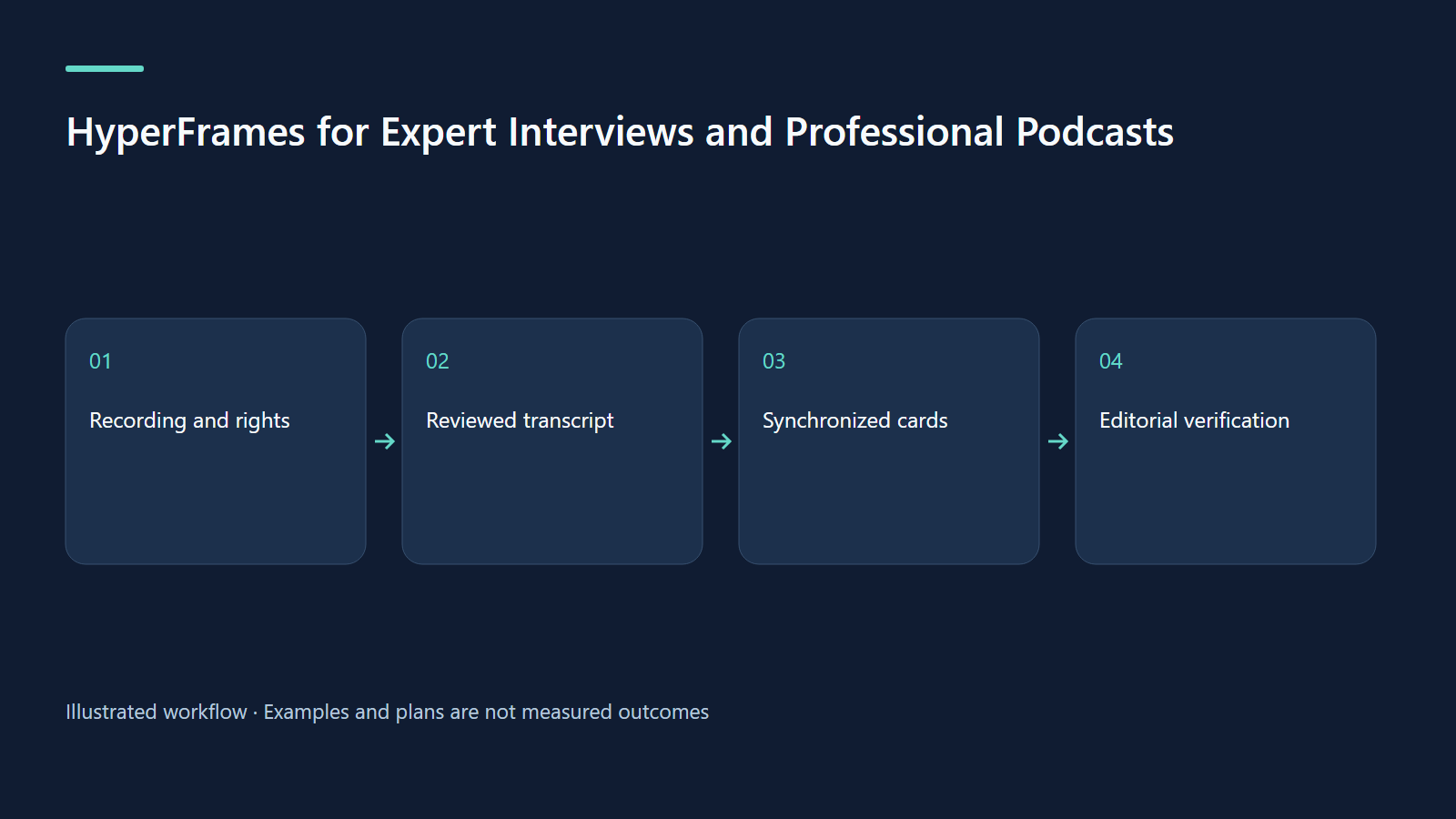
Imagine a supplied 64-second single-speaker clip in which a fictional software trainer explains a sandbox exercise: an agent can draft a message, but a human authorizes sending it. The training interface contains fabricated recipients and messages. The educational distinction is “proposing an action” versus “performing an action.” It does not imply that every AI product has this permission model.
For this proposal, the recording plays continuously. Four restrained cards clarify terminology while preserving the speaker’s delivery. The title identifies an educational scenario. A final card links to the full discussion and a written checklist, rather than implying that the short video covers every security decision.
| Time | Visual proposal | Evidence or constraint |
|---|---|---|
| 0–8 s | Guest name and “AI-agent permissions: a training scenario” | Approved identity; no invented credential |
| 8–23 s | Two labeled boxes: draft and send | Editor explanation, synchronized to the distinction |
| 23–43 s | Permission boundary and a human approval marker | Fictional sandbox, visibly labeled |
| 43–56 s | Exception: check each tool’s actual permissions | Keep the speaker’s qualification |
| 56–64 s | Full episode and written checklist | Verified destination; clean ending |
4. Paste-ready prompts for two different requests
The following are original prompts to adapt after supplying the files. They have not been executed.
Using /hyperframes, package assets/agent-permissions.mp4 with talking-head-recut. Keep the underlying footage and audio unchanged. Use transcript-reviewed.json and glossary-en-vi.csv. Make four restrained information cards timed to the source. Label the permission diagram “fictional training model.” Do not add quotations or credentials. Keep the face, hands, and caption area clear. Show a storyboard and preview for review.Using /hyperframes, add readable captions to assets/agent-permissions.mp4 with embedded-captions. Preserve the single-subject footage and spoken edit. Correct names and technical terms only from transcript-reviewed.json. Deliver separate English and Vietnamese caption versions with equivalent meaning. Flag ambiguous speech instead of guessing. Show the full preview before rendering.5. Design for the speaker and the listener
Choose a stable information area from the actual recording. A lower third that fits an empty studio background may cover hands in a teaching demonstration. Allocate separate space for captions and cards. Use one accent color to mark the permission boundary; avoid red flashes or rapid word explosions when the speaker is explaining a qualification.
Start with a wide version for an episode page. If a vertical derivative is required, inspect the recording before deciding how it fits. Reframing the actual footage changes the editing task and should be requested through the appropriate custom-video workflow. Do not assume that placing the same composition into a different aspect ratio preserves meaning or readability.
6. Accessibility and bilingual review
Caption meaningful audio, including speaker identification and relevant non-speech sounds, rather than copying dialogue alone. This is the distinction described by W3C’s prerecorded captions guidance. An attractive quote card does not replace synchronized captions. Make the diagram understandable through narration or an accompanying descriptive transcript, following W3C’s media planning guidance.
Review Vietnamese as a spoken explanation: “ủy quyền” and “quyền truy cập” may mean different things in context. Keep a glossary entry explaining the intended distinction. Watch each language at delivery size, with sound muted and enabled. Ask a bilingual reviewer whether uncertainty, negation, and conditional verbs survived.
7. Troubleshoot the editorial failures first
If cards feel late, compare their cue with the first sentence that establishes the concept. If the viewer cannot finish reading, shorten editorial text or extend its visibility without covering the next point. If a quote is stronger than the spoken answer, restore the qualifier. If captions disagree with the voice, correct the source transcript and regenerate the timed text.
When the preview and output disagree, preserve the exact error and check fonts, local media paths, composition timing, and the installed CLI. The official finishing guide documents checks, rendering, and inspection of the exported file. A technical pass cannot establish that the guest has been represented fairly.
8. QA and a realistic measurement plan
Before delivery, run the project’s checks, watch the complete preview, and compare every card with the ledger. After an approved render, inspect the file itself, especially opening captions, card transitions, and the last spoken word. Record duration, dimensions, language, transcript revision, and review date. These are proposed production steps; no output is claimed here.
For a pilot, ask five colleagues to explain the draft/send distinction and locate the full episode. Count correct explanations and mistaken generalizations separately. Later, compare qualified episode visits and completion with a similar previous clip. These are planned measures, not observed results. High views with persistent misunderstanding call for a clearer explanation.
9. Exercise and source notes
Choose a permissioned 45–90-second answer. Mark one claim, one qualification, and one useful definition. Create only three cards, then remove any card that repeats captions. Ask a colleague which sentence belongs to the guest and which belongs to the editor. Revise until that distinction is clear.
Sources checked on 9 October 2026: HyperFrames workflow boundaries, finish and share, W3C captions, and accessible media planning. CLI baseline for this series: 0.8.143. Actual recording quality, rights, and platform analytics remain project-specific.
Continue learning
Related reading
· 7 min read
HyperFrames
HyperFrames production: audio, bilingual delivery, privacy and real costs
Build a repeatable delivery process with audible exports, honest captions and transparent hypothetical budgeting.
Read more
· 7 min read
HyperFrames
HyperFrames skills: choose a workflow and finish your first video
Install skills, choose the right route and deliver one checked video with an honest evidence boundary.
Read more
· 7 min read
HyperFrames
Better HyperFrames prompts: briefs, storyboards and visible evidence
Turn a broad idea into a precise brief, timed scenes and reviewable claims using an approval-workflow concept.
Read more
Discussion
Comments are reviewed before publication. Your email is kept private.