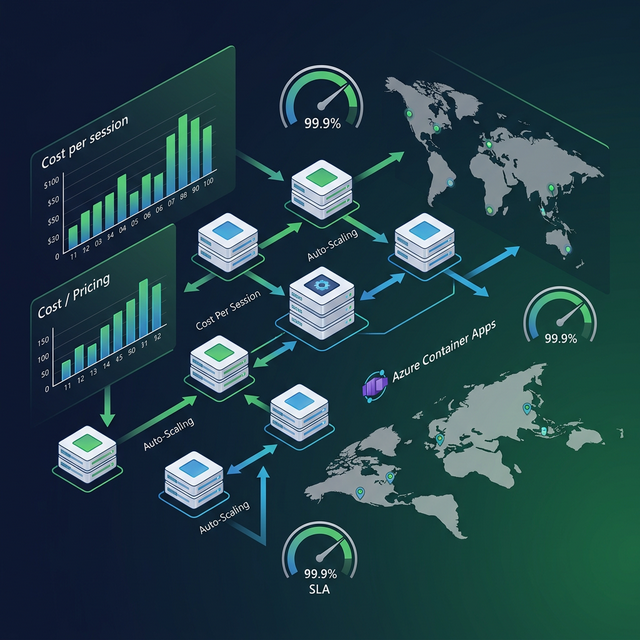
Scaling a WebSocket-based real-time voice system is fundamentally different from scaling a REST API. WebSocket connections are stateful, long-lived, and resource-intensive. Each active interview session is a persistent, bidirectional pipe that must be kept alive and routed consistently. This part covers every aspect of taking your Azure Voice Live interview system from a working demo to a production infrastructure that handles hundreds of concurrent sessions.
Deployment Architecture Options
Option A: Vercel + Azure (Hybrid)
Best for: Small-to-medium scale (< 100 concurrent sessions)
Users → Vercel Edge Network → Next.js on Vercel → Azure Voice LivePros: Zero infrastructure management, fast global CDN for static assets Cons: Vercel has a 10-second WebSocket timeout on hobby/pro plans; requires Enterprise for long-lived connections
Vercel Enterprise workaround: Move WebSocket handling to a separate microservice:
Browser ––static assets––▶  Vercel (Next.js UI)
Browser ──WebSocket──────▶  Azure Container Apps (voice proxy)
Option B: Azure Container Apps (Recommended)
Best for: Medium-to-large scale (100–10,000 concurrent sessions)
Users → Azure Front Door → Azure Container Apps (voice proxy) → Azure Voice Live# azure-container-app.yml
location: australiaeast
properties:
configuration:
ingress:
external: true
transport: http # WebSocket supported
targetPort: 3000
stickySessions:
affinity: sticky # CRITICAL for WebSocket
template:
containers:
- name: interview-voice
image: yourregistry.azurecr.io/interview-voice:latest
resources:
cpu: 1.0
memory: 2Gi
env:
- name: AZURE_OPENAI_ENDPOINT
secretRef: azure-openai-endpoint
- name: AZURE_OPENAI_API_KEY
secretRef: azure-openai-key
scale:
minReplicas: 2
maxReplicas: 50
rules:
- name: http-scale
http:
metadata:
concurrentRequests: "50" # Scale up per 50 concurrent WS connectionsDeploy:
# Build and push container
docker build -t interview-voice .
az acr login --name yourregistry
docker push yourregistry.azurecr.io/interview-voice:latest

# Deploy to Container Apps
az containerapp update \
  --name interview-voice-app \
  --resource-group rg-interview-voice \
  --image yourregistry.azurecr.io/interview-voice:latest
Option C: Azure App Service (Simpler)
Best for: Small scale or single-region deployments
# Create App Service Plan with WebSocket support
az appservice plan create \
  --name asp-interview-voice \
  --resource-group rg-interview-voice \
  --sku P2V3 \
  --is-linux

# Enable WebSockets
az webapp config set \
  --name interview-voice-app \
  --resource-group rg-interview-voice \
  --web-sockets-enabled true
WebSocket Scaling: The Critical Challenge
The Sticky Session Requirement
WebSocket connections are stateful — a client connecting to Server A cannot be moved to Server B mid-session. Your load balancer MUST use sticky sessions (session affinity).
Azure Front Door configuration:
{
  "properties": {
    "loadBalancingSettings": {
      "sessionAffinityState": "Enabled",
      "sessionAffinityTtlSeconds": 3600
    }
  }
}
Nginx (if self-hosting):
upstream voice_backend {
  ip_hash;  # Sticky sessions by IP
  server app-1:3000;
  server app-2:3000;
  server app-3:3000;
}
Session State: Redis for Cross-Instance Coordination
When scaling to multiple instances, share session metadata via Redis:
import { createClient } from 'redis';

const redis = createClient({ url: process.env.REDIS_URL });

// Track active sessions
async function registerSession(sessionId: string, instanceId: string) {
  await redis.hSet('active_sessions', sessionId, JSON.stringify({
    instanceId,
    startedAt: Date.now(),
    userId: 'user-123',
  }));
  await redis.expire(`session:${sessionId}`, 3600);
}

async function getSessionCount(): Promise<number> {
  return await redis.hLen('active_sessions');
}
Dockerizing the Application
FROM node:20-alpine

WORKDIR /app

COPY package*.json ./
RUN npm ci --omit=dev

COPY . .
RUN npm run build

# Use server.js (WebSocket-enabled) not next start
CMD ["node", "server.js"]

EXPOSE 3000.dockerignore:
node_modules
.next
.env.local
*.md
Azure Pricing Deep Dive
Understanding Voice Live costs is critical for pricing your product correctly.
GPT-4o Realtime Audio Pricing (as of early 2026)
| Metric | Price |
|---|---|
| Audio Input | $0.40 per 1M tokens (~$0.06/minute) |
| Audio Output | $0.80 per 1M tokens (~$0.12/minute) |
| Text Input | $5.00 per 1M tokens |
| Text Output | $20.00 per 1M tokens |
Audio Token Calculation
Azure charges audio by token — 1 minute of audio ≈ 1,500 tokens (input) and 1,200 tokens (output).
1-hour interview:
  Audio input:  60 min × 1,500 tokens/min = 90,000 tokens × $0.40/1M = $0.036
  Audio output: 60 min × 1,200 tokens/min = 72,000 tokens × $0.80/1M = $0.058
  Text (system prompt + transcripts): ~50,000 tokens × $5/1M = $0.25

Per interview total: ~$0.34/hour
Cost Estimator: Production Scale
| Daily Volume | Avg Duration | Daily Cost | Monthly Cost |
|---|---|---|---|
| 100 interviews | 30 min | $1.70 | $51 |
| 500 interviews | 30 min | $8.50 | $255 |
| 1,000 interviews | 30 min | $17.00 | $510 |
| 5,000 interviews | 30 min | $85.00 | $2,550 |
Infrastructure Costs (Container Apps)
| Component | Spec | Cost/month |
|---|---|---|
| Container Apps | 2 vCPU, 4GB RAM × 2 instances | ~$120 |
| Azure Front Door | Standard tier | ~$35 |
| Redis Cache | C1 (1GB) | ~$55 |
| Application Insights | ~500GB logs | ~$15 |
| Total infrastructure | ~$225/month |
Total Monthly Cost Estimate
| Scale | API Costs | Infrastructure | Total | Per Interview |
|---|---|---|---|---|
| 500 interviews/day | $255 | $225 | $480 | $0.032 |
| 1,000 interviews/day | $510 | $225 | $735 | $0.025 |
| 5,000 interviews/day | $2,550 | $450 | $3,000 | $0.020 |
Cost Optimization: Azure Commitments
Azure offers Provisioned Throughput Units (PTU) for committed usage:
- 1 PTU for GPT-4o Realtime ≈ $2,160/month (1-month commitment)
- At 1,000 interviews/day, PTU breaks even and saves ~15%
- At 3,000+ interviews/day, PTU saves 25–35%
Monitoring & Alerting
Application Insights Integration
// Install
npm install @azure/monitor-opentelemetry

// In server.js
const { useAzureMonitor } = require('@azure/monitor-opentelemetry');
useAzureMonitor({
  azureMonitorExporterOptions: {
    connectionString: process.env.APPLICATIONINSIGHTS_CONNECTION_STRING,
  },
});
Key Metrics to Monitor
// Custom metrics for voice sessions
const { metrics } = require('@opentelemetry/api');
const meter = metrics.getMeter('interview-voice');

const activeSessions = meter.createObservableGauge('voice.sessions.active');
const sessionDuration = meter.createHistogram('voice.session.duration_ms');
const latencyMetric = meter.createHistogram('voice.latency_ms');

// Record on session events
activeSessions.addCallback(result => {
  result.observe(currentActiveSessions, { region: 'australiaeast' });
});

// Record latency on each response
latencyMetric.record(endToEndLatency, {
  voice: selectedVoice,
  region: azureRegion,
});
Alerting Rules (Azure Monitor)
Set up these critical alerts:
| Alert | Threshold | Action |
|---|---|---|
| Active sessions > 90% of limit | > 90 sessions | Scale up + PagerDuty |
| Average latency > 300ms | p95 > 300ms | Investigate + notify |
| Error rate > 1% | > 1% of connections | Page on-call |
| Session failures > 5% | > 5% fail to connect | Escalate |
SLA & Reliability
Azure Voice Live SLA
Azure OpenAI Service offers a 99.9% uptime SLA for paid tiers. This translates to:
- Max downtime: 43.8 minutes/month
- Disaster recovery: Multi-region failover recommended for > 99.9% SLA
Multi-Region Failover
const REGIONS = [
  { url: 'https://voice-au.openai.azure.com/', priority: 1 },
  { url: 'https://voice-us.openai.azure.com/', priority: 2 },
];

async function getHealthyEndpoint(): Promise<string> {
  for (const region of REGIONS.sort((a, b) => a.priority - b.priority)) {
    const healthy = await checkEndpointHealth(region.url);
    if (healthy) return region.url;
  }
  throw new Error('All Voice Live regions unavailable');
}
Production Readiness Checklist
Security
- API keys stored in Azure Key Vault, not environment variables
- All WebSocket connections go through authenticated proxy
- User sessions validated before connecting to Azure
- Audio data not persisted unless explicitly requested by user (GDPR)
Performance
- Sticky sessions configured on load balancer
- Auto-scale rules set (min 2 replicas for HA)
- Redis session store configured for cross-instance state
- Latency metrics tracked and alerted on
Cost Control
- Per-user session time limits enforced (e.g., 45 minutes max)
- Daily spend alerts configured in Azure Cost Management
- Evaluate PTU at > 2,000 sessions/day
Reliability
- Auto-reconnect implemented in client
- Session rotation at 9 minutes
- Multi-region failover for availability > 99.9%
- Graceful degradation when Azure is unavailable
Series Complete 🎉
You now have everything you need to build, optimize, and run a production-grade Interview Voice System with Azure Foundry Voice Live and Next.js:
| Part | What You Learned |
|---|---|
| Part 1 | Architecture overview, why Voice Live, alternatives comparison |
| Part 2 | Azure setup, region selection, project scaffolding |
| Part 3 | Full WebSocket integration, hooks, audio capture/playback |
| Part 4 | Latency stack, chunk tuning, VAD optimization |
| Part 5 | Audio quality, interruption handling, voice personas |
| Part 6 | Complete troubleshooting guide |
| Part 7 | Deploy, scale, pricing, monitoring (this post) |
← Part 6 — Debugging & Common Issues | This is Part 7 of the Azure Voice Live series.