
JOURNAL
Debugging & Common Issues with Azure Voice Live (Part 6 of 7)
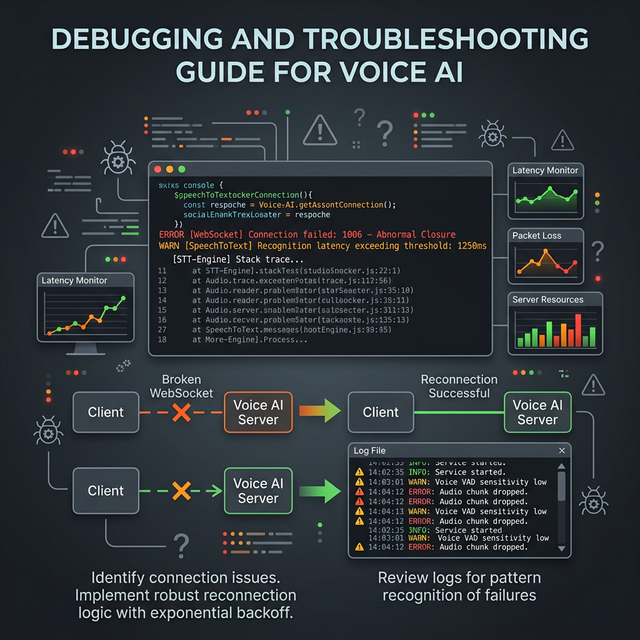
Part 6 of 7 — Things will break. This is your complete troubleshooting guide for Azure Voice Live in Next.js: WebSocket drops, choppy audio, VAD false positives, session timeouts, quota limits, and every other issue you'll encounter.
On this page
Azure Voice Live is powerful but unforgiving. A misconfigured chunk size, a missing error handler, or a silent session timeout can destroy the user experience entirely. This guide covers every issue you’re likely to encounter, from first connection to production incident.
Issue 1: WebSocket Connection Drops Mid-Session
Symptoms: The session disconnects after 30–60 seconds without user action. The browser console shows WebSocket closed: 1006 (Abnormal Closure).
Causes:
- Azure session timeout — Voice Live sessions have a maximum duration. After ~10 minutes of inactivity, they close.
- Cloudflare/load balancer timeout — HTTP proxies often close idle WebSocket connections after 60–90 seconds.
- Browser idle detection — Chromium throttles inactive tabs.
Fix: Implement Automatic Reconnection
// In useVoiceLive.ts

const MAX_RECONNECT_ATTEMPTS = 3;
const RECONNECT_DELAY_MS = 1500;

const reconnectAttempts = useRef(0);
const conversationHistory = useRef<string>('');

const connectWithRetry = useCallback(async () => {
  try {
    await connect();
    reconnectAttempts.current = 0;
  } catch (err) {
    if (reconnectAttempts.current < MAX_RECONNECT_ATTEMPTS) {
      reconnectAttempts.current++;
      console.log(`[VoiceLive] Reconnecting (${reconnectAttempts.current}/${MAX_RECONNECT_ATTEMPTS})...`);
      setTimeout(connectWithRetry, RECONNECT_DELAY_MS);
    } else {
      updateStatus('error');
    }
  }
}, [connect, updateStatus]);

// On unexpected close (not user-initiated):
ws.onclose = (event) => {
  if (event.code !== 1000 && reconnectAttempts.current < MAX_RECONNECT_ATTEMPTS) {
    // Preserve conversation history before reconnecting
    setTimeout(connectWithRetry, RECONNECT_DELAY_MS);
  } else {
    updateStatus('idle');
  }
};
Fix: Restore Conversation Context After Reconnect
When reconnecting, inject the conversation history into the system prompt:
async function connectWithHistory() {
  await connect();

  if (conversationHistory.current) {
    ws.send(JSON.stringify({
      type: 'session.update',
      session: {
        instructions: `${systemPrompt}

Previous conversation context:
${conversationHistory.current}

Continue the interview from where it left off.`,
      },
    }));
  }
}
Issue 2: Choppy / Glitchy Audio Playback
Symptoms: The AI voice stutters, pops, or has gaps. Especially noticeable at the start of each AI response.
Causes:
- Audio buffer underrun — the buffer empties before the next frames arrive
- Main thread blocking — React re-renders or heavy JS blocking the audio thread
- Mixed sample rates — browser and Azure operating at different rates
Fix: Implement a Jitter Buffer
// In the AudioWorklet processor
class PCMPlayerProcessor extends AudioWorkletProcessor {
  constructor() {
    super();
    this.buffer = [];
    this.minBufferSize = 480; // 20ms at 24kHz — pre-fill before playing
    this.playing = false;

    this.port.onmessage = (e) => {
      this.buffer.push(...e.data);
    };
  }

  process(inputs, outputs) {
    const output = outputs[0][0];

    // Don't start playing until we have enough buffer (prevents startup pop)
    if (!this.playing && this.buffer.length < this.minBufferSize) {
      output.fill(0);
      return true;
    }
    this.playing = this.buffer.length > 0;

    for (let i = 0; i < output.length; i++) {
      output[i] = this.buffer.length > 0 ? this.buffer.shift() : 0;
    }
    return true;
  }
}
Fix: Move Audio Processing Off Main Thread
Ensure your ScriptProcessorNode is not competing with React renders:
// Debounce UI updates triggered by voice events
const handleServerMessage = useMemo(() =>
  debounce((msg: ServerMessage) => {
    // process message
  }, 0), // 0ms debounce still yields to audio thread
[]);
Issue 3: VAD False Positives (Background Noise Talks to AI)
Symptoms: The AI responds to keyboard sounds, fan noise, or room noise as if the user spoke.
Fix: Increase VAD Threshold
turn_detection: {
  type: 'server_vad',
  threshold: 0.65, // Increase from default 0.5
  silence_duration_ms: 450,
  prefix_padding_ms: 300,
},
Fix: High-Pass Filter on Input
Add a high-pass filter to cut low-frequency ambient noise before sending to Azure:
// In startMicCapture()
const highPassFilter = ctx.createBiquadFilter();
highPassFilter.type = 'highpass';
highPassFilter.frequency.value = 80; // Cut below 80Hz

source.connect(highPassFilter);
highPassFilter.connect(processor);
processor.connect(ctx.destination);
Fix: Push-to-Talk Mode for Noisy Environments
Disable VAD and let users control turn-taking:
// Disable server-side VAD
turn_detection: null,

// User presses button to signal end of turn
function sendManualTurnEnd(ws: WebSocket) {
  ws.send(JSON.stringify({ type: 'input_audio_buffer.commit' }));
  ws.send(JSON.stringify({ type: 'response.create' }));
}
Issue 4: CORS Errors
Symptoms: Browser shows Access to XMLHttpRequest at ... has been blocked by CORS policy.
Root Cause: The WebSocket upgrade request is treated as a cross-origin request if your frontend and backend run on different origins.
Fix: Same-Origin Proxy
Always route WebSocket connections through your Next.js server (same origin as the frontend). Never let the browser connect directly to Azure:
// ✅ Correct — same origin
const ws = new WebSocket(`wss://${window.location.host}/api/voice`);

// ❌ Wrong — cross-origin and exposes API key
const ws = new WebSocket(`wss://interview-voice-openai.openai.azure.com/...?api-key=...`);
Issue 5: Azure Rate Limiting and Quota Errors
Symptoms: Connections fail with 429 Too Many Requests or error.type: 'rate_limit_exceeded'.
Azure Limits for GPT-4o Realtime Audio:
| Limit | Default Value |
|---|---|
| Concurrent sessions | 10 per deployment |
| Tokens per minute | 100K (configurable) |
| Max session duration | ~10 minutes |
| Audio input per minute | No stated limit |
Fix: Implement a Session Queue
// In your Next.js API
const activeSessions = new Map<string, WebSocket>();

function canStartSession(): boolean {
  return activeSessions.size < parseInt(process.env.MAX_CONCURRENT_SESSIONS || '10');
}

// In the WebSocket upgrade handler
server.on('upgrade', (request, socket, head) => {
  if (!canStartSession()) {
    socket.write('HTTP/1.1 503 Service Unavailable\r\n\r\n');
    socket.destroy();
    return;
  }
  // ... proceed
});
Fix: Request Quota Increase
For production, request a quota increase via the Azure portal:
- Go to your Azure OpenAI resource → Quotas
- Request increase for
gpt-4o-realtime-preview - Standard increases to 300K TPM are approved automatically
Issue 6: Session Timeout (10-Minute Hard Limit)
Azure Voice Live sessions have a hard maximum duration of approximately 10 minutes. An interview may legitimately need 30+ minutes.
Fix: Graceful Session Rotation
const SESSION_DURATION_LIMIT_MS = 9 * 60 * 1000; // 9 minutes (1 min buffer)

useEffect(() => {
  const sessionTimer = setTimeout(() => {
    // Silently rotate the session
    performSilentReconnect();
  }, SESSION_DURATION_LIMIT_MS);

  return () => clearTimeout(sessionTimer);
}, [wsConnected]);

async function performSilentReconnect() {
  // 1. Save conversation summary
  const summary = await generateConversationSummary();

  // 2. Disconnect quietly
  wsRef.current?.close(1000, 'Session rotation');

  // 3. Reconnect with history
  await connectWithHistory(summary);
}
Issue 7: Microphone Permission Denied
Symptoms: Users see a browser permission error and the interview can’t start.
Fix: Permission-First UX
// Check permission before starting (don't startle users)
async function checkMicPermission(): Promise<PermissionState> {
  const result = await navigator.permissions.query({ name: 'microphone' as PermissionName });
  return result.state;
}

// In the UI — check before showing Start button
const [micState, setMicState] = useState<PermissionState>('prompt');

useEffect(() => {
  checkMicPermission().then(setMicState);
}, []);

// Show appropriate UI
{micState === 'denied' && (
  <div className="alert-error">
    Microphone access is blocked. Please allow it in your browser settings to continue.
  </div>
)}
Debugging Tools
Real-Time Audio Visualizer
// Visualize what the microphone is capturing
function AudioMeter({ stream }: { stream: MediaStream | null }) {
  const canvasRef = useRef<HTMLCanvasElement>(null);

  useEffect(() => {
    if (!stream || !canvasRef.current) return;
    const ctx = new AudioContext();
    const analyser = ctx.createAnalyser();
    const source = ctx.createMediaStreamSource(stream);
    source.connect(analyser);

    const data = new Uint8Array(analyser.frequencyBinCount);
    const canvas = canvasRef.current;
    const cCtx = canvas.getContext('2d')!;

    let animId: number;
    function draw() {
      analyser.getByteTimeDomainData(data);
      cCtx.clearRect(0, 0, canvas.width, canvas.height);
      cCtx.beginPath();
      data.forEach((v, i) => {
        const x = (i / data.length) * canvas.width;
        const y = (v / 128.0) * canvas.height / 2;
        i === 0 ? cCtx.moveTo(x, y) : cCtx.lineTo(x, y);
      });
      cCtx.stroke();
      animId = requestAnimationFrame(draw);
    }
    draw();
    return () => { cancelAnimationFrame(animId); ctx.close(); };
  }, [stream]);

  return <canvas ref={canvasRef} width={300} height={60} className="border rounded" />;
}
Azure Monitor Logs
Enable diagnostic logging in Azure portal:
- Azure OpenAI resource → Diagnostic settings
- Add setting → Select
allLogs - Send to Log Analytics workspace
Query for errors:
AzureDiagnostics
| where ResourceType == "OPENAI"
| where resultType_s == "Failed"
| order by TimeGenerated desc
| project TimeGenerated, operationName_s, resultDescription_s
Complete Error Reference
| Error Type | Message | Fix |
|---|---|---|
session_expired |
Session exceeded time limit | Implement session rotation |
rate_limit_exceeded |
Too many concurrent sessions | Session queue + quota increase |
invalid_audio_format |
Wrong PCM encoding | Verify Int16 encoding, not Float32 |
model_not_deployed |
Deployment not found | Check deployment name in Azure portal |
content_filter |
Content policy violation | Review and adjust prompts |
connection_error |
WebSocket upgrade failed | Check setNoDelay(true) is set |
Next: Part 7 — Deploy, Scale & Pricing →
← Part 5 — Audio Quality | This is Part 6 of the Azure Voice Live series.
Related reading

25 Sep 2026 · 4 min read
ai
Entra Agent ID Is Microsoft's Bet That Identity Beats Sandboxing
Microsoft's September 23 post on agent-first platforms ties Entra Agent ID, Foundry, and hardware-isolated Container Apps sandboxes together. KPMG runs 30,000 concurrent sandboxes on it. Here's whether identity-first actually changes anything over sandboxing alone.
Read more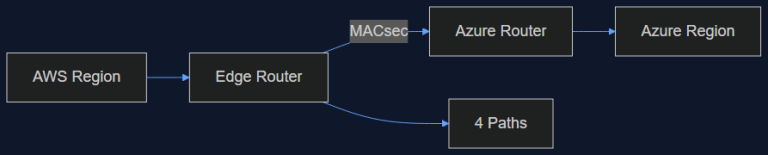
16 Sep 2026 · 4 min read
ai-infrastructure
AWS Just Opened a Private Pipe Straight Into Azure. Here's Why an AI Team Should Care
AWS Interconnect – multicloud with Azure went into preview in August, capped at 1 Gbps and four regions. That's not enough bandwidth for training, but it's exactly enough to fix the multi-vendor inference problem we've been duct-taping for a year.
Read more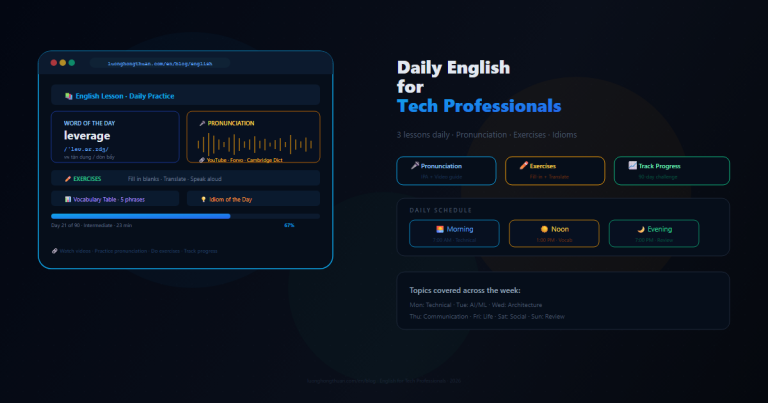
31 Aug 2026 · 4 min read
debugging
English Lesson — Monday Morning: Debugging & Testing Vocabulary
Daily English practice for tech professionals. Morning session covering debugging and testing vocabulary — breakpoint, stack trace, flaky test, edge case, root cause — with pronunciation guide, exercises, and real-world examples.
Read more
Discussion
Comments are reviewed before publication. Your email is kept private.