
JOURNAL
@defer Deferrable Views — The Ecommerce Performance Secret
Post F — A deep dive into Angular 21's @defer deferrable views. All trigger conditions, loading/placeholder/error blocks, combining with SSR, and measuring the real impact on LCP, INP, and bundle size.
On this page
The product detail page is the most performance-critical page in any ecommerce application. It’s what Google indexes for product searches. It’s where your LCP score is measured. And it carries enormous JavaScript weight — product images, reviews, recommended products, ratings, Q&A sections.
@defer is Angular 21’s answer to progressive loading: load the critical content immediately, defer everything else until the browser is ready.
What @defer Does
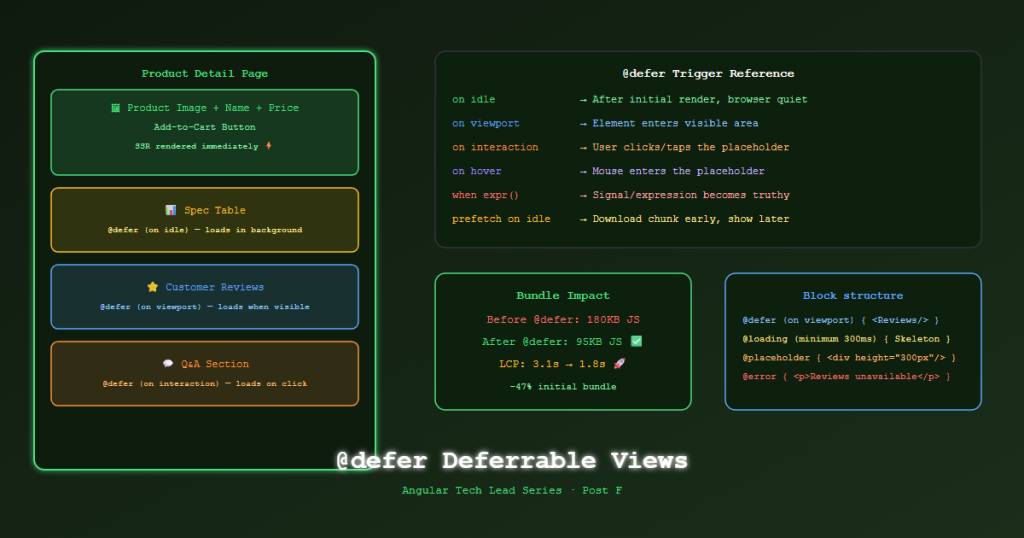
@defer wraps a section of template content and defers its JavaScript bundle loading until a specified trigger fires. Until then, it renders a @placeholder. When loading, it optionally renders a @loading block.
This differs from lazy-loaded routes: @defer works inside a template, not at the route level. You can defer individual components within the same page.
All Trigger Conditions
<!-- Triggers when the placeholder enters the viewport -->
@defer (on viewport) { <app-reviews /> }

<!-- Triggers immediately when Angular boots (but after initial render) -->
@defer (on idle) { <app-chat-widget /> }

<!-- Triggers on first interaction (click, keydown, touch) with the placeholder -->
@defer (on interaction) { <app-size-guide /> }

<!-- Triggers when the user hovers over the placeholder -->
@defer (on hover) { <app-quick-view /> }

<!-- Triggers on an explicitly named element -->
@defer (on viewport(productSection)) { <app-spec-table /> }

<!-- Triggers when a signal/observable becomes truthy -->
@defer (when isExpanded()) { <app-product-details /> }

<!-- Immediately (no trigger — just breaks into a separate chunk) -->
@defer { <app-non-critical /> }
The Full Block Structure
@defer (on viewport) {
  <!-- The actual content — loaded and rendered when trigger fires -->
  <app-product-reviews [productId]="product().id" />
}
@loading (minimum 300ms; after 100ms) {
  <!-- Shown while the chunk is downloading -->
  <!-- minimum: always show for at least 300ms (prevents flash) -->
  <!-- after: only show if loading takes longer than 100ms -->
  <div class="review-skeleton" aria-busy="true">
    @for (_ of [1,2,3]; track $index) {
      <div class="skeleton-card"></div>
    }
  </div>
}
@placeholder (minimum 200ms) {
  <!-- Shown before trigger fires — must be lightweight -->
  <!-- minimum: stay as placeholder for at least 200ms -->
  <div class="review-placeholder">
    <p>Customer reviews loading...</p>
  </div>
}
@error {
  <!-- Shown if the chunk fails to download -->
  <p>Reviews unavailable. <button (click)="retryReviews()">Retry</button></p>
}
Product Detail Page — Full Defer Strategy
<!-- product-detail.component.html -->
<!-- ABOVE THE FOLD: Never defer — render immediately (SSR) -->
<section class="product-hero">
<img [ngSrc]="product().imageUrl" priority width="600" height="600" />
<h1>{{ product().name }}</h1>
<p class="price">{{ product().price | currency }}</p>
<app-stock-indicator [stock]="product().stockQty" />
<button (click)="addToCart()">Add to Cart</button>
</section>
<!-- PRODUCT SPEC TABLE: Defer on idle (non-critical but useful) -->
@defer (on idle) {
<app-spec-table [specs]="product().specs" />
} @placeholder {
<div class="spec-placeholder" style="height: 200px"></div>
}
<!-- RECOMMENDATIONS: Defer on viewport (heavy, below fold) -->
@defer (on viewport; prefetch on idle) {
<app-recommended-products [productId]="product().id" />
} @loading (minimum 200ms) {
<div class="product-grid-skeleton">
@for (_ of [1,2,3,4]; track $index) {
<div class="skeleton-card" style="height:320px"></div>
}
</div>
} @placeholder {
<div style="height: 350px"></div> <!-- Reserve space to prevent CLS -->
}
<!-- REVIEWS: Defer on viewport (network call needed) -->
@defer (on viewport) {
<app-product-reviews [productId]="product().id" />
} @loading (minimum 400ms; after 150ms) {
<app-review-skeleton />
} @placeholder (minimum 300ms) {
<div class="review-placeholder"></div>
} @error {
<p>Unable to load reviews.</p>
}
<!-- Q&A SECTION: Defer on interaction (rarely used) -->
<h2 id="qa-toggle">Questions & Answers</h2>
@defer (on interaction(qaToggle)) {
<app-product-qa [productId]="product().id" />
} @placeholder {
<p>Click to load Q&A section</p>
}
Prefetching — Load Before Trigger
@defer supports a separate prefetch trigger — the chunk is downloaded early but not rendered until the main trigger fires.
<!-- Prefetch the chunk on idle, but render only on viewport -->
<!-- This gives the bundle a head start, reducing perceived latency -->
@defer (on viewport; prefetch on idle) {
  <app-recommended-products />
}
TechShop prefetch strategy:
| Component | Render Trigger | Prefetch Trigger |
|---|---|---|
| Recommendations | on viewport |
on idle |
| Reviews | on viewport |
on idle |
| Size Guide | on interaction |
on hover |
| Q&A | on interaction |
none (too large) |
SSR + @defer
By default, @defer placeholder content is server-rendered. The main content is deferred to client-side.
This is intentional: the placeholder renders fast (SSR), giving users immediate visual feedback, while the heavy component loads in the background.
<!-- What happens with SSR: -->
<!-- Server:  renders @placeholder content → sent to browser as HTML -->
<!-- Browser: receives HTML with placeholder, Angular hydrates -->
<!-- Trigger fires: loads chunk, replaces placeholder with real component -->
@defer (on viewport) {
  <app-reviews />           <!-- SSR skips this — loads client-side -->
} @placeholder {
  <div class="placeholder" /> <!-- SSR renders this → immediate visible HTML -->
}
To force server-rendering of the deferred content (rare), use withDeferBlockBehavior(DeferBlockBehavior.Playthrough) in SSR config.
Measuring the Impact
Before adding @defer:
- Product detail initial bundle: 180KB JS
- LCP: 3.1s (Lighthouse mobile)
- Reviews component blocking main thread: 280ms
After @defer on reviews + recommendations:
- Product detail initial bundle: 95KB JS (-47%)
- LCP: 1.8s ✅
- Reviews load after visible: 0ms main thread impact
# Measure bundle chunk sizes after build
nx build shell --configuration=production --stats-json
npx webpack-bundle-analyzer dist/apps/shell/stats.json
Look for @defer chunk files in the output — each deferred block becomes its own async chunk.
References
- Angular @defer — angular.dev
- Deferrable Views API
- Core Web Vitals — web.dev
- NgOptimizedImage — angular.dev
- Lighthouse Performance Audit
Part of the Angular Tech Lead Series — Back to main series overview
Related reading
14 Sep 2026 · 5 min read
ai
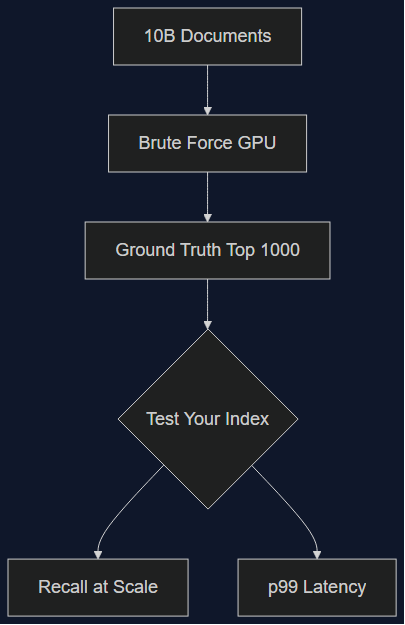
Your Vector Database Benchmark Is Lying to You (Mine Was Too)
Qdrant released a 10-billion-document benchmark dataset on September 1, 2026, built from over a quadrillion brute-force distance calculations. I ran our production filter patterns against the old 1M-vector benchmark we'd been trusting. The gap explains a slowdown we never diagnosed.
Read more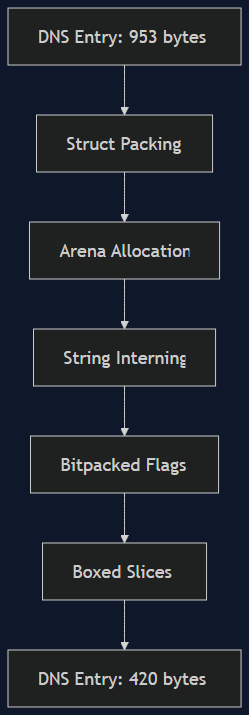
30 Aug 2026 · 4 min read
cloudflare
Cloudflare Cut DNS Cache Memory by 56% — The Rust Layout Tricks Worth Stealing
On Aug 27, Cloudflare shipped five memory-layout optimizations to Big Pineapple, their DNS cache, cutting per-entry memory by 56% and freeing ~100TB fleet-wide. A Tech Lead's walkthrough of the actual techniques — struct packing, arena allocation, string interning — and where they pay off in ordinary backend services, not just DNS resolvers at Cloudflare scale.
Read more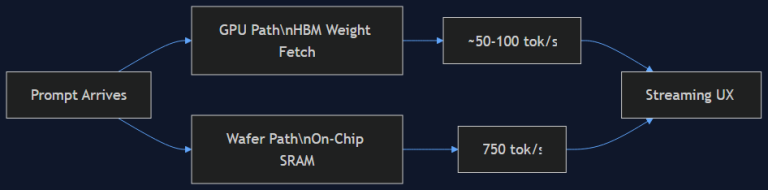
19 Aug 2026 · 5 min read
agentic coding
750 Tokens/Second: What Cerebras' Wafer-Scale Inference Actually Changes for Agent UX
OpenAI's GPT-5.6 Sol Ultrafast, powered by Cerebras' Wafer-Scale Engine, hits 750 output tokens/second — 14x standard inference. I dug into why on-chip SRAM beats HBM for this, and what it means for how we design latency-sensitive agent products.
Read more
Discussion
Comments are reviewed before publication. Your email is kept private.