
JOURNAL
Multi-Agent Deep Dive Part 2: Worker Agents & Tool Design — SQL Writer, Data Processor & Formatter Implementation
Complete implementation guide for worker agents in a multi-agent system. Covers tool design patterns, prompt engineering for cheap models, input/output contracts, error handling, and cost optimization with Haiku and DeepSeek.
On this page
Introduction
In Part 1: /en/blog/multi-agent-deep-dive-orchestrator-part1/, we designed the Brain (Orchestrator) agent. Now we build the workers — the cost-efficiency engine of the multi-agent system.
Workers do not decide what to do. They execute structured instructions from the Brain. This separation is the key to cost optimization: the Brain uses an expensive model (Claude Sonnet) for reasoning 1-2 times, while workers use cheap models (Haiku/DeepSeek) for execution 3-8 times per query.
This guide covers the complete implementation of three production worker agents: SQL Writer, Data Processor, and Formatter.
Table of Contents
- Worker Agent Architecture Principles
- Tool Design Patterns
- SQL Writer Agent (Haiku)
- Data Processor Agent (Haiku/DeepSeek)
- Formatter Agent (Haiku)
- Input/Output Contracts
- Cost Optimization for Workers
- Error Handling Patterns
- Testing Worker Agents
- Adding New Workers
- Production Checklist
1. Worker Agent Architecture Principles
1.1 The Single Responsibility Rule
Each worker agent has exactly one job. This is non-negotiable:
| Worker | Responsibility | NOT Responsible For |
|---|---|---|
| SQL Writer | Translate query spec to SQL | Deciding what to query |
| Data Processor | Apply transformations to data | Deciding which transformations |
| Formatter | Convert data to output format | Deciding which format |
The Brain decides the what. Workers execute the how.
1.2 Worker Design Constraints
# Every worker agent must satisfy these constraints:
#
# 1. STATELESS: No memory of previous invocations
# 2. DETERMINISTIC: Same input -> same output (within model variance)
# 3. BOUNDED: Maximum execution time of 30 seconds
# 4. CHEAP: Use the cheapest model that achieves 95%+ accuracy
# 5. TYPED: Explicit input/output schemas
# 6. TESTABLE: Can be unit-tested without the full graph
1.3 The Worker Interface
All workers follow the same interface pattern:
from langgraph.types import Command
from typing import Literal

def worker_node(state: AgentState) -> Command[Literal["brain_synthesise"]]:
    """Standard worker interface.

    1. Extract task from state
    2. Build worker-specific prompt
    3. Invoke cheap model
    4. Parse and validate output
    5. Return results to Brain
    """
    task = extract_task(state)
    prompt = build_worker_prompt(task)

    result = worker_model.invoke(prompt)
    validated = validate_output(result, task.expected_schema)

    return Command(
        update=dict(
            worker_results=state["worker_results"] + [validated],
            model_costs=state["model_costs"] + [result.usage],
        ),
        goto="brain_synthesise",
    )
2. Tool Design Patterns
2.1 Structured Tool Calls
Workers receive structured instructions, not free-form text:
# BAD: Free-form instruction
"Write a SQL query to get BBC One reach by age group"

# GOOD: Structured specification
dict(
    agent="sql_writer",
    task=dict(
        table="ott_viewing_events",
        filters=[
            dict(column="channel", operator="=", value="BBC One"),
        ],
        dimensions=["age_group"],
        aggregations=[
            dict(function="COUNT", column="viewer_id", alias="reach"),
        ],
        scan_budget_gb=10,
    ),
)
2.2 Tool Registration with LangGraph
from langchain_core.tools import tool

@tool
def execute_athena_query(
    table: str,
    filters: list,
    dimensions: list,
    aggregations: list,
    scan_budget_gb: int = 10,
) -> dict:
    """Execute a structured query against Athena.

    Args:
        table: Target table name
        filters: List of filter conditions
        dimensions: GROUP BY columns
        aggregations: Aggregation functions
        scan_budget_gb: Maximum data scan in GB

    Returns:
        dict with 'rows', 'columns', 'bytes_scanned', 'execution_time_ms'
    """
    sql = build_athena_sql(table, filters, dimensions, aggregations)
    validate_scan_budget(sql, scan_budget_gb)
    result = run_athena_query(sql)
    return result

@tool
def apply_rim_weighting(
    data: list,
    dimensions: list,
    target_weights: dict,
) -> dict:
    """Apply rim weighting to raw survey data.

    Args:
        data: Raw query results (list of rows)
        dimensions: Demographic dimensions to weight
        target_weights: Target distribution per dimension

    Returns:
        dict with 'weighted_data', 'convergence_report', 'confidence'
    """
    weighted = iterative_raking(data, dimensions, target_weights)
    return weighted

@tool
def format_output(
    data: list,
    format_type: str,
    title: str = "",
) -> dict:
    """Format processed data into requested output.

    Args:
        data: Processed/weighted data
        format_type: 'json' | 'markdown' | 'narrative'
        title: Optional title for the output

    Returns:
        dict with 'formatted_output', 'format_type'
    """
    formatted = apply_format(data, format_type, title)
    return formatted
2.3 Tool Composition
Complex operations chain multiple tools:
| Operation | Tool Chain | Total Cost |
|---|---|---|
| Simple metric | sql_writer -> formatter | USD 0.007 |
| Weighted metric | sql_writer -> weight_applier -> formatter | USD 0.012 |
| Comparison | sql_writer (x2) -> weight_applier -> formatter | USD 0.017 |
| Trend + anomaly | sql_writer (x3) -> weight_applier -> anomaly_detector -> formatter | USD 0.025 |
3. SQL Writer Agent (Haiku)
The SQL Writer is the most frequently invoked worker. It translates structured query specifications into Athena-compatible SQL.
3.1 Agent Configuration
from langchain_aws import ChatBedrock
from langgraph.prebuilt import create_react_agent

sql_model = ChatBedrock(
    model_id="anthropic.claude-3-5-haiku-20241022-v1:0",
    region_name="us-east-1",
    model_kwargs=dict(max_tokens=2048, temperature=0),
)

SQL_WRITER_PROMPT = """You are an Athena SQL specialist.

Input: A structured query specification with:
- table: target table name
- filters: WHERE conditions (column, operator, value)
- dimensions: GROUP BY columns
- aggregations: SUM/AVG/COUNT functions
- scan_budget_gb: maximum data scan allowed

Output: A single Athena-compatible SQL query.

Rules:
- NEVER use SELECT * (always specify columns)
- ALWAYS include partition filters for cost control
- NEVER exceed the scan budget
- Use APPROX_COUNT_DISTINCT for large cardinality counts
- Return ONLY the SQL, no explanation
- Include a comment with estimated scan size

Example output:
-- Estimated scan: 2.5 GB
SELECT
    age_group,
    COUNT(DISTINCT viewer_id) AS reach
FROM ott_viewing_events
WHERE channel = 'BBC One'
    AND event_date BETWEEN DATE '2026-01-01' AND DATE '2026-03-01'
GROUP BY age_group
ORDER BY reach DESC
"""

sql_agent = create_react_agent(
    model=sql_model,
    tools=[execute_athena_query],
    name="sql_writer",
    prompt=SQL_WRITER_PROMPT,
)
3.2 Cost Control: Scan Budget Pattern
Athena charges per TB scanned. The SQL Writer must enforce scan budgets:
-- Workgroup limits max bytes scanned per query
-- Set this in Athena workgroup configuration:
-- BytesScannedCutoffPerQuery: 10737418240 (10 GB)

-- 100 GB = USD 0.50 max per query
-- Partition pruning is CRITICAL:
-- Always filter by event_date partition
-- Never scan more than 90 days without explicit approval
3.3 Performance Patterns
| Pattern | Benefit | Example |
|---|---|---|
| Partition pruning | 10-100x cost reduction | WHERE event_date BETWEEN … |
| Column selection | 2-5x cost reduction | SELECT col1, col2 vs SELECT * |
| APPROX_COUNT_DISTINCT | 3-5x speed improvement | For reach/unique viewer counts |
| LIMIT clause | Safety net for large result sets | LIMIT 10000 |
| Pre-aggregated tables | 100x cost reduction for common queries | Daily summary tables |
4. Data Processor Agent (Haiku/DeepSeek)
The Data Processor handles transformations that require domain knowledge — particularly rim weighting for statistical representativeness.
4.1 Agent Configuration
PROCESSOR_PROMPT = """You are a data processing specialist.

Input: Raw query results and processing instructions from the orchestrator.
Output: Processed results with a confidence report.

Processing types:
1. RIM_WEIGHTING: Apply iterative raking across demographic dimensions
2. NORMALIZATION: Scale values to 0-100 or percentage format
3. AGGREGATION: Combine multiple result sets
4. ANOMALY_DETECTION: Flag values outside expected ranges

Rules:
- Report confidence level (high/medium/low)
- Flag any anomalies or missing data
- Return structured output matching the expected schema
- If rim weighting does not converge in 50 iterations, report failure
"""

processor_agent = create_react_agent(
    model=haiku_model,
    tools=[apply_rim_weighting, detect_anomalies],
    name="data_processor",
    prompt=PROCESSOR_PROMPT,
)
4.2 Rim Weighting Implementation
The weight applier is a hard dependency — every metric must pass through it before delivery:
def iterative_raking(data, dimensions, targets, max_iterations=50):
    """Apply rim weighting using iterative proportional fitting.

    Args:
        data: Raw survey data (list of respondent records)
        dimensions: Demographic variables to weight
        targets: Known population distributions
        max_iterations: Maximum raking iterations

    Returns:
        dict with weighted data, convergence status, and confidence
    """
    weights = initialize_weights(data)

    for iteration in range(max_iterations):
        for dim in dimensions:
            weights = adjust_dimension(weights, data, dim, targets[dim])

        if check_convergence(weights, targets, tolerance=0.01):
            return dict(
                weighted_data=apply_weights(data, weights),
                convergence_report=dict(
                    converged=True,
                    iterations=iteration + 1,
                    max_weight=max(weights),
                    min_weight=min(weights),
                ),
                confidence="high" if max(weights) <= 4.99 else "medium",
            )

    # Did not converge
    return dict(
        weighted_data=apply_weights(data, weights),
        convergence_report=dict(converged=False, iterations=max_iterations),
        confidence="low",
    )
4.3 Confidence Scoring
| Confidence | Criteria | Action |
|---|---|---|
| High | Converged, max weight under 5.0, all dimensions balanced | Deliver to user |
| Medium | Converged but max weight over 5.0 | Deliver with warning |
| Low | Did not converge, or missing dimension data | Flag for human review |
5. Formatter Agent (Haiku)
The Formatter converts processed data into the final output format. It is the cheapest worker — simple template-based transformations.
5.1 Agent Configuration
FORMATTER_PROMPT = """You are an output formatting specialist.

Input: Processed data and a format specification.
Output: Formatted result in the requested format.

Supported formats:
1. JSON: Structured data for dashboards (Recharts/D3 compatible)
2. MARKDOWN: Table format for reports
3. NARRATIVE: Plain-English summary sentence

Rules:
- JSON output must be valid and parseable
- Markdown tables must have proper headers and alignment
- Narrative summaries must be one paragraph, under 100 words
- Always include the data source and weighting status
- Round numbers to 2 decimal places
"""
5.2 Output Format Examples
JSON Format (for dashboards):
# Recharts-compatible JSON output
output = dict(
    chart_type="bar",
    title="BBC One Reach by Age Group (Weighted)",
    data=[
        dict(age_group="18-24", reach=1250000, weighted=True),
        dict(age_group="25-34", reach=1890000, weighted=True),
        dict(age_group="35-44", reach=2340000, weighted=True),
        dict(age_group="45-54", reach=2670000, weighted=True),
        dict(age_group="55-64", reach=2890000, weighted=True),
        dict(age_group="65+", reach=3120000, weighted=True),
    ],
    metadata=dict(
        source="ott_viewing_events",
        period="2026-01-01 to 2026-03-01",
        weighting="rim_weighted",
        confidence="high",
    ),
)
Markdown Format (for reports):
# Markdown table output
output = """
| Age Group | Reach (Weighted) | Share |
|-----------|-----------------|-------|
| 18-24     | 1,250,000       | 8.5%  |
| 25-34     | 1,890,000       | 12.8% |
| 35-44     | 2,340,000       | 15.9% |
| 45-54     | 2,670,000       | 18.1% |
| 55-64     | 2,890,000       | 19.6% |
| 65+       | 3,120,000       | 21.2% |

*Source: ott_viewing_events | Period: Jan-Mar 2026 | Rim weighted*
"""
6. Input/Output Contracts
6.1 Contract Design
Every worker-to-worker interaction has a typed contract:
| From | To | Contract |
|---|---|---|
| Brain | SQL Writer | QuerySpec -> SQL string |
| SQL Writer | Data Processor | ResultSet -> ProcessedData |
| Data Processor | Formatter | ProcessedData -> FormattedOutput |
| Any Worker | Brain | WorkerResult -> synthesis decision |
6.2 Validation Pattern
from dataclasses import dataclass
from typing import Optional

@dataclass
class QuerySpec:
    table: str
    filters: list
    dimensions: list
    aggregations: list
    scan_budget_gb: int = 10

@dataclass
class WorkerResult:
    agent_name: str
    success: bool
    data: Optional[dict]
    error: Optional[str]
    confidence: float
    execution_time_ms: int
    token_usage: dict

def validate_worker_result(result: dict, expected_schema: dict) -> WorkerResult:
    """Validate worker output against expected schema."""
    # Check required fields
    for field in expected_schema.get("required", []):
        if field not in result:
            return WorkerResult(
                agent_name="unknown",
                success=False,
                data=None,
                error=f"Missing required field: [field]",
                confidence=0.0,
                execution_time_ms=0,
                token_usage=dict(),
            )

    return WorkerResult(
        agent_name=result.get("agent", "unknown"),
        success=True,
        data=result,
        error=None,
        confidence=result.get("confidence", 0.5),
        execution_time_ms=result.get("execution_time_ms", 0),
        token_usage=result.get("usage", dict()),
    )
7. Cost Optimization for Workers
7.1 Model Selection by Task
| Task Complexity | Model | Cost per 1M Input | When to Use |
|---|---|---|---|
| Simple SQL | Haiku 3.5 | USD 0.80 | Standard queries, under 2K tokens |
| Complex SQL | Haiku 3.5 | USD 0.80 | Multi-table joins, subqueries |
| Data processing | DeepSeek R1 | USD 0.55 | Statistical calculations |
| Formatting | Haiku 3.5 | USD 0.80 | Template-based output |
| Fallback (high complexity) | Sonnet 4 | USD 3.00 | Only if Haiku fails twice |
7.2 Token Optimization Strategies
| Strategy | Savings | Implementation |
|---|---|---|
| Minimal prompts | 30-50% | Workers get only the task, not full context |
| Structured output | 20-30% | Request specific fields, not free-form text |
| Prompt caching | 90% | Cache worker system prompts on Bedrock |
| Batch processing | 15-25% | Group multiple similar tasks |
| Response truncation | 10-20% | Set max_tokens to expected output size |
7.3 Cost per Query Breakdown
| Component | Model | Tokens | Cost |
|---|---|---|---|
| Brain Plan | Sonnet 4 | ~10K input, 500 output | USD 0.0375 |
| SQL Writer | Haiku 3.5 | ~2K input, 500 output | USD 0.0036 |
| Weight Applier | Haiku 3.5 | ~3K input, 1K output | USD 0.0064 |
| Formatter | Haiku 3.5 | ~2K input, 500 output | USD 0.0036 |
| Brain Synthesise | Sonnet 4 | ~5K input, 500 output | USD 0.0225 |
| Total | ~22.5K tokens | USD 0.074 |
With prompt caching on Brain calls: USD 0.025 per query (66% reduction).
8. Error Handling Patterns
8.1 Worker Error Types
| Error | Cause | Recovery |
|---|---|---|
| Model timeout | Complex query, model overloaded | Retry with shorter prompt |
| Invalid SQL | Ambiguous query spec | Return error to Brain for re-planning |
| Scan budget exceeded | Query too broad | Add partition filters, reduce date range |
| Convergence failure | Insufficient data for weighting | Return unweighted with warning |
| Format error | Invalid data structure | Retry with explicit schema |
8.2 Worker Retry Strategy
from langgraph.types import RetryPolicy

worker_retry = RetryPolicy(
    max_attempts=2,          # Max 2 retries (3 total attempts)
    initial_interval=0.5,    # 500ms initial wait
    backoff_factor=2.0,      # Exponential backoff
    max_interval=5.0,        # Max 5 second wait
)

# If all retries fail, escalate to Brain
def worker_with_fallback(state: AgentState) -> Command:
    try:
        result = execute_worker(state)
        return Command(
            update=dict(worker_results=state["worker_results"] + [result]),
            goto="brain_synthesise",
        )
    except Exception as e:
        return Command(
            update=dict(
                worker_results=state["worker_results"] + [
                    dict(
                        success=False,
                        error=str(e),
                        agent="sql_writer",
                    )
                ]
            ),
            goto="brain_synthesise",  # Let Brain decide how to handle
        )
9. Testing Worker Agents
9.1 Unit Testing
def test_sql_writer_generates_valid_sql():
    """Test SQL generation with known query spec."""
    spec = dict(
        table="ott_viewing_events",
        filters=[dict(column="channel", operator="=", value="BBC One")],
        dimensions=["age_group"],
        aggregations=[dict(function="COUNT", column="viewer_id", alias="reach")],
    )

    result = sql_writer_node(mock_state(spec))
    sql = result.update["worker_results"][-1]["sql"]

    assert "ott_viewing_events" in sql
    assert "age_group" in sql
    assert "COUNT" in sql
    assert "SELECT *" not in sql  # Never SELECT *


def test_weight_applier_converges():
    """Test rim weighting with known data."""
    data = generate_test_survey_data(n=1000)
    targets = dict(
        age_group=dict(young=0.3, middle=0.4, senior=0.3),
        gender=dict(male=0.49, female=0.51),
    )

    result = iterative_raking(data, ["age_group", "gender"], targets)
    assert result["convergence_report"]["converged"] is True
    assert result["confidence"] in ["high", "medium"]
9.2 Integration Testing
| Test | Input | Expected |
|---|---|---|
| SQL -> Athena roundtrip | Simple metric query | Valid result set with correct columns |
| Weight applier accuracy | Known population data | Weighted distribution within 1% of targets |
| Formatter JSON output | Processed data | Valid JSON parseable by Recharts |
| Full pipeline | Natural language question | Correct weighted answer |
9.3 LangSmith Evaluation Datasets
Create evaluation datasets for each worker:
| Dataset | Size | Purpose |
|---|---|---|
| sql_accuracy | 100 query specs | SQL correctness, scan efficiency |
| weighting_accuracy | 50 datasets | Convergence rate, weight quality |
| format_quality | 30 format requests | Output validity, readability |
10. Adding New Workers
The system is designed for extensibility. Adding a new worker requires:
10.1 Steps to Add a New Worker
- Define the tool with typed inputs/outputs
- Write the worker prompt (keep it under 500 tokens)
- Create the worker node following the standard interface
- Register with the Brain by updating the Brain prompt
- Add to the graph with edges to/from brain_synthesise
- Write tests for the new worker
- Create LangSmith evaluation dataset (minimum 20 examples)
10.2 Example: Adding an Anomaly Detector
@tool
def detect_anomalies(
    data: list,
    metric: str,
    threshold_sigma: float = 2.0,
) -> dict:
    """Detect statistical anomalies in time series data.

    Args:
        data: Time series data (list of records with date + value)
        metric: Name of the metric column to analyse
        threshold_sigma: Number of standard deviations for anomaly threshold

    Returns:
        dict with 'anomalies', 'baseline', 'analysis'
    """
    values = [row[metric] for row in data]
    mean = sum(values) / len(values)
    std = calculate_std(values)

    anomalies = []
    for row in data:
        z_score = abs(row[metric] - mean) / std
        if z_score > threshold_sigma:
            anomalies.append(dict(
                date=row["date"],
                value=row[metric],
                z_score=round(z_score, 2),
                direction="above" if row[metric] > mean else "below",
            ))

    return dict(
        anomalies=anomalies,
        baseline=dict(mean=round(mean, 2), std=round(std, 2)),
        analysis=f"Found anomalies out of data points",
    )
11. Production Checklist
Worker Design
- Each worker has exactly one responsibility
- All workers use the standard interface (Command return)
- Input/output contracts are typed and validated
- Workers are stateless and deterministic
Cost Control
- Workers use Haiku/DeepSeek (not Sonnet)
- Prompts are minimal (under 500 tokens for workers)
- Prompt caching enabled for worker system prompts
- Scan budgets enforced for SQL queries
Error Handling
- Retry policy configured (max 2 retries)
- Fallback to Brain on worker failure
- Graceful degradation (partial results over no results)
- Error context logged for debugging
Testing
- Unit tests for each worker function
- Integration tests for tool chains
- LangSmith evaluation datasets (minimum 20 per worker)
- Regression tests in CI pipeline
Next in the Series
- Part 1: Orchestrator Agent Deep Dive: /en/blog/multi-agent-deep-dive-orchestrator-part1/ — Brain Architecture, Routing Logic, Prompt Engineering
- Part 3: State Management and Data Layer — DynamoDB checkpointing, S3 state, Athena integration
- Part 4: Security Architecture — IAM, prompt injection defense, audit logging
- Part 5: CI/CD Pipeline for Agents — LangSmith eval, prompt versioning, canary deploys
- Part 6: Scaling Patterns and Production — Step Functions, auto-scaling, cost optimization
Related reading
02 Oct 2026 · 6 min read
agents
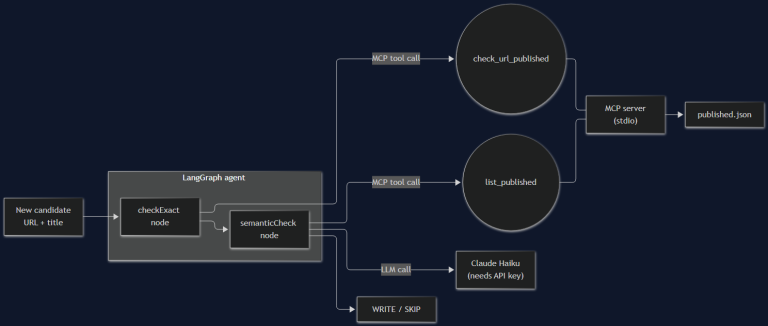
I Built the Agent From Part 1. It's 200 Lines and It Still Broke Once.
Part 2 of the AI agent architecture series: a real MCP server, a real LangGraph graph, and the actual bug — a blog-dedup agent that catches exact-match duplicates fine and faceplants on the semantic case, with a 401 to prove it.
Read more
10 Sep 2026 · 5 min read
agentic coding
10,000 Agents, 88 Hours, One Disputed Proof: What OpenAI's Navier-Stokes Claim Means for Engineering Teams
OpenAI says an internal model coordinated 10,000 agents for 88 hours to solve the Navier-Stokes Millennium Prize problem — then a mathematician accused it of building on unpublished work it had access to. A technical lead's take on the swarm-scale mechanics and the attribution problem every AI-assisted team will eventually hit.
Read more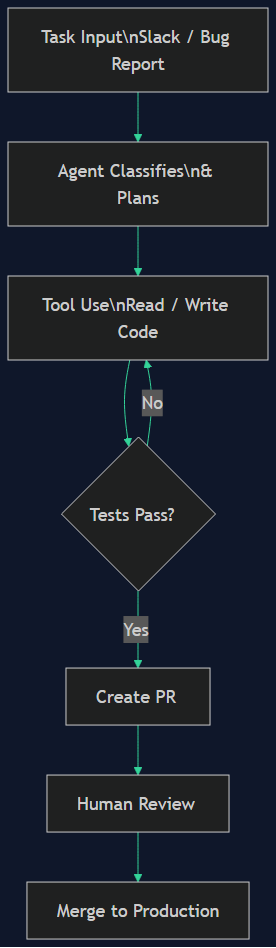
27 Aug 2026 · 4 min read
agent architecture
How xAI Builds Grok — and How I'd Build a Grok of My Own
Grok isn't a model, it's an agent system: tools trained into the reasoning, real-time X and web search on xAI's infra, a four-agent cross-verifying architecture, long-running agents. I break down its features, architecture, and safety harness — then map each piece to a component I can build self-hosted on a subscription I already pay for.
Read more
Discussion
Comments are reviewed before publication. Your email is kept private.