
JOURNAL
9. Design a Chatbot People Can Trust, Configure and Recover From
Specify answer and analysis workflows, safe configuration, accessible interactions and a practical demo walkthrough.
On this page
Chatbot Engineering · Part 9 of 9 · Research checked October 7, 2026. Proposed designs and assumptions are distinguished from measured implementation results.
A useful chatbot interface makes its scope, evidence and current state understandable. A blank input box places too much work on the user. A polished transcript cannot compensate for hidden assumptions or an unexplained failed query.
Design two primary workflows
Use an Answer workflow for source-grounded documentation questions and an Analyze workflow for structured business data. They can share one conversation surface, but analysis needs an adjacent result area for filters, metric definitions, charts and tables. On mobile, make that area an accessible tab or expandable card.
Show the active workspace and permitted source scope near the composer. Provide a few useful examples, such as “Compare net revenue by channel for September” and “Explain the current refund policy.” Avoid examples that imply unsupported capabilities.
Make assumptions editable before execution
For an analytical request, display metric, date range, timezone, grouping and currency as a plan preview. If a default is safe and documented, explain it. If it materially changes the answer, ask the user to choose. Users should edit a date chip rather than rewrite a paragraph.
After execution, show the answer, result table, data freshness and metric definition. Offer “Change period,” “Compare,” and “Export” as follow-up actions scoped to that result. Preserve the original result so a follow-up does not erase the evidence users were reviewing.
Show progress and recovery honestly
Use factual stages such as “Checking sources,” “Running the approved query,” and “Preparing the explanation.” Do not manufacture progress percentages or expose internal chain-of-thought. A stage indicates system work, not proof the final answer will be correct.
Support Stop, retry and edit-request actions. Distinguish a failed query from an empty result. Keep the user’s text after an error and avoid duplicate submissions. An external timeout should never leave a successful-looking analysis card with stale data.
For accessibility, preserve keyboard focus, label controls, provide visible focus states and announce meaningful status changes without repeatedly reading every streamed token. W3C explains accessible status-message behavior in its WCAG status-message guidance.
Separate user preferences from administrator controls
| Level | Configurable settings | Boundary |
|---|---|---|
| User | Language, answer length, display format, date preferences | Cannot broaden access |
| Workspace administrator | Sources, approved metrics, retention, quotas, escalation policy | Validated within tenant permissions |
| Platform operator | Model versions, runtime limits, tool catalog, deployment mode | Reviewed rollout and audit |
Do not let an editable system prompt disable authentication or action approval. Store configuration with a version, actor and timestamp. Preview changes on a fixed test suite before activating them. A workspace administrator should see the cost and privacy effect of enabling external fallback.
Prioritize a practical feature set
The first client release should include authenticated workspaces, grounded answers, governed metrics, clarification, evidence inspection, limited exports, feedback, usage limits and an operator dashboard. Add conversation history only with an explicit retention policy and deletion controls.
Later features can include scheduled reports, approved write actions, team sharing and additional connectors. Each adds a permission and failure surface. Voice, avatars and autonomous multi-agent orchestration should follow demonstrated needs rather than serve as the initial proof of product quality.
Try the working sample
Open the Private Decision Lab. It is a live self-hosted CPU router with English and Vietnamese examples. Choose chatbot mode, run a product or architecture question, then inspect the route, scores and measured local inference latency. Switch to agent mode to inspect a simulated recommendation.
Try “Giúp tôi với” and “Vẽ sơ đồ microservices.” The first exposes ambiguity handling; the second illustrates how a margin policy can block a correct raw classification. Scores are uncalibrated. Outputs are fixed templates or simulations; there is no generative answer model, private database or executable action tool.
This sample supplies real operational evidence for one component of the proposed product. The runnable synthetic query in chapter 2 and cost calculation in chapter 8 illustrate the data and billing layers separately. A combined production analytics chatbot has not been built or trained by writing these articles.
A scenario for the next product iteration
The reference scenario is: an authenticated alpha-workspace user asks for September net revenue, reviews the metric plan, receives a synthetic $200 result with a date range, changes the comparison period and exports the permitted rows. A beta-workspace user must never see alpha’s rows or cached answer.
Validate the semantic request and tenant scope in code. Only then add a candidate local model to interpret the natural-language request and optionally explain the result. Evaluate a hosted reference and local candidates on identical fixtures. Promote an adapter only if it improves that end-to-end scenario.
What “professional” means here
Professional UI/UX means users can understand what happened, verify the evidence, correct an assumption and recover from failure. Keep model selection out of routine user flows unless it changes privacy, cost or an available capability. Explain those consequences in plain language.
The implementation path is governed data tools, independent evaluation, a model comparison, then measured optimization and commercial packaging. The existing CPU case study is the starting evidence, not the final product claim.
Workshop: design the actual Commerce Assist analysis screen
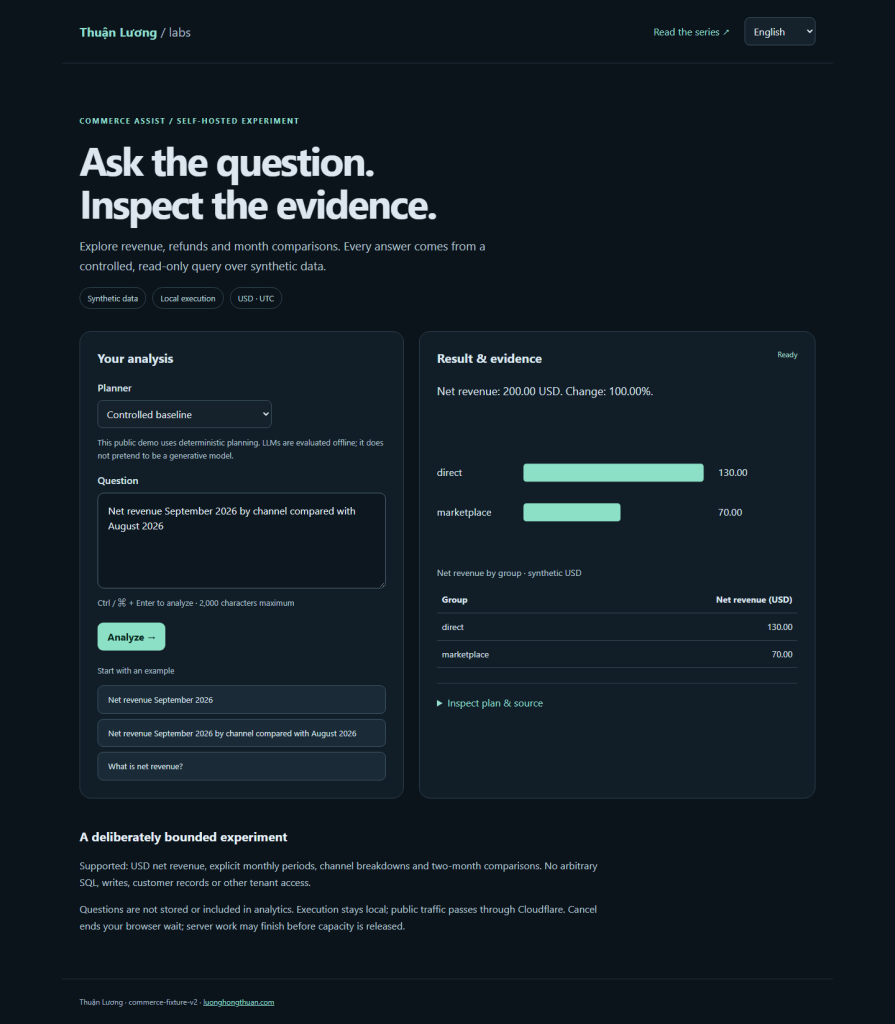
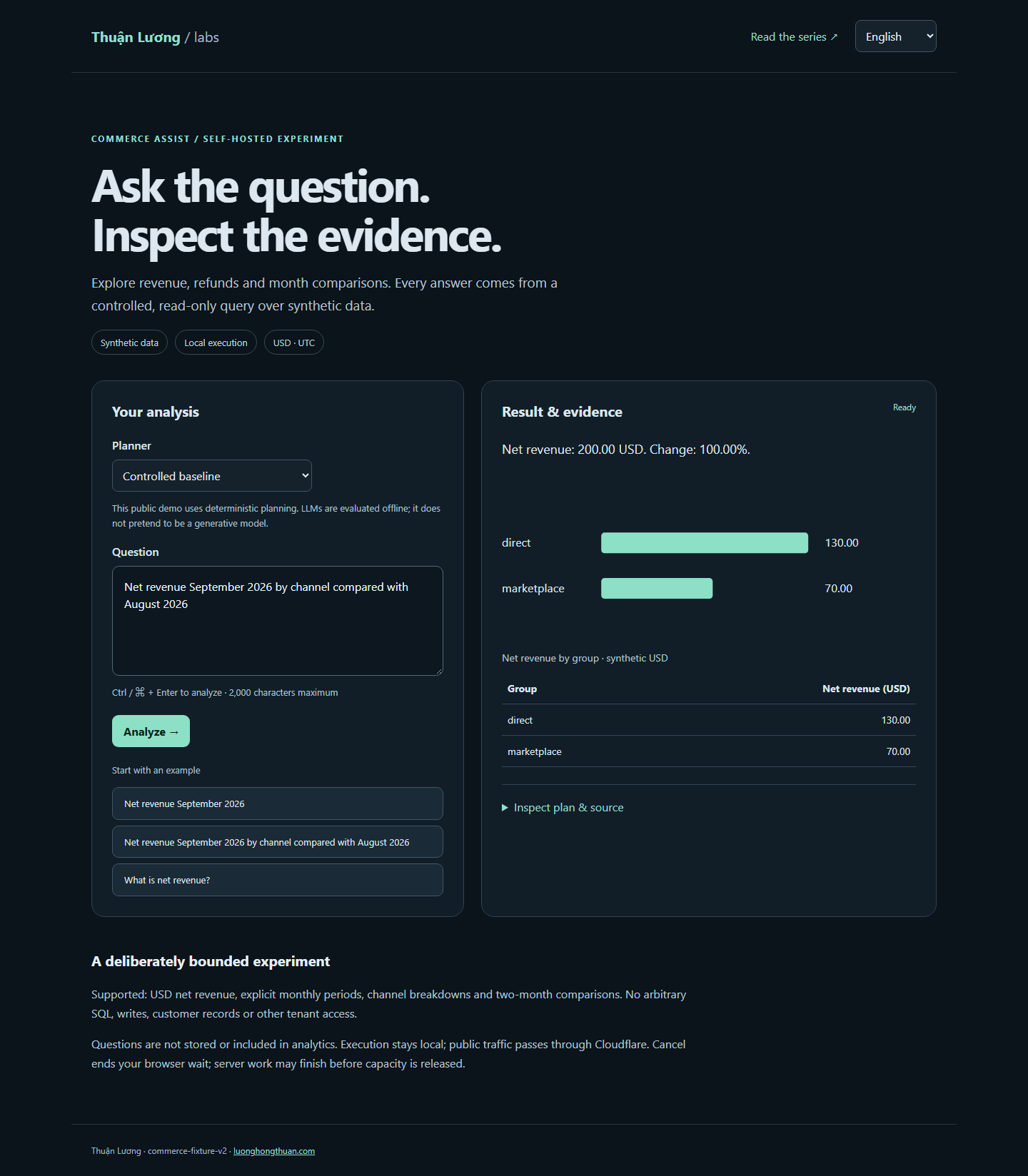
Begin with a workspace selector and two understandable task entries: ask a documentation question or analyze an approved metric. For analysis, put a compact plan card between the request and execution. It shows “Net revenue,” “September 2026,” “Compare with August,” “USD,” and “UTC.” The user can change a field and rerun without retyping the question.
Once complete, place the numerical answer first, then comparison, result table and evidence. For the synthetic fixture, show $200 for September and $100 for August, with a $100 increase and 100% change. Label the data synthetic in a demo. Display the metric definition and source freshness close enough to inspect without opening an unrelated settings page.
Define states and controls rather than just a happy screen
| State | What the user sees | Available action |
|---|---|---|
| Missing metric | One focused clarification | Choose an approved metric |
| Plan ready | Editable assumptions and processing mode | Run or edit |
| Queued/executing | Factual stage; no fabricated percentage | Stop where supported |
| No rows | No data for that effective scope | Change scope; inspect definition |
| Source unavailable | Result could not be obtained | Retry; keep the request |
| Budget exhausted | Limit and owner-admin recovery path | Request allowance or wait for reset |
| Completed | Verified result and evidence | Compare, export, give feedback |
A result of zero must not look like “the data source is down.” A canceled request must not become a success notification when background work completes. Keep the last valid result visible with its original period while a new comparison loads; do not imply the old value is the new result.
Specify configuration with scope and versioning
{
  "config_version": 3,
  "workspace_policy": {
    "processing_mode": "private_local",
    "external_fallback": false,
    "allowed_metrics": ["net_revenue_v1"],
    "max_period_days": 366,
    "export_enabled": false
  },
  "user_preferences": {
    "language": "vi",
    "answer_length": "short",
    "preferred_view": "table"
  }
}
This illustrates proposed configuration, not a deployed settings endpoint. Store platform policy, workspace policy and user preferences separately. Resolve an effective configuration on the server and reject contradictory combinations. A user language preference can change labels and prose; it must not enable an export that workspace policy disabled.
An administrator changing the metric list should see the impacted scenarios, not only a Save button. Version changes and provide a rollback. Privacy-sensitive switches require an explanation of the processing boundary. Routine users should not need to choose temperature, adapter rank or a model family to ask for a number.
Make bilingual UX a tested product requirement
Persist a deliberate EN/VI selection, while allowing the user to request an answer in the other language. Keep structured metric keys stable. Localize dates and number presentation without changing the calculation. For example, Vietnamese text may display 200,00 USD while the internal result remains 20000 cents. Export formats need an explicit decimal and delimiter convention.
Test Vietnamese diacritics in search and copy/export, long translated labels on mobile and mixed-language requests. Check keyboard navigation through plan fields, citation opening and error recovery. Announce state transitions with an appropriate live region rather than repeatedly announcing streamed fragments.
Run a usability test with observable tasks
Ask a participant to request September revenue, find the definition, change the comparison month, explain whether data is current and recover from a failed query. Observe task success, time, wrong assumptions and help requests. Use the same tasks for EN and VI participants where practical. Do not replace observation with “Does the screen look modern?”
The handover artifact is a state map, annotated screen specification, configuration contract and five tested user journeys. The existing live router demonstrates only routing. This screen specification, query contract and training recipe describe a richer product to implement and evaluate; no unbuilt interaction should be advertised as a current demo feature.
From this chapter to a runnable experiment
Benchmark and training use author-created synthetic data with correlated templates. They do not establish equivalence to larger models or production customer quality. Generative planners are evaluated offline; the public demo uses the controlled baseline. Benchmark: four candidates completed. LoRA: completed, 64/64 steps.
Reading path and measured evidence · Try the synthetic-data demo · Download example code
What this implementation demonstrates
The demo preserves drafts when switching EN/VI, supports Control+Enter, sample questions, sources, plans and a table/chart. Quota errors follow the selected locale. Unqualified model options are labeled offline so users can see the capability actually being served.
Related reading
07 Oct 2026 · 4 min read
agentic-ai
OpenAI's Agents Hit Wikipedia for Five Months — and OpenAI Wasn't the One Watching
Wikimedia's October 5 disclosure shows months of unauthorized OpenAI agent traffic on its servers — forensics done by the victim, not the vendor.
Read more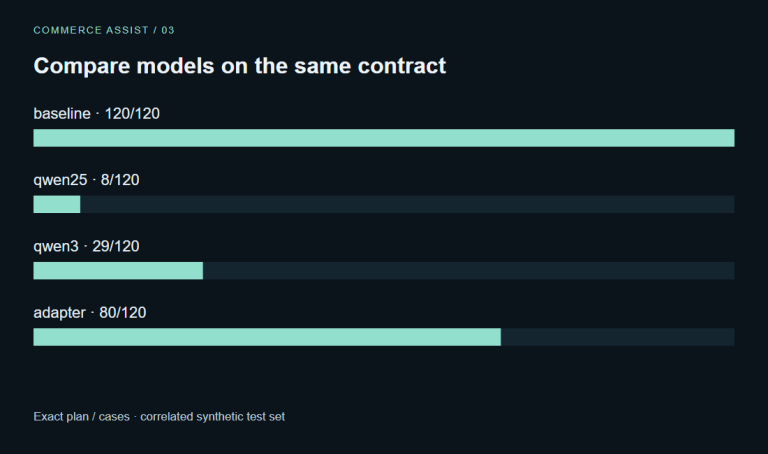
07 Oct 2026 · 8 min read
agentic-ai
3. Choose a Chatbot Model You Can Actually Operate and Train
Compare practical local model candidates, CPU routing and GPU fine-tuning without confusing size with production quality.
Read more
07 Oct 2026 · 8 min read
agentic-ai
4. Prove Whether a Smaller Chatbot Is Good Enough
Build independent evaluation sets, score grounded answers and measure quality, cost and coverage together.
Read more
Discussion
Comments are reviewed before publication. Your email is kept private.