
JOURNAL
Angular Signals Deep Dive — linkedSignal, model(), and the effect() Rules
Post C — Beyond the basics of Angular 21 Signals. Learn linkedSignal() for writable derived state, model() for two-way bindings, the effect() golden rule, and takeUntilDestroyed() for RxJS cleanup.
On this page
You’ve learned signal(), computed(), and effect(). You’re using them correctly for basic state. But the sharp edges — linkedSignal(), the effect() mutation trap, model() for two-way binding — are the difference between an Angular developer and an Angular 21 native.
This post covers the advanced Signals primitives that experienced .NET developers and Angular developers miss.
linkedSignal() — When computed() Isn’t Enough
computed() creates a signal that derives its value from other signals. It’s read-only — you can never call .set() on it.
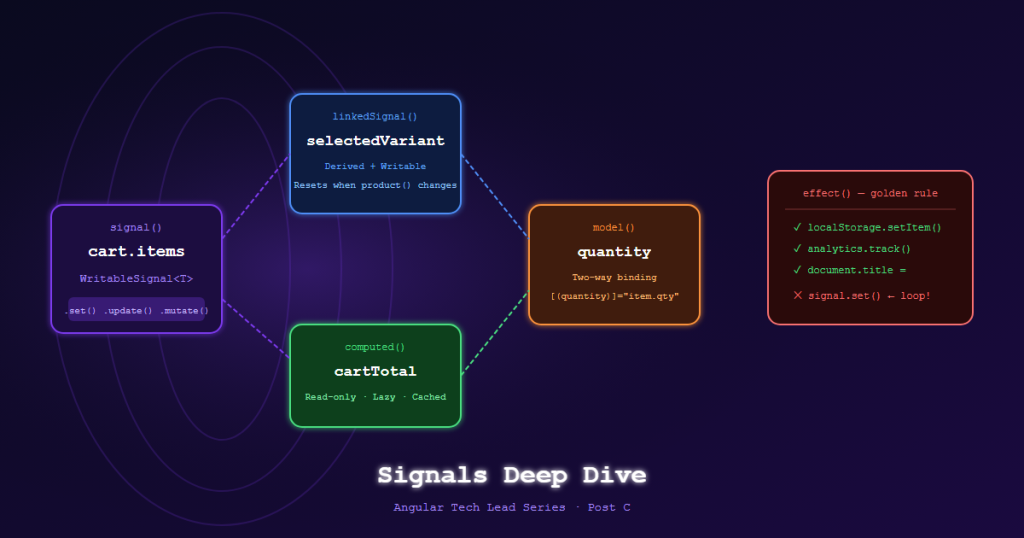
linkedSignal() creates a signal that derives its default value from other signals, but can also be written to directly.
The ecommerce use case: selected size/color variant
@Injectable({ providedIn: 'root' })
export class ProductVariantStore {
  product = signal<Product | null>(null);

  // ❌ computed() — cannot be overridden by user interaction
  // selectedVariant = computed(() => this.product()?.variants[0] ?? null);

  // ✅ linkedSignal() — defaults to first variant, but user can pick another
  selectedVariant = linkedSignal(() => this.product()?.variants[0] ?? null);

  selectVariant(variant: Variant) {
    this.selectedVariant.set(variant); // user choice overrides the default
  }

  loadProduct(product: Product) {
    this.product.set(product);
    // selectedVariant automatically resets to variants[0] because
    // the linked computation re-runs when product() changes
  }
}
Why this matters: Without linkedSignal(), you’d need a separate boolean isUserSelected flag to track whether to use the derived value or the user override. linkedSignal() removes that complexity.
Typed form with linkedSignal:
export class CheckoutComponent {
  private cart = inject(CartService);

  // Shipping country defaults to 'SA' from user profile, but is editable
  shippingCountry = linkedSignal(() =>
    inject(ProfileService).profile()?.defaultCountry ?? 'SA'
  );

  // Computed shipping cost reacts to country changes
  shippingCost = computed(() =>
    SHIPPING_RATES[this.shippingCountry()] ?? 25
  );
}
model() — Two-Way Bindable Signal Inputs
model() creates a signal that functions as both an input AND an output — enabling two-way binding from parent components.
// QuantitySelectorComponent
@Component({
  selector: 'app-qty-selector',
  template: `
    <button (click)="decrement()">−</button>
    <span>{{ quantity() }}</span>
    <button (click)="increment()">+</button>
  `,
  changeDetection: ChangeDetectionStrategy.OnPush,
})
export class QuantitySelectorComponent {
  quantity = model(1);  // Default value is 1
  max = input(99);

  increment() {
    if (this.quantity() < this.max()) {
      this.quantity.update(q => q + 1);
    }
  }
  decrement() {
    if (this.quantity() > 1) this.quantity.update(q => q - 1);
  }
}
Parent usage with two-way binding:
<!-- CartItemComponent -->
<app-qty-selector [(quantity)]="item.qty" [max]="item.maxQty" />
Under the hood, [(quantity)] desugars into:
<app-qty-selector [quantity]="item.qty" (quantityChange)="item.qty = $event" />
model() generates both the quantity input and quantityChange output automatically.
The effect() Golden Rule
effect() is the most misused Signal primitive. The rule is simple and absolute:
effect()is for side effects to external systems only. Never useeffect()to update other signals.
❌ The mutation trap
@Component({...})
export class ProductListComponent {
  filter = signal<FilterState>({ category: null, page: 1 });
  pageTitle = signal('All Products');

  constructor() {
    // ❌ WRONG — writing a signal inside effect() causes:
    // 1. Potential infinite loops
    // 2. Unpredictable update order
    // 3. Angular dev mode throws ExpressionChangedAfterItHasBeenChecked
    effect(() => {
      const category = this.filter().category;
      this.pageTitle.set(category ? `Category: ${category}` : 'All Products'); // ❌
    });
  }
}
✅ Use computed() for derived signal values
@Component({...})
export class ProductListComponent {
  filter = signal<FilterState>({ category: null, page: 1 });

  // ✅ Derived value — always consistent, no loops
  pageTitle = computed(() =>
    this.filter().category
      ? `Category: ${this.filter().category}`
      : 'All Products'
  );
}
✅ effect() for legitimate side effects only
constructor() {
  // ✅ OK: writing to localStorage (external system)
  effect(() => {
    localStorage.setItem('cart', JSON.stringify(this.cart.items()));
  });

  // ✅ OK: sending analytics event (external system)
  effect(() => {
    const product = this.selectedProduct();
    if (product) this.analytics.trackProductView(product.id);
  });

  // ✅ OK: updating document title (DOM, external to Angular)
  effect(() => {
    document.title = `${this.product()?.name ?? 'Products'} | TechShop`;
  });
}
toSignal() — Bridging RxJS to Signals
When you have an RxJS Observable (e.g., from SignalR, WebSocket, or older services), toSignal() converts it to a readable Signal.
@Injectable({ providedIn: 'root' })
export class InventoryRealtimeService {
  private hub = new signalR.HubConnectionBuilder()
    .withUrl('/hubs/inventory')
    .build();

  private stockUpdates$ = new Subject<StockUpdate>();

  // Signal auto-subscribes and tracks current value
  latestUpdate = toSignal(this.stockUpdates$.asObservable(), {
    initialValue: null
  });

  constructor() {
    this.hub.on('InventoryUpdated', (update: StockUpdate) => {
      this.stockUpdates$.next(update);
    });
    this.hub.start();
  }
}
Component usage — no subscription management needed:
export class ProductDetailComponent {
  private inventory = inject(InventoryRealtimeService);
  product = input.required<Product>();

  // Reacts to real-time stock updates without subscribe()
  currentStock = computed(() => {
    const update = this.inventory.latestUpdate();
    return update?.productId === this.product().id
      ? update.stockQty
      : this.product().stockQty;
  });
}
takeUntilDestroyed() — Clean RxJS Subscriptions
When you must use subscribe() (e.g., for side effects that toSignal() can’t handle), use takeUntilDestroyed() instead of complex ngOnDestroy teardown.
@Component({...})
export class OrderTrackingComponent {
  private destroyRef = inject(DestroyRef);
  private orderStatus = signal<OrderStatus | null>(null);

  ngOnInit() {
    // ✅ Automatically unsubscribes when component is destroyed
    this.orderService.statusUpdates$.pipe(
      filter(update => update.orderId === this.orderId()),
      takeUntilDestroyed(this.destroyRef)  // no ngOnDestroy needed
    ).subscribe(update => {
      this.orderStatus.set(update.status);
    });
  }
}
Can also be used outside ngOnInit (injection context):
constructor() {
  // Works directly in constructor — injection context is active
  this.orderService.statusUpdates$.pipe(
    takeUntilDestroyed()  // no destroyRef needed in injection context
  ).subscribe(update => this.orderStatus.set(update.status));
}
Signal Debugging
In development, use effect() for debugging:
// Temporary debug — traces all Signal reads
effect(() => {
  console.log('Filter changed:', this.filter());
  console.log('Products:', this.products());
  console.log('Loading:', this.isLoading());
});
Angular DevTools (Chrome extension) also shows Signal dependency graphs — which signals depend on which, and how often they fire.
References
- Angular Signals Guide — angular.dev
- linkedSignal API — angular.dev
- model() input — angular.dev
- toSignal — angular.dev
- takeUntilDestroyed — angular.dev
- effect() — Best Practices
Part of the Angular Tech Lead Series — Back to main series overview
Related reading
22 Mar 2026 · 13 min read
ai
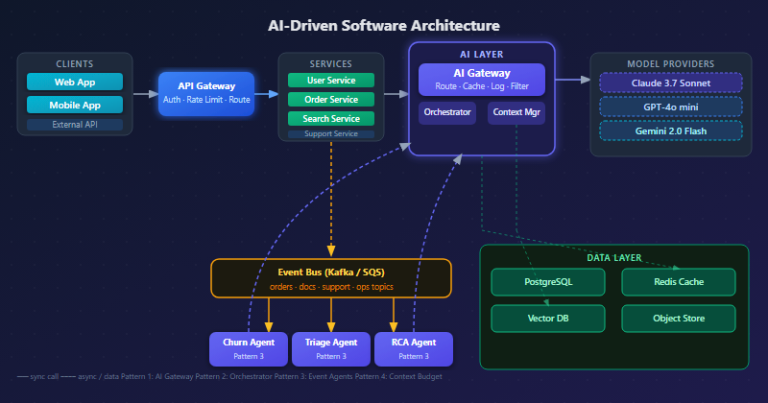
AI-Driven Software Architecture: A Hands-On Guide for Engineering Teams (2026)
How AI is reshaping software architecture from the inside — ML-powered pattern selection, LLM orchestration, AI gateways, event-driven agents, and a full team implementation roadmap with diagrams and production-ready code.
Read more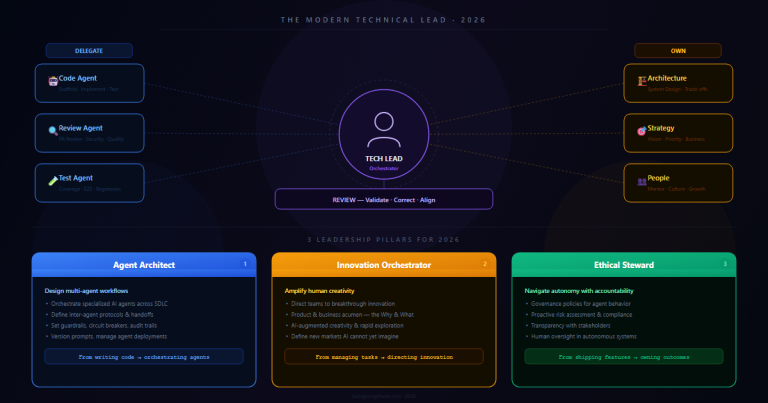
20 Mar 2026 · 8 min read
agentic-ai
The Technical Lead in 2026: From Writing Code to Orchestrating AI Agents
94% of engineering leaders report agentic AI skills gaps. Here's what the tech lead role actually looks like in 2026 — and the skills you need to stay relevant.
Read more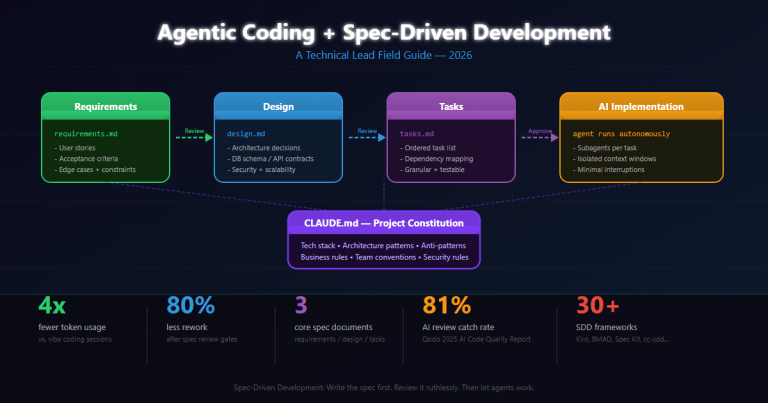
17 Mar 2026 · 14 min read
agentic coding
Agentic Coding & Spec-Driven Development: A Technical Lead's Field Guide
How Spec-Driven Development (SDD) transforms agentic AI from a vibe-coding toy into a production-ready engineering discipline. Real project experiences, frameworks, tooling, and hard lessons from leading teams with Claude Code, Kiro, and BMAD.
Read more
Discussion
Comments are reviewed before publication. Your email is kept private.