
JOURNAL
Angular Routing at Scale — Guards, Resolvers, and Type-Safe Navigation
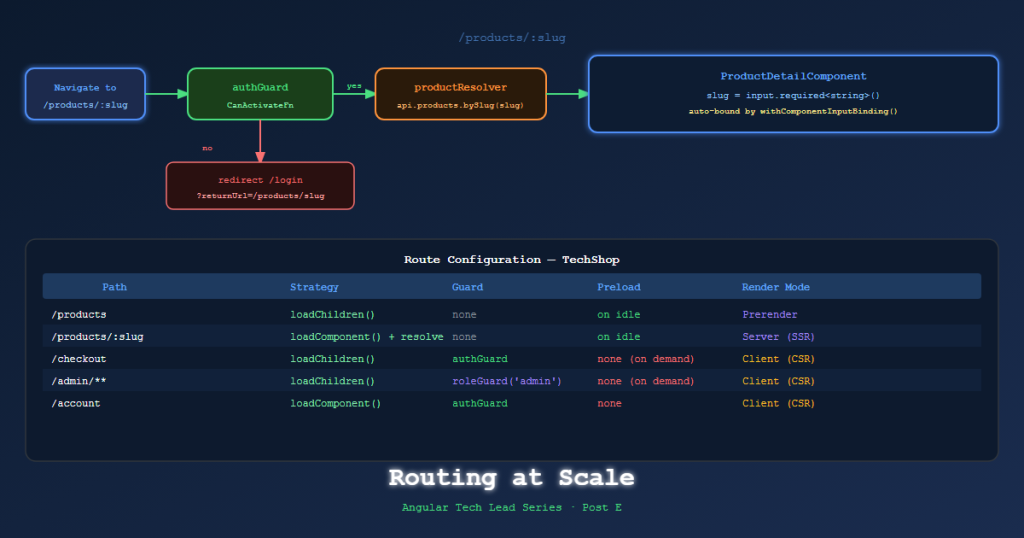
Post E — Production Angular 21 routing patterns for ecommerce: functional guards with returnUrl, route resolvers for data preloading, type-safe navigation with withComponentInputBinding, and preloading strategies.
On this page
Routing is where Angular’s architecture becomes visible to the user. A badly structured router makes the user wait, see flashes of empty content, or land on a 404 instead of being redirected correctly. A well-structured router is invisible — it just works.
This post covers the routing patterns needed for a production ecommerce application: functional guards, resolvers, type-safe navigation, and preloading strategies.
Functional Guards — The Modern Pattern
Angular’s route guards are now functional — no class, no implements CanActivate, just a typed function.
Auth Guard with returnUrl redirect
// libs/auth/util/src/lib/auth.guard.ts
import { inject } from '@angular/core';
import { CanActivateFn, Router } from '@angular/router';
import { AuthService } from '@techshop/auth/data-access';

export const authGuard: CanActivateFn = (route, state) => {
  const auth = inject(AuthService);
  const router = inject(Router);

  if (auth.isAuthenticated()) {
    return true;
  }

  // Preserve the intended URL so login can redirect back
  return router.createUrlTree(['/login'], {
    queryParams: { returnUrl: state.url }
  });
};
Use in routes:
// checkout.routes.ts
export const checkoutRoutes: Routes = [
  {
    path: '',
    canActivate: [authGuard],
    children: [
      { path: 'shipping', component: ShippingStepComponent },
      { path: 'payment', component: PaymentStepComponent },
      { path: 'review', component: OrderReviewComponent },
      { path: '', redirectTo: 'shipping', pathMatch: 'full' },
    ]
  }
];
Login component handling returnUrl:
@Component({...})
export class LoginComponent {
  private router = inject(Router);
  private route = inject(ActivatedRoute);

  async onLogin() {
    await inject(AuthService).login(this.form.value);

    // Navigate back to the originally intended page
    const returnUrl = this.route.snapshot.queryParams['returnUrl'] ?? '/account';
    this.router.navigateByUrl(returnUrl);
  }
}
Role Guard (Tech Lead, Admin)
export const roleGuard = (requiredRole: string): CanActivateFn => {
  return () => {
    const auth = inject(AuthService);
    const router = inject(Router);

    if (auth.hasRole(requiredRole)) return true;
    return router.createUrlTree(['/forbidden']);
  };
};

// Usage
{ path: 'admin', canActivate: [roleGuard('admin')], component: AdminComponent }
Route Resolvers — Preload Data Before Component Mounts
Without resolvers, components must handle their own loading states. With resolvers, data is available as soon as the component mounts — much cleaner for SSR.
// libs/catalog/data-access/src/lib/product.resolver.ts
import { inject } from '@angular/core';
import { ResolveFn, Router } from '@angular/router';
import { TechShopApiClient } from '@techshop/shared/api-client';

export const productResolver: ResolveFn<Product> = async (route) => {
  const api = inject(TechShopApiClient);
  const router = inject(Router);
  const slug = route.paramMap.get('slug')!;

  try {
    return await api.products.bySlug(slug).get();
  } catch {
    // Product not found → redirect to 404
    await router.navigate(['/not-found']);
    return null!;
  }
};
Route configuration:
{
  path: 'products/:slug',
  component: ProductDetailComponent,
  resolve: { product: productResolver },
  data: { renderMode: RenderMode.Server } // SSR this route
}
Component reads from resolved data:
@Component({...})
export class ProductDetailComponent {
  private route = inject(ActivatedRoute);

  // Resolved data is available immediately on init — no loading state needed
  product = toSignal(
    this.route.data.pipe(map(data => data['product'] as Product)),
    { requireSync: true }
  );
}
Type-Safe Navigation with withComponentInputBinding()
Angular’s withComponentInputBinding() binds route params, query params, and resolved data directly to component @Input() (or Signal input()).
// app.config.ts
export const appConfig: ApplicationConfig = {
  providers: [
    provideRouter(appRoutes, withComponentInputBinding()), // Enable binding
  ]
};
Component now receives route params as inputs automatically:
@Component({...})
export class ProductDetailComponent {
  // :slug param bound automatically from route URL
  slug = input.required<string>();

  // ?ref= query param bound automatically
  ref = input<string>('');

  // Resolved data bound by key name
  product = input.required<Product>();
}
No ActivatedRoute.snapshot.params['slug'] anywhere. The component is testable with just its inputs.
Lazy-Loaded Routes at Scale
// app.routes.ts
export const appRoutes: Routes = [
  {
    path: '',
    loadComponent: () =>
      import('@techshop/home/feature-homepage').then(m => m.HomepageComponent),
  },
  {
    path: 'products',
    loadChildren: () =>
      import('@techshop/catalog/feature-product-list').then(m => m.catalogRoutes),
  },
  {
    path: 'products/:slug',
    loadComponent: () =>
      import('@techshop/catalog/feature-product-detail').then(m => m.ProductDetailComponent),
    resolve: { product: productResolver },
    data: { renderMode: RenderMode.Server }
  },
  {
    path: 'cart',
    loadComponent: () =>
      import('@techshop/cart/feature-cart').then(m => m.CartComponent),
    data: { renderMode: RenderMode.Client }  // cart is session-specific, no SSR
  },
  {
    path: 'checkout',
    canActivate: [authGuard],
    loadChildren: () =>
      import('@techshop/checkout/feature-checkout').then(m => m.checkoutRoutes),
    data: { renderMode: RenderMode.Client }
  },
  {
    path: 'account',
    canActivate: [authGuard],
    loadChildren: () =>
      import('@techshop/account/feature-account').then(m => m.accountRoutes),
    data: { renderMode: RenderMode.Client }
  },
  {
    path: '**',
    loadComponent: () =>
      import('@techshop/shared/ui').then(m => m.NotFoundComponent),
    data: { renderMode: RenderMode.Prerender }
  }
];
Preloading Strategies
By default, lazy routes are loaded only when the user navigates to them. Preloading strategies load them in the background while the user is on other pages.
// Custom preloading — preload routes tagged for preloading
import { PreloadingStrategy, Route } from '@angular/router';

export class SelectivePreloadingStrategy implements PreloadingStrategy {
  preload(route: Route, load: () => Observable<unknown>): Observable<unknown> {
    // Only preload routes explicitly marked
    return route.data?.['preload'] ? load() : EMPTY;
  }
}

// Usage in provider
provideRouter(
  appRoutes,
  withPreloading(SelectivePreloadingStrategy),
  withComponentInputBinding()
)
Mark high-traffic routes for preloading:
{
  path: 'products',
  loadChildren: () => import('./catalog.routes'),
  data: { preload: true }  // preloaded immediately after shell loads
}
TechShop preloading decisions:
/products→ preload immediately (most users go here)/products/:slug→ preload on hover (IntersectionObserver on product cards)/checkout→ load on demand (auth-required)/account→ load on demand (auth-required)
References
- Angular Router — angular.dev
- Functional Route Guards — angular.dev
- Route Resolvers — angular.dev
- withComponentInputBinding — API
- Preloading Strategies — angular.dev
Part of the Angular Tech Lead Series — Back to main series overview
Related reading
22 Mar 2026 · 13 min read
ai
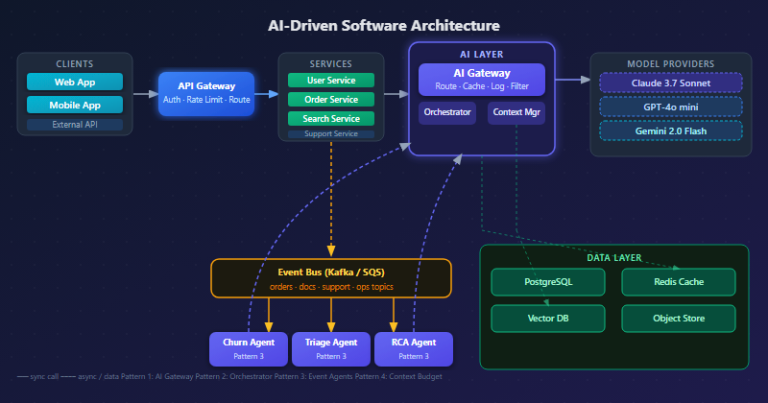
AI-Driven Software Architecture: A Hands-On Guide for Engineering Teams (2026)
How AI is reshaping software architecture from the inside — ML-powered pattern selection, LLM orchestration, AI gateways, event-driven agents, and a full team implementation roadmap with diagrams and production-ready code.
Read more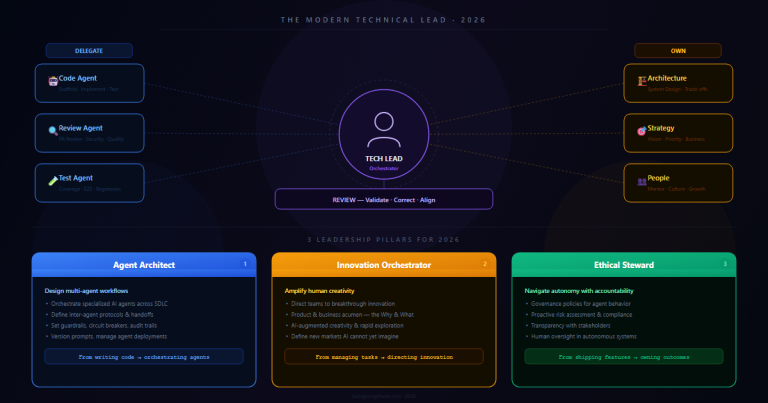
20 Mar 2026 · 8 min read
agentic-ai
The Technical Lead in 2026: From Writing Code to Orchestrating AI Agents
94% of engineering leaders report agentic AI skills gaps. Here's what the tech lead role actually looks like in 2026 — and the skills you need to stay relevant.
Read more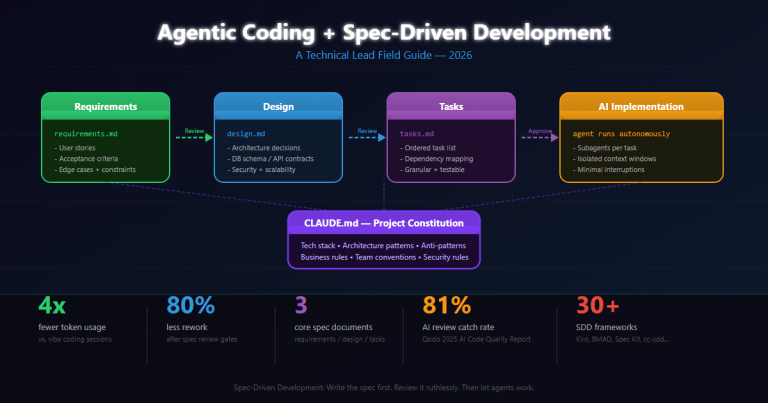
17 Mar 2026 · 14 min read
agentic coding
Agentic Coding & Spec-Driven Development: A Technical Lead's Field Guide
How Spec-Driven Development (SDD) transforms agentic AI from a vibe-coding toy into a production-ready engineering discipline. Real project experiences, frameworks, tooling, and hard lessons from leading teams with Claude Code, Kiro, and BMAD.
Read more
Discussion
Comments are reviewed before publication. Your email is kept private.