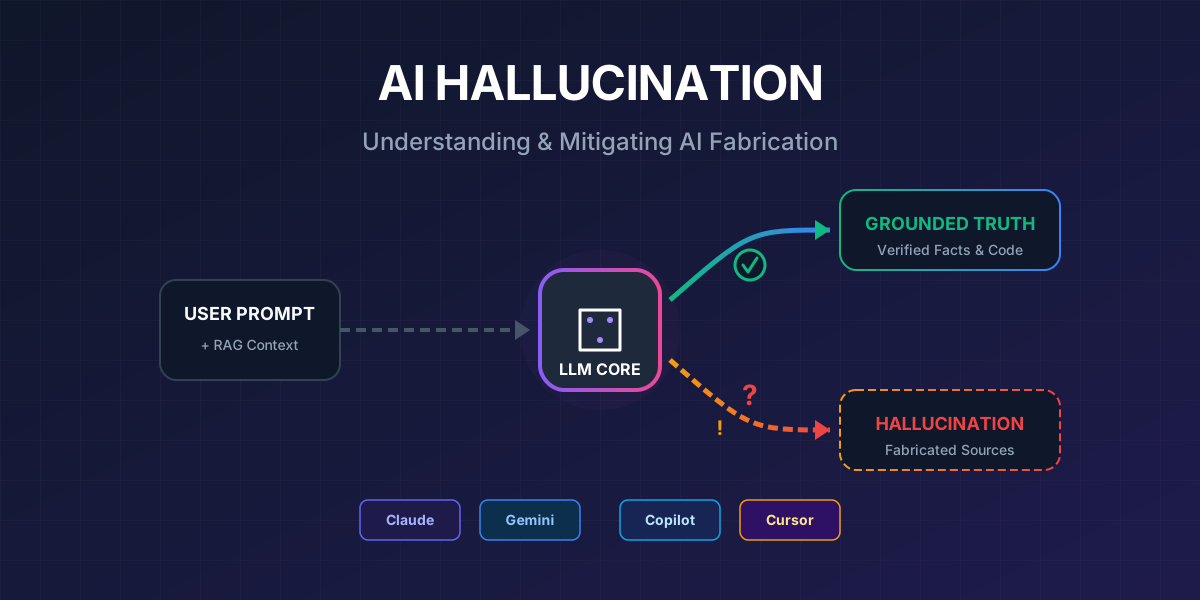
You ask an AI a simple question, and you receive an answer that sounds incredibly convincing — but is completely wrong. The AI cites a non-existent study, calls an API method that was never written, or confidently asserts a “fact” that no one can verify.
This is AI hallucination — and if you rely on AI for your daily work, understanding how to handle it is absolutely essential.
What is AI Hallucination?
AI hallucination is the phenomenon where artificial intelligence generates information that sounds plausible but is incorrect, baseless, or entirely fabricated. The term “hallucination” is used because the AI “sees” things that aren’t there — much like a human experiencing a delusion.
Common Types of Hallucination
| Type | Description | Example |
|---|---|---|
| Factual Fabrication | Inventing facts, dates, or figures | ”A 2023 MIT study shows…” (the study doesn’t exist) |
| Citation Hallucination | Generating fake sources | Providing a DOI link or URL that leads to a 404 error |
| Code Hallucination | Calling non-existent APIs/methods | response.getStreamData() — a method that doesn’t exist |
| Confidence Hallucination | Replying confidently but incorrectly | ”React 19 definitely supports…” (the feature does not exist) |
| Context Drift | Losing the thread in long conversations | Forgetting the initial constraints, going off-topic |
| Conflation | Mixing information from multiple sources | Combining features of library A with the name of library B |
Why Does AI Hallucinate?
To prevent hallucinations, we first need to understand why they happen.
How LLMs Actually Work
graph TD
    A["Input Prompt"] --> B["Tokenization"]
    B --> C["Embedding Layer"]
    C --> D["Transformer Layers<br/>(Attention Mechanism)"]
    D --> E["Probability Distribution<br/>for next token"]
    E --> F{"Temperature<br/>Setting"}
    F -->|Low| G["Highest probability token<br/>(Deterministic)"]
    F -->|High| H["Random sampling<br/>(Creative but risky)"]
    G --> I["Final Output"]
    H --> I

    style A fill:#4A90D9,stroke:#357ABD,color:#fff
    style E fill:#E74C3C,stroke:#C0392B,color:#fff
    style F fill:#F39C12,stroke:#E67E22,color:#fff
    style I fill:#27AE60,stroke:#219A52,color:#fff
The core issue: LLMs do not look up facts — they predict the next token based on statistical probability. When they lack specific information in their training data, they “fill in the blanks” by generating the statistically most likely word sequence — which might be factually completely wrong.
5 Primary Causes
mindmap
  root(("AI Hallucination<br/>Root Causes"))
    Training Data
      Lack of specific knowledge
      Contradictory data
      Outdated information
      Dataset bias
    Model Architecture
      Probabilistic prediction
      No built-in fact-checking
      Limited attention mechanism
    Poor Prompting
      Vague questions
      Missing context
      Too broad / open-ended
    Context Window
      Token limits
      Losing early conversation context
      Information overload
    Decoding Strategy
      High temperature
      Top-p sampling
      Repetition penalty
System Overview: Anti-Hallucination Architecture
Here is the high-level architecture of an effective system designed to mitigate hallucinations:
graph TB
    subgraph INPUT["📥 Input Layer"]
        U["User Query"]
        CTX["Context / Documents"]
        RULES["Rules & Constraints"]
    end

    subgraph GROUNDING["🔗 Grounding Layer"]
        RAG["RAG Pipeline"]
        WEB["Web Search"]
        KB["Knowledge Base"]
        CODE["Codebase Index"]
    end

    subgraph PROCESSING["⚙️ Processing Layer"]
        PE["Prompt Engineering"]
        COT["Chain-of-Thought"]
        TEMP["Temperature Control"]
        SYS["System Instructions"]
    end

    subgraph GENERATION["🤖 Generation Layer"]
        LLM["LLM Model"]
        THINK["Extended Thinking"]
    end

    subgraph VERIFICATION["✅ Verification Layer"]
        SELF["Self-Verification"]
        CITE["Citation Check"]
        CROSS["Cross-Validation"]
        HUMAN["Human Review"]
    end

    subgraph OUTPUT["📤 Output Layer"]
        RES["Verified Response"]
        CONF["Confidence Score"]
        SRC["Source References"]
    end

    U --> PE
    CTX --> RAG
    RULES --> SYS

    RAG --> PE
    WEB --> PE
    KB --> PE
    CODE --> PE

    PE --> LLM
    COT --> LLM
    TEMP --> LLM
    SYS --> LLM

    LLM --> THINK
    THINK --> SELF
    SELF --> CITE
    CITE --> CROSS
    CROSS --> HUMAN

    HUMAN -->|Pass| RES
    HUMAN -->|Fail| PE

    RES --> CONF
    RES --> SRC

    style INPUT fill:#3498DB,stroke:#2980B9,color:#fff
    style GROUNDING fill:#9B59B6,stroke:#8E44AD,color:#fff
    style PROCESSING fill:#F39C12,stroke:#E67E22,color:#fff
    style GENERATION fill:#E74C3C,stroke:#C0392B,color:#fff
    style VERIFICATION fill:#27AE60,stroke:#219A52,color:#fff
    style OUTPUT fill:#1ABC9C,stroke:#16A085,color:#fff
10 Methods to Minimize Hallucinations
1. Retrieval-Augmented Generation (RAG)
RAG is widely considered the most effective method to combat hallucination. Instead of relying on the AI’s “memory” (training data), RAG forces the AI to consult real documents before answering.
sequenceDiagram
    participant U as User
    participant R as RAG System
    participant VDB as Vector Database
    participant LLM as AI Model

    U->>R: "Which API endpoint handles payments?"
    R->>VDB: Search for relevant documentation
    VDB-->>R: Top 5 relevant documents
    R->>LLM: User Query + Retrieved Context
    Note over LLM: Answers BASED ON<br/>actual documents
    LLM-->>U: "According to API docs v3.2,<br/>the endpoint /api/payment..."
Real-world impact: Studies in 2025 indicated that RAG combined with proper guardrails could reduce hallucinations by up to 96%.
2. Advanced Prompt Engineering
How you ask the question dictates the quality of the answer.
❌ Poor Prompt:
“Explain microservices to me.”
✅ Better Prompt:
“Based on the following document [paste document], explain the microservices architecture described. Use ONLY information from the document. If you cannot find the answer, explicitly state ‘I cannot find this information in the provided text’.”
Specific Techniques:
| Technique | Description | Effectiveness |
|---|---|---|
| Grounding | Providing reference documents | ⭐⭐⭐⭐⭐ |
| Chain-of-Thought | Asking for step-by-step reasoning | ⭐⭐⭐⭐ |
| Citation Requests | Forcing AI to cite sources | ⭐⭐⭐⭐ |
| Role Assignment | Assigning a specific persona | ⭐⭐⭐ |
| Low Temperature | Reducing randomness | ⭐⭐⭐ |
| Output Constraints | Limiting output formats | ⭐⭐⭐ |
3. Chain-of-Thought (CoT) Prompting
Force the AI to “show its work” — reasoning step-by-step before asserting a conclusion.
Please analyze this problem step-by-step:
1. List all assumptions.
2. Analyze the validity of each assumption.
3. Check the logical flow.
4. Draw a conclusion backed by evidence.
5. Provide a confidence score (1-10) for your conclusion.
4. Temperature & Decoding Control
graph LR
    subgraph LOW["Temperature = 0.0-0.3"]
        L1["✅ Highly accurate"]
        L2["✅ Repeatable"]
        L3["❌ Less creative"]
    end

    subgraph MED["Temperature = 0.4-0.7"]
        M1["⚖️ Balanced"]
        M2["⚖️ Moderate variation"]
        M3["⚖️ Medium risk"]
    end

    subgraph HIGH["Temperature = 0.8-1.0+"]
        H1["❌ Prone to hallucinate"]
        H2["✅ Very creative"]
        H3["❌ Unpredictable"]
    end

    style LOW fill:#27AE60,stroke:#219A52,color:#fff
    style MED fill:#F39C12,stroke:#E67E22,color:#fff
    style HIGH fill:#E74C3C,stroke:#C0392B,color:#fff
Rule of Thumb:
- Factual tasks (coding, data extraction, research): Temperature 0.0–0.3
- Creative tasks (writing drafts, brainstorming): Temperature 0.5–0.8
- Avoid temperature > 1.0 for almost all production use cases.
5. Self-Verification Loops
Ask the AI to verify its own output:
After drafting your response, please perform a self-review:
1. Re-read every factual claim you made—is there solid evidence?
2. Mark any claim you are unsure about with [UNCERTAIN].
3. List the sources you referenced.
4. Rate your overall confidence level (1-10).
6. Multi-Model Cross-Validation
Use multiple AI models to verify results:
graph TD
    Q["Same Prompt"] --> C["Claude"]
    Q --> G["Gemini"]
    Q --> CO["Copilot"]

    C --> COMP["Compare Outputs"]
    G --> COMP
    CO --> COMP

    COMP -->|Consensus| TRUST["✅ High Confidence"]
    COMP -->|Contradiction| VERIFY["⚠️ Needs Verification"]

    style Q fill:#3498DB,stroke:#2980B9,color:#fff
    style TRUST fill:#27AE60,stroke:#219A52,color:#fff
    style VERIFY fill:#E74C3C,stroke:#C0392B,color:#fff
7. Confidence Scoring & Expressing Uncertainty
Teach the AI to explicitly say “I don’t know”:
Crucial Rule:
- If you are uncertain about a fact, state it explicitly.
- Categorize each claim you make:
  [VERIFIED] — backed by clear evidence
  [INFERENCE] — logical deduction, not yet verified
  [SPECULATION] — an educated guess requiring verification
  [UNKNOWN] — insufficient information to answer
8. Grounding with External Knowledge
Connect the AI to external data sources for real-time verification:
- Web Search: Allowing the AI to search Google/Bing before answering.
- API Integration: Connecting to databases, CRMs, or internal tools.
- MCP (Model Context Protocol): Letting AI access file systems, browsers, and databases.
- Knowledge Files: Uploading reference documents (PDFs, docs, code).
9. Human-in-the-Loop (HITL)
AI cannot replace human review — especially in high-stakes environments:
- Medical advice
- Legal document generation
- Financial decisions
- Production code deployment
- Security-critical infrastructure
10. Feedback Loops & Continuous Improvement
graph LR
    A["AI Output"] --> B["Human Review"]
    B --> C{"Correct?"}
    C -->|Yes| D["Accept & Learn"]
    C -->|No| E["Flag Error"]
    E --> F["Analyze Root Cause"]
    F --> G["Update Prompt/Rules"]
    G --> H["Retrain/Refine"]
    H --> A

    style A fill:#3498DB,stroke:#2980B9,color:#fff
    style D fill:#27AE60,stroke:#219A52,color:#fff
    style E fill:#E74C3C,stroke:#C0392B,color:#fff
Tool-Specific Implementation Strategies
🟣 Claude — “The Honest AI”
Anthropic’s Claude is designed with an “honest, harmless, helpful” philosophy, containing strong built-in mechanisms to reduce hallucination.
graph TB
    subgraph CLAUDE["Claude Anti-Hallucination Stack"]
        direction TB
        S1["🎯 Clear System Prompt"]
        S2["📄 Document Grounding<br/>(Projects & Knowledge)"]
        S3["🔧 MCP Tools<br/>(Browser, Files, DB)"]
        S4["🧠 Extended Thinking"]
        S5["🔄 Self-Verification"]
        S6["❓ 'I don't know' Permission"]

        S1 --> S2 --> S3 --> S4 --> S5 --> S6
    end

    style CLAUDE fill:#7C3AED,stroke:#6D28D9,color:#fff
Specific Techniques for Claude:
1. Give Claude permission to say “I don’t know”
IMPORTANT RULES:
- If you don't have enough information to answer accurately,
  say "I don't have enough information to answer this with confidence"
- Never fabricate citations, URLs, or research papers
- If asked about events after your training cutoff, acknowledge
  the limitation
- Label uncertain claims with [UNCERTAIN]
This technique has been shown to increase “I don’t know” responses by 3x, massively reducing false positives.
2. Model Context Protocol (MCP) — The Game Changer
MCP allows Claude to access external tools to verify information:
{
  "tools": [
    {"type": "web_browser", "use": "Verify facts online"},
    {"type": "file_system", "use": "Read actual codebase"},
    {"type": "database", "use": "Query real data"},
    {"type": "code_execution", "use": "Test code snippets"}
  ]
}
Instead of guessing, Claude can read the actual file, query a real database, or search the live internet to formulate an accurate answer.
3. Extended Thinking
Enable the thinking feature (the lightning bolt icon ⚡) to allow Claude to reason through complex problems step-by-step prior to writing the final response.
4. Document Grounding in Projects
Upload key documents to Claude Projects so every conversation shares the same verified context:
- API documentation
- Coding standards
- Internal knowledge base
🔵 Gemini — “The Grounded AI”
Google Gemini excels in live Google Search grounding and using massive context windows in Custom Gems.
graph TB
    subgraph GEMINI["Gemini Anti-Hallucination Stack"]
        direction TB
        G1["🔍 Google Search Grounding"]
        G2["💎 Custom Gems<br/>with Accuracy Protocol"]
        G3["📚 Knowledge Files<br/>(1M token context)"]
        G4["🌐 Web Search Priority"]
        G5["🏷️ Labeling System<br/>(VERIFIED/SPECULATION)"]
        G6["🔄 Self-Correction Protocol"]

        G1 --> G2 --> G3 --> G4 --> G5 --> G6
    end

    style GEMINI fill:#1A73E8,stroke:#1557B0,color:#fff
Specific Techniques for Gemini:
1. Custom Gems with Accuracy Protocols
Create a custom Gem with strict instructions:
# Accuracy Protocol

## Core Rules
1. Only state what you can verify from provided sources or confirmed knowledge.
2. Always search the web FIRST for factual claims.
3. Label every claim with its verification status.

## Mandatory Labels
- [VERIFIED] — confirmed from reliable source
- [INFERENCE] — logical but unverified
- [SPECULATION] — educated guess
- [UNVERIFIED] — could not verify
2. Prioritize Web Search
Add the instruction: “Search this in your data and if you find it then reply, otherwise don’t.” This has been shown to halve hallucination rates in factual queries.
3. Massive Knowledge Files (1M+ Token Context)
Upload your entire context directly. Gemini Advanced supports a context window of up to 1-2 million tokens, allowing you to feed it massive codebases or hundreds of PDFs, instructing it to answer only based on the uploaded data.
🟢 Copilot — “The Integrated AI”
Microsoft Copilot deeply integrates with Bing and Microsoft 365, making it excellent for searching live web data and internal enterprise graphs.
graph TB
    subgraph COPILOT["Copilot Anti-Hallucination Stack"]
        direction TB
        C1["🔍 Bing Search Grounding"]
        C2["📋 Custom Instructions"]
        C3["🏢 Microsoft Graph<br/>(Internal Data)"]
        C4["🛡️ Azure AI Content Safety"]
        C5["📎 Source Verification"]
        C6["🎯 Tone: Just-the-facts"]

        C1 --> C2 --> C3 --> C4 --> C5 --> C6
    end

    style COPILOT fill:#0078D4,stroke:#005A9E,color:#fff
Specific Techniques for Copilot:
1. Custom Instructions for Factuality
Set Copilot custom instructions to enforce a strict tone:
## My Communication Preferences
- Use a just-the-facts, businesslike tone.
- Do NOT invent names, dates, numbers, quotes, statistics, or citations.
- Always verify claims against reliable sources before stating them.
- If uncertain, say "I am not confident about this" instead of guessing.
2. Narrow the Scope
Only answer regarding [specific topic].
If my query falls outside this scope, state:
"This query is outside my defined expertise."

Do not guess. Do not make broad inferences.
3. RAG via Bing Search
Copilot inherently utilizes Bing Search as a live RAG pipeline. To leverage it best, ask Copilot to prioritize official sources (.gov, .edu, official API docs) when fetching data.
🟡 Cursor — “The Code-Aware AI”
Cursor AI is currently the most powerful tool for minimizing coding hallucinations because it indexes and understands your entire local codebase.
graph TB
    subgraph CURSOR["Cursor Anti-Hallucination Stack"]
        direction TB
        CU1["📁 Codebase Indexing"]
        CU2["📌 @file, @Docs, @Web References"]
        CU3["📏 Cursor Rules<br/>(.cursor/rules/)"]
        CU4["🔧 MCP Servers<br/>(DB Schema, APIs)"]
        CU5["📄 Project Documentation<br/>(project_milestones.md)"]
        CU6["🔄 Context Management"]

        CU1 --> CU2 --> CU3 --> CU4 --> CU5 --> CU6
    end

    style CURSOR fill:#F59E0B,stroke:#D97706,color:#000
Specific Techniques for Cursor:
1. Global Cursor Rules (.cursor/rules)
Create an .mdc file (e.g., .cursor/rules/accuracy.mdc) to establish project-wide anti-hallucination guardrails:
---
description: Accuracy rules to minimize hallucination
globs: ["**/*"]
---

## Anti-Hallucination Rules

1. ALWAYS read the actual file before suggesting changes.
2. NEVER assume an API exists — verify it in the codebase first.
3. NEVER generate import paths without checking they exist locally.
4. If unsure about a library's API:
   - Use @Web to check official documentation.
   - Use @Docs to reference indexed documentation.
5. Always verify:
   - [ ] Import paths are strictly correct.
   - [ ] Function signatures match actual code.
   - [ ] Types/interfaces exist in the project.
2. Explicit Context References (@ Mentions)
Do not let Cursor guess the context. Feed it directly using @ tags:
| Reference | Purpose | Example |
|---|---|---|
@file | Reference a specific local file | @src/api/payment.ts |
@Docs | Reference remote crawled docs | @Docs Stripe API |
@Web | Trigger a live web search | @Web Next.js 15 cache changes |
@Codebase | Search across indexed files | @Codebase Where is payment handled? |
3. MCP Servers for Database Schemas
If Cursor guesses your database column names, connect an MCP server (like Prisma MCP or Postgres MCP) to give it direct, live read-access to the schema. It will never hallucinate a table name again.
4. Clean Your .cursorignore
Keep generated files, logs, and massive static asset folders out of Cursor’s index to avoid “context pollution.”
# .cursorignore
node_modules/
dist/
.next/
coverage/
*.lock
*.log
Tool Comparison Summary
graph LR
    subgraph COMPARE["Anti-Hallucination Comparison"]
        direction TB

        subgraph CL["Claude"]
            CL1["Extended Thinking ✅"]
            CL2["MCP Tools ✅"]
            CL3["Document Grounding ✅"]
            CL4["'I don't know' ✅✅"]
        end

        subgraph GM["Gemini"]
            GM1["Google Search ✅✅"]
            GM2["Custom Gems ✅"]
            GM3["1M Token Context ✅✅"]
            GM4["Labeling System ✅"]
        end

        subgraph CP["Copilot"]
            CP1["Bing Grounding ✅"]
            CP2["Azure Safety ✅✅"]
            CP3["MS Graph ✅"]
            CP4["Correction Tool ✅"]
        end

        subgraph CR["Cursor"]
            CR1["Codebase Index ✅✅"]
            CR2["Cursor Rules ✅✅"]
            CR3["MCP Servers ✅"]
            CR4["@References ✅✅"]
        end
end| Feature | Claude | Gemini | Copilot | Cursor |
|---|---|---|---|---|
| Overall Anti-Hallucination | ⭐⭐⭐⭐ | ⭐⭐⭐⭐ | ⭐⭐⭐ | ⭐⭐⭐⭐⭐ |
| Doc Grounding | Projects | Knowledge Files | Bing + MS Graph | Codebase Index |
| Web Search | Via MCP | Native Google | Native Bing | @Web reference |
| Custom Rules | System Prompt | Gems Instructions | Custom Instructions | .cursor/rules/ |
| Extended Thinking | ✅ Native | ✅ (limited) | ❌ | ❌ |
| Context Window | 200K tokens | 1M+ tokens | 128K tokens | Entire codebase |
| Willingness to say “I don’t know” | ⭐⭐⭐⭐⭐ | ⭐⭐⭐ | ⭐⭐ | ⭐⭐⭐ |
| Best Used For | General reasoning + Code | Research + Content | Enterprise data | Software Development |
The Ultimate Anti-Hallucination Workflow
To achieve the highest quality Output, apply this workflow to your daily tasks:
flowchart TD
    START(["🚀 Start"]) --> Q["Determine Task Type"]

    Q -->|Coding| CODE
    Q -->|Research/Facts| RESEARCH
    Q -->|Creative Content| CREATIVE

    subgraph CODE["💻 Coding Tasks"]
        C1["1. Provide exact context<br/>(@file, @Codebase)"]
        C2["2. Enforce Cursor Rules<br/>or define Claude SKILL"]
        C3["3. Set Temperature = 0.0-0.2"]
        C4["4. Command verification<br/>of imports, types & APIs"]
        C5["5. Run the generated code"]
        C1 --> C2 --> C3 --> C4 --> C5
    end

    subgraph RESEARCH["🔬 Research Tasks"]
        R1["1. Upload sources to<br/>NotebookLM or Projects"]
        R2["2. Force Web Search<br/>(Gemini/Copilot)"]
        R3["3. Explicitly demand citations"]
        R4["4. Cross-validate with<br/>a second AI tool"]
        R5["5. Manual human fact-check"]
        R1 --> R2 --> R3 --> R4 --> R5
    end

    subgraph CREATIVE["🎨 Creative Tasks"]
        CR1["1. Provide style examples"]
        CR2["2. Set Temperature = 0.5-0.7"]
        CR3["3. Isolate factual claims<br/>from creative text"]
        CR4["4. Verify factual claims<br/>separately"]
        CR5["5. Review & Iterate"]
        CR1 --> CR2 --> CR3 --> CR4 --> CR5
    end

    CODE --> VERIFY
    RESEARCH --> VERIFY
    CREATIVE --> VERIFY

    VERIFY["✅ Verification Checklist"]
    VERIFY --> DONE(["🎯 High-Quality Output"])

    style START fill:#3498DB,stroke:#2980B9,color:#fff
    style DONE fill:#27AE60,stroke:#219A52,color:#fff
    style CODE fill:#F39C12,stroke:#E67E22,color:#000
    style RESEARCH fill:#9B59B6,stroke:#8E44AD,color:#fff
    style CREATIVE fill:#E74C3C,stroke:#C0392B,color:#fff
The Verification Checklist
Before deploying any AI output to production or public view, check:
- Facts: Are all dates, numbers, and proper nouns correct?
- Sources: Did the AI provide sources? Do those links actually exist?
- Code: Are import paths correct? Do the referenced APIs exist locally? Are the types accurate?
- Logic: Are there any obvious logical fallacies or leaps in reasoning?
- Recency: Is the information outdated based on the model’s training cutoff?
- Consistency: Does the AI contradict itself anywhere in the response?
- Completeness: Did the AI miss edge cases explicitly mentioned in the prompt?
Conclusion
AI hallucination cannot be eliminated entirely — it is an inevitable byproduct of how Large Language Models generate text via probabilistic prediction rather than database lookup. However, it can be drastically minimized through:
- RAG & Grounding — Anchoring the AI to real, verifiable data.
- Strict Prompting constraints — Framing questions defensively.
- Tool Integration — Giving AI access to live tools (MCP, Web Search).
- Verification Loops — Forcing the AI to double-check its work.
- Human Oversight — Keeping a human as the final safety checkpoint.
The Golden Formula:
Quality = High-Fidelity Context + Strict Rules + Tool Verification + Human Review
Remember: AI is an assistant, not an absolute truth engine. Use it correctly, and your productivity scales dramatically. Use it recklessly, and you create ten times more work for yourself.
📖 Want to learn more about building robust AI workflows? Read our AI Workflow Mastery Series for deep dives into Claude Skills, Gemini Gems, and NotebookLM.