
JOURNAL
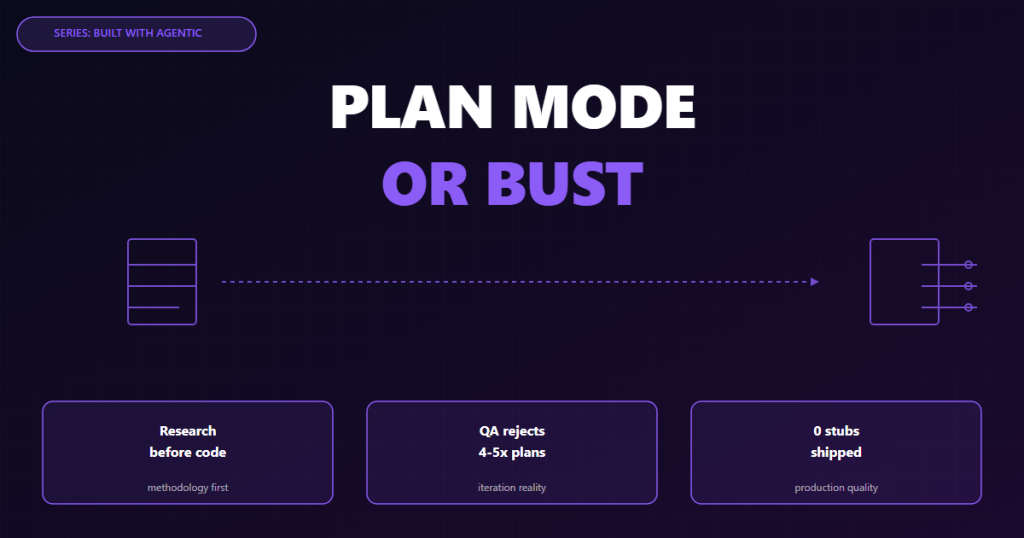
Plan Mode or Bust — Why Agents Must Think Before They Code
Every AI coding session that skips planning costs 3x more in debugging. Here is how plan mode works in Claude Code, real rejection logs, and why the QA agent rejects most first drafts.
On this page
There is a pattern I have seen in every failed agentic coding session:
The developer gives the agent a task. The agent immediately starts writing code. The code looks reasonable. It runs. Something is subtly wrong. The agent tries to fix it. The fix breaks something else. After an hour of back-and-forth, the codebase is worse than when you started.
The root cause is almost never the agent’s intelligence. It is the sequence: code first, understand second.
Plan mode fixes this. But most developers skip it.
What Plan Mode Actually Is
In Claude Code, plan mode is a read-only sub-agent that runs before any code changes. It can use all the exploration tools — grep, read, knowledge graph traversal, file listing — but cannot write, edit, or delete anything.
The constraint is the feature. A plan-mode agent cannot fix a problem it finds. It can only report it. This forces the agent to build a complete picture of the codebase before proposing changes.
The output is a written plan: specific file paths, specific function names, specific order of operations, specific things that could go wrong.
Plan: Add Chirp3-HD voice support to TTS endpoint

Files to modify:
1. functions/api/tts.ts (lines 31-89)
   - Change default voice from "en-US-Journey-F" to "en-US-Chirp3-HD-Charon"
   - Add lang param to TTSRequest interface
   - Add DEFAULT_VOICES map for en/vi
   - Skip speakingRate in audioConfig when voice is Chirp3-HD
   - Add Cloudflare Cache API with SHA-256 hash key

2. functions/api/tts-config.ts (complete rewrite)
   - Replace Journey/Studio voice list with Chirp3-HD voices
   - Add EN_VOICES (8 voices) and VI_VOICES (8 voices)
   - Support ?lang= query param for filtered response

3. src/components/TTSPlayer.astro (4 surgical patches)
   - Patch 1: getGoogleVoiceForSpeaker() -- add lang detection, Chirp3-HD defaults
   - Patch 2: fetchChunkAudio() -- add pageLang detection, pass lang to API
   - Patch 3: download fetch -- update default voice, pass lang
   - Patch 4: tts-config fetch -- add ?lang= query param

Risk: Chirp3-HD does not support speakingRate. Speed control UI will still render
but have no effect. Acceptable trade-off for quality improvement.

Do NOT touch: Audio player UI, pre-generated audio detection, browser Speech API fallback.
That is a plan. Specific. Actionable. With explicit risk assessment.
The Cost of Skipping Plan Mode
Let me give you a real comparison from the CubLearn project.
Without Plan Mode: The YLE Integration
When I first asked an agent to integrate Cambridge YLE content into CubLearn’s game engine, I described the task vaguely: “Add YLE vocabulary to the English quiz game.”
The agent immediately started writing. It found english-lessons.ts and started adding data. But it added the data in the wrong format — the existing VocabWord[] type expected { word, phonetic, meaning, example }, but the agent generated { word, definition, usage }. The TypeScript compiler caught it — but only after the agent had also modified three other files that referenced the new data.
Rolling back required reading 4 files to understand what changed. Total time: 90 minutes, no shipping.
With Plan Mode: The TTS Upgrade
The TTS upgrade last night used plan mode from the start.
The plan agent spent 8 minutes reading:
functions/api/tts.ts(full file)functions/api/tts-config.ts(full file)TTSPlayer.astro(searched for 6 specific patterns)wrangler.toml(checked for Cloudflare Cache binding)
It found something I had missed: the Cloudflare Cache API requires a https:// URL as the cache key. Using tts-cache.internal/... would work but needed to be a real URL format. The plan included the fix before coding started.
Total time: 28 minutes including research, 0 rollbacks.
How to Write a Good Specification
Plan mode is only as good as the specification you give it. I use a consistent template:
## Task
[One sentence: what is changing and why]

## Scope
Files this task should touch:
- [file path] -- [what changes]
- [file path] -- [what changes]

Files this task must NOT touch:
- [file path] -- [reason]

## Success Criteria
- [ ] [Specific, verifiable outcome]
- [ ] [Specific, verifiable outcome]

## Known Constraints
- [Any API limitations, encoding requirements, etc.]

## References
- [Link to relevant documentation or previous decisions]
The “must NOT touch” list is critical. Agents are opportunistic — if they see a nearby function that looks like it needs fixing, they will fix it. That fix will be unreviewed, untested, and invisible in the diff unless you are looking carefully.
Explicit scope boundaries prevent this.
What the QA Agent Checks in the Plan
Before any code runs, our QA agent reviews the plan itself. This is where most plans get rejected.
Here is a real (anonymized) rejection log from the CubLearn memory card integration:
QA REVIEW -- Plan Rejected (Attempt 1)

Issues found:

1. INCOMPLETE SCOPE
   Plan modifies memory-pairs.ts but does not address the
   MemoryGame component that reads this data. The component
   expects { front: string, back: string } but the plan adds
   { front: string, back: string, category: string }.
   Either update the component or keep the existing type.

2. MISSING TESTS
   No mention of tests for the 3 new CardPair arrays.
   How will we verify the data is valid (no empty strings, no duplicates)?

3. STUB RISK
   Plan mentions "14 pronunciation exercises" but does not list them.
   LLMs often stub when they run out of context. Require the plan
   to list all 14 exercise IDs and expected difficulty levels.

Return: Revised plan required.
The agent revised the plan. The second attempt passed.
This review prevented:
- A type mismatch that would have broken the Memory game
- 14 exercises being replaced with 5 and a comment saying
// TODO: add more - Missing test coverage for new data
The “Stub Problem” and How Plan Mode Solves It
The most insidious failure mode in AI coding is the stub.
When an agent runs low on token budget mid-task, it starts taking shortcuts:
- Empty function bodies with
// TODO: implement - Hardcoded values instead of dynamic logic
console.loginstead of proper error handling- Import statements for functions that do not exist
The agent does not announce these shortcuts. The code looks complete. It compiles. It fails at runtime.
Plan mode reduces stubs in two ways:
1. Explicit enumeration. A good plan lists every item that needs to be created. “Add 14 pronunciation exercises” becomes “Add exercises: [lists all 14 with their IDs, difficulty levels, and target phonemes].” The agent cannot stub what it already committed to explicitly.
2. Smaller tasks. Plan mode naturally breaks large tasks into phases. Each phase has a clear end state. The agent does not run out of budget mid-implementation because each coding burst is scoped.
Plan Mode in Practice: CubLearn YLE Integration
Here is the actual plan that shipped 22 YLE blog posts, 8 game lessons, and 14 pronunciation exercises in a single session:
Phase 1: Blog content (22 files)
- Starters batch 2: Numbers (en + vi), Food (en + vi), Clothes (en + vi), Mock Test (en + vi)
- Movers complete: Sports (en + vi), Transport (en + vi), Weather (en + vi), Mock Test (en + vi)
- Flyers complete: Guide (en + vi), Story Writing (en + vi), Mock Test (en + vi)
Phase 2: Game data
english-lessons.ts: 8 lesson objects following existingEnglishLesson[]type exactlymemory-pairs.ts: 3 card set arrays with 16CardPair[]each
Phase 3: Pronunciation
pronunciation.ts: 3 exercise banks (en-yle-starters,en-yle-movers,en-yle-flyers)- 14 total exercises, difficulty 1-3, listed explicitly
Constraints:
- All lesson objects must match
{ id, title, titleVi, level, vocabulary: VocabWord[], quiz: EnglishQuizQuestion[] } - No stubs — every vocabulary array must have minimum 8 words, every quiz must have minimum 4 questions
- Vietnamese content must have full diacritics (no plain ASCII)
The agent executed against this plan with zero stubs. The QA agent verified each file before the next phase started.
The 5-Minute Rule
My rule: if I cannot describe the task in 5 minutes of clear writing, the task is too vague for an agent.
Vague task: “Add more features to the blog”
Clear task: “Add a reading time estimate to the blog post meta bar. Calculate it as Math.ceil(wordCount / 200) minutes. Display it as X min read next to the publish date in BlogPostLayout.astro. Do not modify any CSS that affects other meta elements.”
The second version can be planned. The first one will produce 45 minutes of thrashing.
Write the spec first. Then plan. Then code.
This is Part 2 of the “Built with Agentic Engineering” series. Previous: The New Way Software Gets Made Next: The QA Agent — Automated Code Verification
Related reading
06 Oct 2026 · 5 min read
agentic coding
Claude Cowork Just Did the Thing I Said Remote Control Wasn't Doing
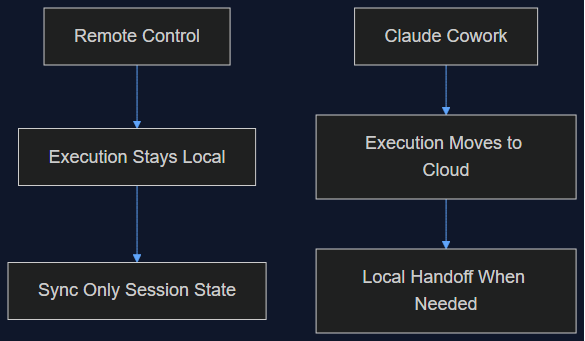
In August I wrote that Claude Code's Remote Control was a sync layer, not a cloud migration, and that keeping execution local was the point. This week Anthropic moved Cowork's execution to the cloud by default. Here's why both were the right call — for different products.
Read more
02 Oct 2026 · 4 min read
agentic coding
Claude Code Mods: I Wrote Middleware for an AI Agent and It Felt Like 2014 Express.js Again
Anthropic shipped a TypeScript hook API for Claude Code — prompt.submit, tool.call, turn.complete. I wired up a cost-tracking mod in twenty minutes and it broke in a way that taught me more than the docs did.
Read more20 Sep 2026 · 7 min read
agentic engineering
I moved my morning routine into Hive: the ops brief, the planning room, and the PR that waits for me
Two days after writing up Routines, I ran my own morning through Hive: a verified AWS + GitHub brief at 08:30, a feature-planning room, a weekly dependency bump that opens a PR and waits for my click, and budgets at four heights. Here is what ran, what broke, and what I fixed — a dead model alias was killing my rooms without a sound.
Read more
Discussion
Comments are reviewed before publication. Your email is kept private.