
JOURNAL
Going Several Times Faster With AI Agents Without Losing Control of Quality
Agents made doing cheap, but saying what you want and checking the result did not get cheaper. Five principles, picking models by role, and a sample workflow for moving faster in software and beyond while keeping control of the details and the quality.
On this page
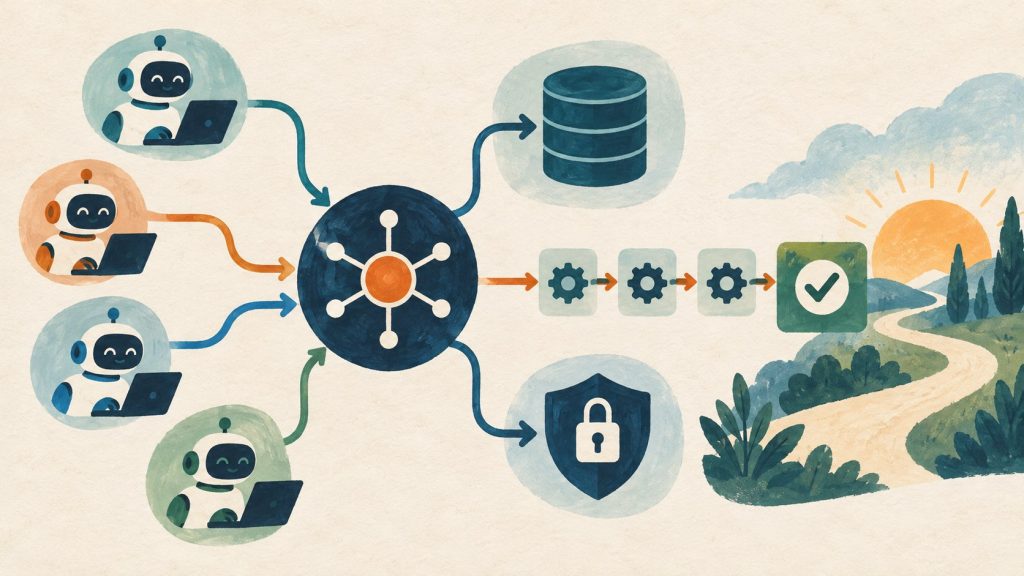
For the last three months I have been running work on four machines at once. One is where I work directly, a Mac mini takes delegated tasks and keeps running after I close the lid, a Windows box acts as an agent host, and a few Linux containers handle what has to stay up. In the morning I read the results of four or five tasks that finished overnight. The speed-up is real, but it only holds if I can trust what the agents produce. This post is about that part: how to go several times faster and still keep control of the details and the quality.
The short answer: speed comes from delegating work in parallel, and control comes from cheap verification gates that produce evidence, not from re-reading every line yourself. The rest of the post turns that sentence into a concrete workflow.
The bottleneck has moved
The expensive part of a task used to be the doing: writing the code, the query, the document. Agents made that much cheaper. Two parts did not get cheaper: saying exactly what you want and checking that the result is right. ClickHouse’s SQL agent benchmark shows the same pattern: the bottleneck moved upstream of writing SQL, to understanding the question correctly.
If you only use agents to do things faster and invest nothing at either end, you get more output and more to review. It feels fast, but the real time moves into fixing. Every idea below targets those two ends.
1. Define “done” before you hand anything off
The rule I use most: before the agent writes its first line, it restates the request in the most literal terms possible. Not “build a revenue report” but “a table with four columns A, B, C, D, filtered to Q3, written to file X”. Not “fix the login bug” but “failing test Y passes, every other test still passes, API Z is unchanged”.
That restatement takes thirty seconds and catches most misunderstandings. It also blocks a habit strong models share: building things nobody asked for. I put it in my shared instructions: build exactly what was asked, and offer extras in one line. When the question is “can we build X?”, the answer is the smallest option, confirmed before any code.
The best definition of done is something that runs: a test, a build, a query that returns the right row count, a screenshot to compare. When the done condition is machine-checkable, the agent can iterate until it passes without you watching.
2. Split work by risk, not by size
A common mistake is to give agents free rein on small tasks and lock down large ones. Size is the wrong measure. The right one is: if this goes wrong, can I undo it? A two-thousand-line refactor on its own branch is fully reversible. A three-row UPDATE on a production database is not.
| Risk level | Examples | Control |
|---|---|---|
| Low (reversible) | Code on its own branch, drafts, read-only analysis | Agent runs alone, checks itself with tests, I read the final summary |
| Medium | Merging to main, shared config, internal documents | Multi-dimension automated review, a human reads the diff and the evidence |
| High (irreversible) | Production writes, deleting data, money, publishing, real people’s data | An explicit instruction for that exact action, a backup first, least privilege |
At the high end I do not rely on the agent being careful. I make the wrong move hard: agents only get read-only access to production, secrets sit in a folder blocked by deny rules, and every schema change starts with a pg_dump. I wrote separately about where to put the human review step, and how Bujeti lets agents touch money is a good example of an approval gate in the right place.
The payoff: about eighty percent of the work lands in the low tier, and there you can let agents run at full speed.
3. Parallelise through isolation
Going several times faster means running several things at once. Running several things at once without collisions means each one gets its own space. For code, that is a git worktree and a branch per task. For machines, it is a separate machine or container that takes work through a command like delegate "task", runs it alone, and leaves the result in a folder I can read whenever I like.
Three things I learned after a few months of this:
- Fan out only when tasks are truly independent. Two agents editing the same file create merge conflicts that cost more than they saved. Anthropic’s 950-agent experiment showed that the expensive part of fan-out is the verification afterwards, not the run.
- Results must stand on their own. Every delegated task returns a summary: what it did, how it checked, what is left. I do not want to read logs to understand it.
- Environments must rebuild from a script. A new worktree installs dependencies, generates clients and picks a free port by itself. If that step needs a human, it becomes the new bottleneck.
4. Ask for evidence, not claims
Agents are very good at saying “done”. That sentence is worth nothing. What is worth something is test output, a diff, a screenshot, a query with its numbers. I ask agents to separate three states: done and verified; done but not verified; and skipped. When tests fail, they say so, with the output.
For review I use two layers. Layer one: several agents each review one dimension (correctness, security, performance). Layer two: for each finding, another agent is told to refute it. Only findings that survive reach me. This cuts most of the noise that GitHub’s ReviewBench found in AI code reviewers.
My review time moved from reading every line to reading evidence. It is much faster and more trustworthy.
5. Turn every correction into a rule
The second time you tell an agent the same thing is the time to write it down. I keep three layers:
- Shared instructions for every project: language, safety rules, how to commit.
- Skills or runbooks for each recurring kind of work: restarting a service, renewing a token, publishing a post. The agent loads the skill when needed instead of remembering.
- Memory for facts the code cannot tell you: why a decision was made, which machine holds what, which trap someone already fell into.
An example from this week: an agent scanning the LAN could not find a Mac, because the Tailscale subnet route took priority over the direct LAN route. It took ten minutes to understand and ten seconds to save as a memory, so nobody spends those ten minutes again. That is where memory differs from documentation: what you record is the non-obvious part.
Pick models by role, not by leaderboard
The question I get most is “which model is best”. When I checked the coding leaderboards for November 2026, one site showed two different numbers for the same benchmark family on two of its own pages, and different sites ranked models differently. Anthropic models top most boards, but the exact order depends on which board you read. So I choose by the role a model plays in the workflow:
| Role | Model | Why |
|---|---|---|
| Planner / orchestrator | The strongest model you have (Claude Fable or Opus line) | Planning mistakes multiply through every later step; this is where money is best spent |
| Executor (code, content) | Claude Sonnet 5.5 or equivalent | Strong enough for work with a clear spec, cheaper and faster when many tasks run in parallel |
| Router, classification, extraction | Claude Haiku 5.5 | High-volume repetitive work; see the real cost of routing to a cheap model |
| Second reviewer | A model from another family (for example the GPT line) | Models from different families rarely fail in the same place; use it to catch blind spots |
| Sensitive data | A local open-weight model (via Ollama) | Data never leaves the machine; accept lower quality for the tasks that suit it |
The most practical advice: take twenty real tasks from your last month, run them through two or three models, and grade them against the definition of done from section 1. Your twenty tasks will tell you more than any leaderboard. The multi-model routing post has more on routing in production.
A sample workflow for software development
- Plan (strong model, read-only): read the code, propose a plan, list the files to touch and how to check them. I approve the plan, not the code.
- Execute (in its own worktree): the agent works and runs targeted tests after each step instead of waiting for a full build.
- Verify: typecheck, the full test suite, run the real app and take a screenshot if there is UI.
- Review: multi-dimension automated review, then the refutation layer from section 4.
- Human gate: I read the summary, the staged diff and the evidence. Commits stage only the relevant paths, never
git add -A. - Record: anything non-obvious goes into memory or a skill.
Steps 1 and 5 are the ones I do myself. Everything else runs in parallel across many tasks.
Beyond code: same principles, different gates
None of this is only for developers. What changes is what the evidence looks like:
- Writing and publishing. This blog runs an automatic editorial check before a post goes out: a locale, a summary, no repeated H1, alt text on images, and Vietnamese and English versions that point at each other. The agent writes fast, the machine catches the boring mistakes, I read the content.
- Data analysis. The agent returns the query along with the numbers, on a read-only connection. A number without its query does not count.
- Operations. Every recurring operation is a runbook. The agent follows it, backs up before writing, and never touches production from the agent box.
- Personal work. Even picking family photos follows the same model: cheap scoring over everything, a strict filter, and only then a human looks at what is left.
If you are not sure whether your work needs an agent or plain automation, Agent or simple workflow? is a good starting point.
Where not to speed up
There are a few places I deliberately slow down: irreversible actions, secrets, real people’s data, and anything that goes public. There, an explicit human instruction for that exact action is required, and approval from last time does not carry over to the next. Speeding up the other eighty percent is already enough to change how you work.
A short checklist
- Can a machine check this task’s definition of done?
- If it goes wrong, can I undo it? If not, where is the approval gate?
- Is this task independent enough to run in parallel in its own space?
- What evidence does the agent return, beyond “done”?
- Does the model fit the role of this step?
- Has the thing I just corrected become a rule?
Agents made doing cheap. Our job is to make checking cheap too. When both are cheap, speed and quality stop being a trade-off.
Want to follow along step by step? The 6-part series Shipping software with AI agents, A to Z builds all of this in the sample repo agentic-shortlink, with Claude Code, Codex and CI configured.
Related reading
· 18 min read
agentic coding
Part 7: Applying the agent workflow to a real project
I brought the series workflow into LingoLive AI, a live product repo, with the agent-repo-setup tool: audit, apply and verify in six steps. Two surprises: every merge to main deploys production, and a security review found three holes in the hooks themselves.
Read more· 21 min read
agentic coding
Part 6/6: Operating the workflow: cost, security, learning loop and measuring
The last part: where agent money goes and how to cap it, a threat table mapped to files in the repo, a learning loop that turns every correction into a rule, skill, hook or test, five metrics that show whether agents help, and spec 0002 shipped end to end.
Read more· 25 min read
agentic coding
Part 5/6: CI/CD with AI review on GitHub Actions
Move the merge decision onto GitHub Actions in a fixed order: deterministic CI first, AI review from Claude and Codex second, a human last. Every workflow file explained, plus branch protection, SHA-pinned actions, the security traps and how to switch it on in your fork.
Read more
Discussion
Comments are reviewed before publication. Your email is kept private.