
JOURNAL
Testing Voice Live & Transcript Analysis: Post-Interview Reports (Part 8 — Bonus)
Bonus Part 8 — Testing real-time voice AI is notoriously hard. Learn strategies for mocking, latency benchmarking, and LLM-as-judge evaluation. Then build a transcript analysis system that generates a scored interview report with specific action items.

On this page
Testing real-time audio AI is one of the most frustrating challenges in this space. You can’t simply call a function and expect(result).toBe(...). There’s no deterministic output — the AI may say the same thing in different words each time. The timing, audio quality, and conversational flow all matter. But there’s a lot you can test, and some powerful tools for the parts you can’t.
The second half of this post is equally important: what do you do after the interview? A voice interview is only valuable if candidates receive actionable feedback. We’ll build a transcript analysis pipeline that scores responses and generates a structured improvement report.
Part 1 — Testing Azure Voice Live
What Makes Voice AI Testing Hard
- Non-determinism — GPT generates different responses each session. Classic assert-equal tests fail.
- Audio I/O dependency — Real tests require a microphone input and speaker output.
- Real-time timing — Latency issues only appear under load. Unit tests won’t catch them.
- WebSocket state machine — Sessions have complex state (connecting → ready → listening → speaking → done).
The Testing Pyramid for Voice Systems
flowchart TD
    A["🔺 E2E Tests<br/>(few, slow, real audio)"] --> B["🔷 Integration Tests<br/>(WebSocket protocol, session state)"]
    B --> C["🟢 Unit Tests<br/>(audio processing, transcript parsing)"]
    C --> D["📊 Eval Tests<br/>(LLM-as-judge, response quality)"]

    style A fill:#ef4444,color:#fff
    style B fill:#f97316,color:#fff
    style C fill:#22c55e,color:#fff
    style D fill:#3b82f6,color:#fff
Layer 1: Unit Tests — Audio Processing Logic
The deterministic parts of the system are fully testable:
// tests/audio.test.ts
import { describe, it, expect } from 'vitest';
import { float32ToInt16, int16ToFloat32, calculateRMS } from '../utils/audio';

describe('Audio conversion utils', () => {
  it('converts float32 to int16 without clipping', () => {
    const input = new Float32Array([0, 0.5, 1.0, -1.0, -0.5]);
    const result = float32ToInt16(input);
    expect(result[0]).toBe(0);
    expect(result[1]).toBe(16384);    // 0.5 * 32768
    expect(result[2]).toBe(32767);    // clamped max
    expect(result[3]).toBe(-32768);   // clamped min
  });

  it('calculates RMS correctly for silence', () => {
    const silence = new Float32Array(1024).fill(0);
    expect(calculateRMS(silence)).toBe(0);
  });

  it('identifies speech vs silence by RMS threshold', () => {
    const speech = new Float32Array(1024).fill(0.3);
    const silence = new Float32Array(1024).fill(0.01);
    expect(calculateRMS(speech)).toBeGreaterThan(0.1);
    expect(calculateRMS(silence)).toBeLessThan(0.1);
  });
});
// tests/session.test.ts — Test message parsing
import { parseServerMessage } from '../utils/voice-live';

describe('Server message parsing', () => {
  it('parses response.audio.delta correctly', () => {
    const raw = JSON.stringify({
      type: 'response.audio.delta',
      delta: 'SGVsbG8gV29ybGQ=', // Base64
    });
    const msg = parseServerMessage(raw);
    expect(msg.type).toBe('response.audio.delta');
    expect(msg.audio).toBeInstanceOf(Uint8Array);
  });

  it('parses conversation.item.input_audio_transcription.completed', () => {
    const raw = JSON.stringify({
      type: 'conversation.item.input_audio_transcription.completed',
      transcript: 'I have 5 years of React experience.',
    });
    const msg = parseServerMessage(raw);
    expect(msg.type).toContain('transcription.completed');
    expect(msg.transcript).toBe('I have 5 years of React experience.');
  });
});
Layer 2: Integration Tests — WebSocket Protocol
Use a mock WebSocket server to test the session state machine without real Azure:
// tests/voice-proxy.integration.test.ts
import { WebSocketServer } from 'ws';
import { VoiceProxyClient } from '../lib/voice-proxy-client';

describe('Voice Proxy Integration', () => {
  let mockAzureServer: WebSocketServer;
  let azurePort: number;

  beforeEach(async () => {
    azurePort = 9999;
    mockAzureServer = new WebSocketServer({ port: azurePort });

    mockAzureServer.on('connection', (ws) => {
      // Simulate Azure session creation response
      ws.on('message', (data) => {
        const msg = JSON.parse(data.toString());

        if (msg.type === 'session.update') {
          // Azure acknowledges session configuration
          ws.send(JSON.stringify({
            type: 'session.updated',
            session: { id: 'mock-session-123', ...msg.session },
          }));
        }

        if (msg.type === 'input_audio_buffer.append') {
          // Simulate VAD detecting speech end and generating a response
          setTimeout(() => {
            ws.send(JSON.stringify({ type: 'input_audio_buffer.speech_stopped' }));
            ws.send(JSON.stringify({ type: 'response.audio.delta', delta: 'AAAA' }));
            ws.send(JSON.stringify({ type: 'response.audio.done' }));
          }, 50);
        }
      });
    });
  });

  afterEach(() => {
    mockAzureServer.close();
  });

  it('completes a full send-receive cycle', async () => {
    const client = new VoiceProxyClient(`ws://localhost:${azurePort}`);

    const messages: string[] = [];
    client.onMessage((msg) => messages.push(msg.type));

    await client.connect();
    await client.sendAudio(new Uint8Array(1024)); // Fake audio frame

    // Wait for mock Azure to respond
    await new Promise(r => setTimeout(r, 100));

    expect(messages).toContain('input_audio_buffer.speech_stopped');
    expect(messages).toContain('response.audio.done');

    client.disconnect();
  });

  it('reconnects after unexpected close', async () => {
    const client = new VoiceProxyClient(`ws://localhost:${azurePort}`, {
      maxReconnectAttempts: 2,
      reconnectDelayMs: 50,
    });

    await client.connect();

    // Force close the mock server connection
    mockAzureServer.clients.forEach(ws => ws.terminate());

    // Wait for reconnect
    await new Promise(r => setTimeout(r, 200));

    expect(client.isConnected()).toBe(true); // Should have reconnected
  });
});
Layer 3: Latency Benchmarks
Use the Node.js performance API to measure what matters:
// tests/benchmarks/latency.bench.ts
import { bench, describe } from 'vitest';
import { AudioEncoder } from '../lib/audio-encoder';

describe('Audio encoding latency', () => {
  const samples = new Float32Array(4096).fill(0.3); // 170ms of faked audio

  bench('float32 → int16 conversion (4096 samples)', () => {
    // Should complete in < 1ms to not affect real-time pipeline
    const encoder = new AudioEncoder();
    encoder.encode(samples);
  });

  bench('base64 decode for audio delta', () => {
    const base64 = btoa(String.fromCharCode(...new Uint8Array(8192)));
    Buffer.from(base64, 'base64');
  });
});
Run with: vitest bench
Acceptable tolerances:
| Operation | Max Acceptable Time |
|---|---|
| Audio chunk conversion (1024 samples) | < 0.5ms |
| WebSocket frame serialization | < 0.1ms |
| Session message parsing | < 0.2ms |
Layer 4: LLM-as-Judge Evaluation
The hardest part to test is response quality — was the AI’s answer relevant, helpful, and appropriate? Use GPT-4o as an evaluator:
// tests/eval/response-quality.eval.ts
import OpenAI from 'openai';

const client = new OpenAI();

interface EvalResult {
  score: number;       // 1–5
  relevance: string;   // Was the response on-topic?
  quality: string;     // Was the response well-formed?
  pass: boolean;
}

async function evaluateInterviewerResponse(
  context: string,      // What the candidate said
  aiResponse: string,   // What the AI said
  jobRole: string
): Promise<EvalResult> {
  const result = await client.chat.completions.create({
    model: 'gpt-4o',
    messages: [
      {
        role: 'system',
        content: `You are an expert interviewer evaluator for ${jobRole} roles.
        Score the AI interviewer's response on a 1–5 scale.
        Return JSON: { score, relevance, quality, pass }
        pass=true if score >= 3`,
      },
      {
        role: 'user',
        content: `Candidate said: "${context}"
        AI interviewer responded: "${aiResponse}"

        Evaluate the AI's response quality as an interviewer.`,
      },
    ],
    response_format: { type: 'json_object' },
  });

  return JSON.parse(result.choices[0].message.content!) as EvalResult;
}

// Run a batch evaluation
const testCases = [
  {
    context: "I've worked with React for 3 years, building e-commerce apps.",
    expectedTopic: 'Should follow up on React depth or specific challenges',
  },
  {
    context: "I don't really have experience with TypeScript.",
    expectedTopic: 'Should explore transferable skills or learning approach',
  },
];

for (const tc of testCases) {
  const result = await evaluateInterviewerResponse(
    tc.context,
    aiResponse, // Captured from a real session
    'Senior Frontend Engineer'
  );

  console.log(`Score: ${result.score}/5 | Pass: ${result.pass}`);
  if (!result.pass) {
    console.warn(`FAIL: ${result.quality}`);
  }
}
Part 2 — Transcript Analysis & Interview Report
After an interview session, you have a transcript — a sequence of exchanges between the AI interviewer and the candidate. The transcript is the gold mine. From it, you can extract:
- Communication quality — clarity, filler words, response length
- Technical accuracy — were claims correct? Were buzzwords used without depth?
- Soft skills signals — confidence, structure (STAR method), problem-solving approach
- Action items — specific things to practice before the next interview
Capturing the Transcript
In your useVoiceLive hook, collect all exchanges:
// In useVoiceLive.ts

interface TranscriptEntry {
  speaker: 'interviewer' | 'candidate';
  text: string;
  timestamp: number;
  durationMs?: number;
}

const transcript = useRef<TranscriptEntry[]>([]);

// When AI speaks
case 'response.text.done':
  transcript.current.push({
    speaker: 'interviewer',
    text: msg.text,
    timestamp: Date.now(),
  });
  break;

// When candidate speaks
case 'conversation.item.input_audio_transcription.completed':
  const entry: TranscriptEntry = {
    speaker: 'candidate',
    text: msg.transcript,
    timestamp: Date.now(),
  };
  transcript.current.push(entry);
  onTranscriptUpdate?.(entry);
  break;
The Analysis API Route
// app/api/analyze-interview/route.ts

import OpenAI from 'openai';
import { NextRequest, NextResponse } from 'next/server';

const client = new OpenAI();

export interface InterviewReport {
  overallScore: number;            // 0–100
  summary: string;
  strengths: string[];
  weaknesses: string[];
  actionItems: ActionItem[];
  categoryScores: CategoryScores;
  redFlags: string[];
}

interface ActionItem {
  priority: 'high' | 'medium' | 'low';
  area: string;                    // 'communication' | 'technical' | 'structure'
  action: string;                  // Specific thing to practice
  resource?: string;               // Optional link/book/course
}

interface CategoryScores {
  technicalAccuracy: number;       // 0–10
  communicationClarity: number;    // 0–10
  problemSolvingApproach: number;  // 0–10
  structuredThinking: number;      // 0–10 (STAR method usage)
  confidence: number;              // 0–10
}

export async function POST(req: NextRequest) {
  const { transcript, jobRole, jobLevel } = await req.json();

  const transcriptText = transcript
    .map((e: any) => `[${e.speaker.toUpperCase()}]: ${e.text}`)
    .join('\n');

  const completion = await client.chat.completions.create({
    model: 'gpt-4o',
    messages: [
      {
        role: 'system',
        content: `You are an expert career coach and technical interviewer.
Analyze the interview transcript below for a ${jobLevel} ${jobRole} position.

Return a detailed JSON report with this exact structure:
{
  "overallScore": <0-100>,
  "summary": "<2-3 sentence overall assessment>",
  "strengths": ["<specific strength>", ...],
  "weaknesses": ["<specific weakness>", ...],
  "actionItems": [
    {
      "priority": "high|medium|low",
      "area": "technical|communication|structure|confidence",
      "action": "<concrete, specific action to take>",
      "resource": "<optional: specific book, course, or practice method>"
    }
  ],
  "categoryScores": {
    "technicalAccuracy": <0-10>,
    "communicationClarity": <0-10>,
    "problemSolvingApproach": <0-10>,
    "structuredThinking": <0-10>,
    "confidence": <0-10>
  },
  "redFlags": ["<critical issues that would likely fail the interview>"]
}

Be specific and actionable. "Practice communication" is NOT a valid action item.
"Record yourself explaining the event loop for 2 minutes, then watch it back" IS valid.`,
      },
      {
        role: 'user',
        content: `Interview Transcript:\n\n${transcriptText}`,
      },
    ],
    response_format: { type: 'json_object' },
    temperature: 0.3, // Lower = more consistent analysis
  });

  const report = JSON.parse(
    completion.choices[0].message.content!
  ) as InterviewReport;

  return NextResponse.json(report);
}
The Report UI Component
// components/InterviewReport.tsx

export function InterviewReport({ report }: { report: InterviewReport }) {
  const scoreColor = report.overallScore >= 70 ? 'text-green-500'
    : report.overallScore >= 50 ? 'text-yellow-500'
    : 'text-red-500';

  return (
    <div className="max-w-3xl mx-auto space-y-6 p-6">
      {/* Overall Score */}
      <div className="bg-card border rounded-2xl p-6 text-center">
        <div className={`text-6xl font-bold ${scoreColor}`}>
          {report.overallScore}
          <span className="text-2xl text-muted">/100</span>
        </div>
        <p className="mt-2 text-muted-foreground">{report.summary}</p>
      </div>

      {/* Category Radar */}
      <div className="grid grid-cols-5 gap-3">
        {Object.entries(report.categoryScores).map(([key, score]) => (
          <div key={key} className="bg-card border rounded-xl p-3 text-center">
            <div className="text-2xl font-bold">{score}</div>
            <div className="text-xs text-muted-foreground mt-1">
              {key.replace(/([A-Z])/g, ' $1').trim()}
            </div>
          </div>
        ))}
      </div>

      {/* Strengths & Weaknesses */}
      <div className="grid grid-cols-2 gap-4">
        <div className="bg-emerald-500/10 border border-emerald-500/20 rounded-xl p-4">
          <h3 className="font-semibold text-emerald-400 mb-2">✓ Strengths</h3>
          <ul className="space-y-1">
            {report.strengths.map((s, i) => (
              <li key={i} className="text-sm">{s}</li>
            ))}
          </ul>
        </div>
        <div className="bg-red-500/10 border border-red-500/20 rounded-xl p-4">
          <h3 className="font-semibold text-red-400 mb-2">✗ Areas to Improve</h3>
          <ul className="space-y-1">
            {report.weaknesses.map((w, i) => (
              <li key={i} className="text-sm">{w}</li>
            ))}
          </ul>
        </div>
      </div>

      {/* Red Flags */}
      {report.redFlags.length > 0 && (
        <div className="bg-red-500/10 border border-red-500/30 rounded-xl p-4">
          <h3 className="font-semibold text-red-400 mb-2">
            ⚠️ Critical Issues (Would likely fail this interview)
          </h3>
          <ul className="space-y-1">
            {report.redFlags.map((flag, i) => (
              <li key={i} className="text-sm font-medium text-red-300">{flag}</li>
            ))}
          </ul>
        </div>
      )}

      {/* Action Items */}
      <div>
        <h3 className="font-semibold text-lg mb-3">📋 Action Plan</h3>
        <div className="space-y-3">
          {report.actionItems
            .sort((a, b) => {
              const order = { high: 0, medium: 1, low: 2 };
              return order[a.priority] - order[b.priority];
            })
            .map((item, i) => (
              <div
                key={i}
                className="flex gap-3 bg-card border rounded-xl p-4"
              >
                <span className={`
                  shrink-0 text-xs font-bold px-2 py-0.5 rounded-full h-fit mt-0.5
                  ${item.priority === 'high' ? 'bg-red-500/20 text-red-400' :
                    item.priority === 'medium' ? 'bg-yellow-500/20 text-yellow-400' :
                    'bg-blue-500/20 text-blue-400'}
                `}>
                  {item.priority.toUpperCase()}
                </span>
                <div>
                  <div className="text-xs text-muted-foreground uppercase tracking-wide mb-1">
                    {item.area}
                  </div>
                  <p className="text-sm font-medium">{item.action}</p>
                  {item.resource && (
                    <p className="text-xs text-muted-foreground mt-1">
                      📖 {item.resource}
                    </p>
                  )}
                </div>
              </div>
            ))}
        </div>
      </div>
    </div>
  );
}
Triggering Analysis After Session Ends
// In InterviewSession.tsx

const [report, setReport] = useState<InterviewReport | null>(null);
const [isAnalyzing, setIsAnalyzing] = useState(false);

async function handleSessionEnd() {
  disconnect();
  setIsAnalyzing(true);

  try {
    const res = await fetch('/api/analyze-interview', {
      method: 'POST',
      headers: { 'Content-Type': 'application/json' },
      body: JSON.stringify({
        transcript: transcript.current,
        jobRole: 'Senior Frontend Engineer',
        jobLevel: 'Senior',
      }),
    });

    const report = await res.json();
    setReport(report);
  } catch (err) {
    console.error('Analysis failed:', err);
  } finally {
    setIsAnalyzing(false);
  }
}
Cost of Transcript Analysis
A typical 30-minute interview generates ~3,000–5,000 words of transcript. GPT-4o analysis cost:
| Session Length | Tokens | Cost per Analysis |
|---|---|---|
| 15 minutes | ~5,000 tokens | ~$0.025 |
| 30 minutes | ~9,000 tokens | ~$0.045 |
| 60 minutes | ~18,000 tokens | ~$0.09 |
Essentially free compared to the ~$0.34 cost of the voice session itself.
Summary
| Capability | What to Use |
|---|---|
| Audio processing unit tests | Vitest + deterministic conversions |
| WebSocket protocol tests | Mock WS server + ws package |
| Latency benchmarks | vitest bench + performance.now() |
| Response quality evaluation | GPT-4o as judge |
| Transcript generation | input_audio_transcription (Whisper) |
| Interview scoring | GPT-4o + structured JSON output |
| Report UI | React component with action items |
← Part 7 — Deploy, Scale & Pricing | This is the Bonus Part 8 of the Azure Voice Live series.
Related reading

03 Oct 2026 · 4 min read
agents
SIFT: What It Actually Costs to Make a Coding Agent Improve Itself
MIT and Sakana AI's SIFT framework beat the prior self-improving-agent SOTA by using a Bradley-Terry judge instead of more patches. I ran the real cost numbers — $150 and under 5 hours wall-clock for a 4.4-point jump on Polyglot.
Read more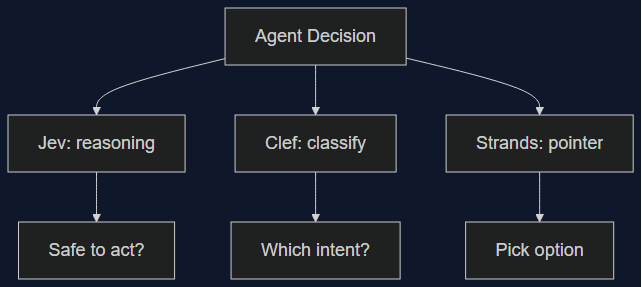
03 Oct 2026 · 5 min read
agents
Three Decision Models Shipped in One Week — None of Them Wins Outright
Cloudflare's Clef/Clef-flash and Amazon's Strands Decider both launched October 1st aiming at TypeSafe's Jev. I lined up the real benchmark, latency, and pricing numbers — the category is real, but picking a winner depends entirely on which decision you're automating.
Read more
03 Oct 2026 · 4 min read
agents
950 Agents, 21 Hours, 210M Tokens: What Anthropic's CRISPR Search Actually Proves About Fan-Out
Anthropic's life-sciences lab ran 950 agents in parallel to surface a possible new CRISPR-like enzyme system. The funnel math is a genuinely useful fan-out pattern — but the scientist pushback is the part worth reading closely.
Read more
Discussion
Comments are reviewed before publication. Your email is kept private.