
JOURNAL
Angular Ecommerce Performance Playbook — Virtual Scroll, Image Optimization, and Bundle Analysis
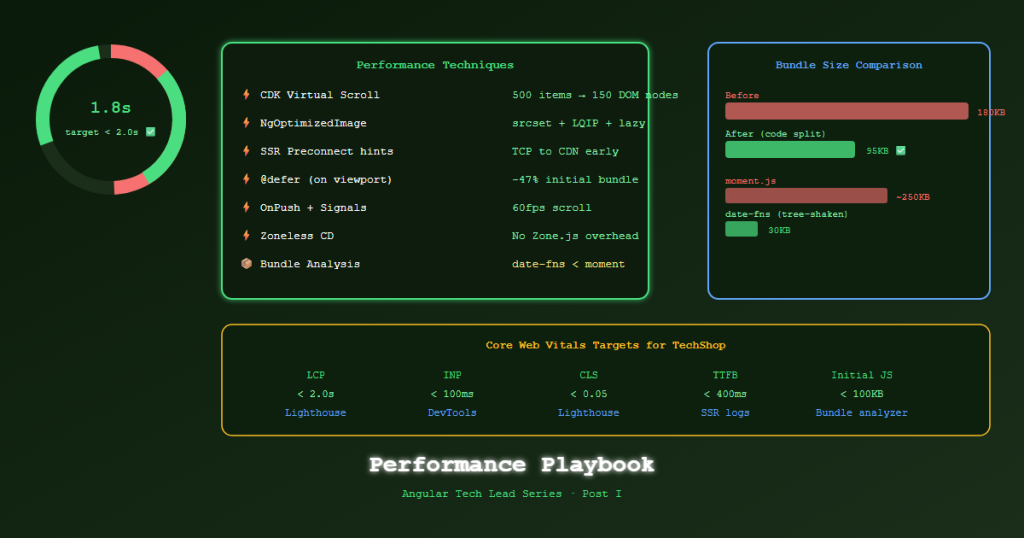
Post I — Complete Angular 21 performance guide for ecommerce: CDK virtual scrolling for large product grids, NgOptimizedImage LQIP and fill mode, preconnect hints from SSR, and bundle analysis with nx build.
On this page
Performance in ecommerce is direct revenue. A 100ms improvement in page load time can increase conversion by 1%. At scale, that’s significant. Angular gives you all the tools — the challenge is knowing which one to use and when.
Virtual Scrolling for Large Product Grids
A product catalog with 500+ items rendered all at once creates thousands of DOM nodes. The browser must lay out, paint, and maintain every single one — even those off-screen.
CDK Virtual Scrolling renders only the items visible in the viewport, destroying and creating DOM nodes as the user scrolls.
Installation
pnpm add @angular/cdk
Fixed-height virtual scroll (uniform items)
import { CdkVirtualScrollViewport, CdkFixedSizeVirtualScroll, CdkVirtualForOf } from '@angular/cdk/scrolling';

@Component({
  selector: 'app-product-list',
  standalone: true,
  changeDetection: ChangeDetectionStrategy.OnPush,
  imports: [CdkVirtualScrollViewport, CdkFixedSizeVirtualScroll, CdkVirtualForOf, ProductCardComponent],
  template: `
    <cdk-virtual-scroll-viewport
      [itemSize]="320"
      class="product-viewport"
      [minBufferPx]="640"
      [maxBufferPx]="960">

      <div class="product-grid">
        <app-product-card
          *cdkVirtualFor="let product of products(); trackBy: trackById"
          [product]="product" />
      </div>
    </cdk-virtual-scroll-viewport>
  `,
  styles: [`
    .product-viewport {
      height: calc(100vh - 120px); /* Full viewport minus header */
      width: 100%;
    }
  `]
})
export class ProductListComponent {
  products = input.required<Product[]>();
  trackById = (_: number, p: Product) => p.id;
}
Performance comparison:
| Approach | DOM nodes (500 products) | Memory | Scroll FPS |
|---|---|---|---|
| *ngFor / @for | 500 × ~15 elements = 7,500 | ~120MB | 20–40fps |
| CDK Virtual Scroll | ~10 × ~15 elements = 150 | ~8MB | 60fps |
Variable-height virtual scroll (product cards with different heights)
import { CdkAutoSizeVirtualScroll } from '@angular/cdk-experimental/scrolling';
// Note: experimental — test thoroughly

<cdk-virtual-scroll-viewport autosize class="product-viewport">
  <app-product-card *cdkVirtualFor="let p of products(); trackBy: p.id" [product]="p" />
</cdk-virtual-scroll-viewport>
NgOptimizedImage — Every Product Image
NgOptimizedImage is Angular’s built-in directive for image optimization. It enforces best practices automatically:
- Generates
srcsetfor responsive images - Adds
loading="lazy"by default (oreager+fetchpriority="high"for LCP images) - Warns if the intrinsic dimensions are wrong
- Supports LQIP (Low Quality Image Placeholder) blur-up
import { NgOptimizedImage } from '@angular/common';

@Component({
  imports: [NgOptimizedImage],
  template: `
    <!-- Hero/primary image — above fold, load immediately, high priority -->
    <img
      [ngSrc]="product().imageUrl"
      [alt]="product().name"
      width="600"
      height="600"
      priority
      placeholder />

    <!-- Thumbnail in list — below fold, lazy load with blur placeholder -->
    <img
      [ngSrc]="product().thumbnailUrl"
      [alt]="product().name"
      width="300"
      height="300"
      placeholder
      [placeholderConfig]="{ threshold: 40 }" />
  `
})
export class ProductImageComponent {}
Fill mode for banners and hero sections
<!-- Container controls the size, image fills it -->
<div class="hero-banner" style="position: relative; height: 400px;">
  <img
    ngSrc="/images/hero-banner.jpg"
    fill
    alt="Summer Sale"
    priority />
</div>
Image CDN loader (Azure CDN / Cloudflare Images)
// Custom loader for Azure Static Web Apps CDN
const azureLoader: ImageLoader = (config: ImageLoaderConfig) => {
  const { src, width, loaderParams } = config;
  return `https://cdn.techshop.com/${src}?w=${width}&f=webp&q=${loaderParams?.['quality'] ?? 80}`;
};

// app.config.ts
provideImageKitLoader('https://cdn.techshop.com')
// or custom:
{ provide: IMAGE_LOADER, useValue: azureLoader }
Preconnect and Resource Hints from SSR
Angular SSR can inject performance hints into the <head> before the HTML reaches the browser.
// server.ts
app.use((req, res, next) => {
  // Preconnect — establish TCP connection early
  res.setHeader('Link', [
    // Image CDN — most pages will need it
    '<https://cdn.techshop.com>; rel=preconnect',
    // Font provider
    '<https://fonts.gstatic.com>; rel=preconnect; crossorigin',
    // API — preconnect so first API call is fast
    '<https://api.techshop.com>; rel=preconnect',
  ].join(', '));

  next();
});
For product pages, add prefetch for related API data:
// In SSR render context, inject Link headers for data-driven hints
if (req.url.startsWith('/products/')) {
  const slug = req.url.split('/products/')[1];
  res.setHeader('Link', [
    `</api/products/${slug}/recommendations>; rel=prefetch`,
    `</api/products/${slug}/reviews>; rel=prefetch`,
  ].join(', '));
}
Bundle Analysis
# Build with stats JSON
pnpm nx build shell --configuration=production --stats-json

# Analyze the output (opens in browser)
npx webpack-bundle-analyzer dist/apps/shell/browser/stats.json

# Quick CLI summary without browser
pnpm nx build shell --bundle-size
What to look for in the bundle:
| Finding | Action |
|---|---|
moment.js > 200KB |
Replace with date-fns (tree-shakable) |
lodash > 70KB |
Import individual functions: import debounce from 'lodash-es/debounce' |
Large @defer chunk > 50KB |
Split into smaller components |
| Duplicate dependencies | Check peerDependencies conflicts |
rxjs operators not tree-shaken |
Ensure named imports: import { map } from 'rxjs/operators' |
INP Optimization — Interaction to Next Paint
LCP and CLS are usually solved by SSR + NgOptimizedImage. INP (the newest Core Web Vital) requires different treatment — it measures how fast the browser responds to clicks.
// Heavy computation — blocks the main thread
onFilterChange(filter: Filter) {
  // ❌ Synchronously processing 500 products
  this.filteredProducts.set(
    this.allProducts().filter(p => matches(p, filter)) // blocks for 80ms
  );
}

// ✅ Defer heavy computation to next animation frame
onFilterChange(filter: Filter) {
  // Updates signal immediately (non-blocking) for UI feedback
  this.filterSignal.set(filter);

  // Computation scheduled in idle time
  // (or use Web Workers for true parallelism)
}

// ✅ Even better — computed() is lazy and doesn't block the event loop
filteredProducts = computed(() => {
  return this.allProducts().filter(p => matches(p, this.filterSignal()));
});
Performance Targets for TechShop
| Metric | Target | Tool |
|---|---|---|
| LCP (product page) | < 2.0s | Lighthouse, CrUX |
| INP | < 100ms | Chrome DevTools |
| CLS | < 0.05 | Lighthouse |
| Home page JS (initial) | < 100KB | webpack-bundle-analyzer |
| Product page JS (initial) | < 120KB | webpack-bundle-analyzer |
| Time to First Byte (SSR) | < 400ms | Server logs, Lighthouse |
References
- CDK Virtual Scrolling — angular.dev
- NgOptimizedImage — angular.dev
- Core Web Vitals — web.dev
- INP Optimization — web.dev
- Angular Performance Guide — angular.dev
Part of the Angular Tech Lead Series — Back to main series overview
Related reading
14 Sep 2026 · 5 min read
ai
Your Vector Database Benchmark Is Lying to You (Mine Was Too)
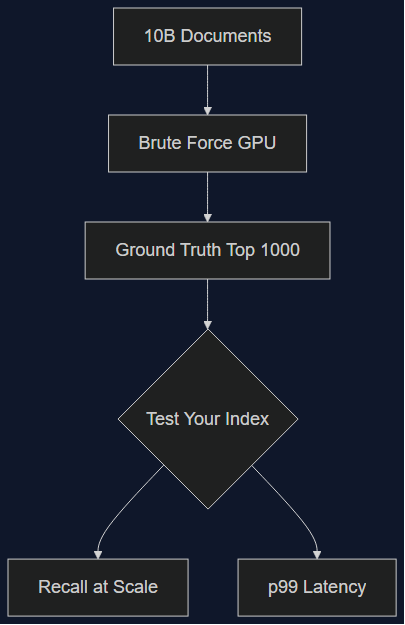
Qdrant released a 10-billion-document benchmark dataset on September 1, 2026, built from over a quadrillion brute-force distance calculations. I ran our production filter patterns against the old 1M-vector benchmark we'd been trusting. The gap explains a slowdown we never diagnosed.
Read more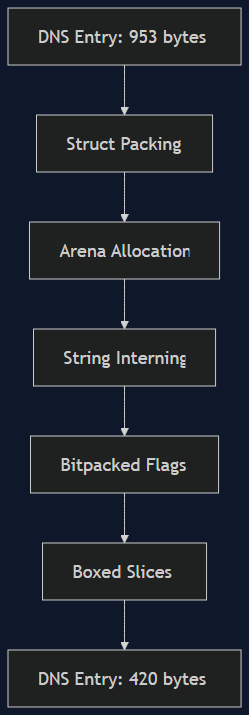
30 Aug 2026 · 4 min read
cloudflare
Cloudflare Cut DNS Cache Memory by 56% — The Rust Layout Tricks Worth Stealing
On Aug 27, Cloudflare shipped five memory-layout optimizations to Big Pineapple, their DNS cache, cutting per-entry memory by 56% and freeing ~100TB fleet-wide. A Tech Lead's walkthrough of the actual techniques — struct packing, arena allocation, string interning — and where they pay off in ordinary backend services, not just DNS resolvers at Cloudflare scale.
Read more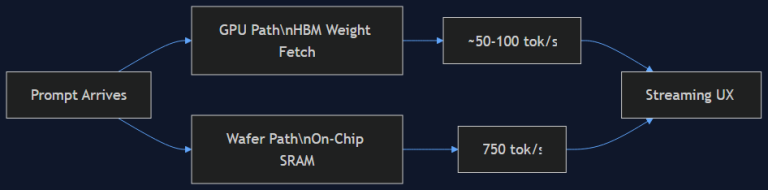
19 Aug 2026 · 5 min read
agentic coding
750 Tokens/Second: What Cerebras' Wafer-Scale Inference Actually Changes for Agent UX
OpenAI's GPT-5.6 Sol Ultrafast, powered by Cerebras' Wafer-Scale Engine, hits 750 output tokens/second — 14x standard inference. I dug into why on-chip SRAM beats HBM for this, and what it means for how we design latency-sensitive agent products.
Read more
Discussion
Comments are reviewed before publication. Your email is kept private.