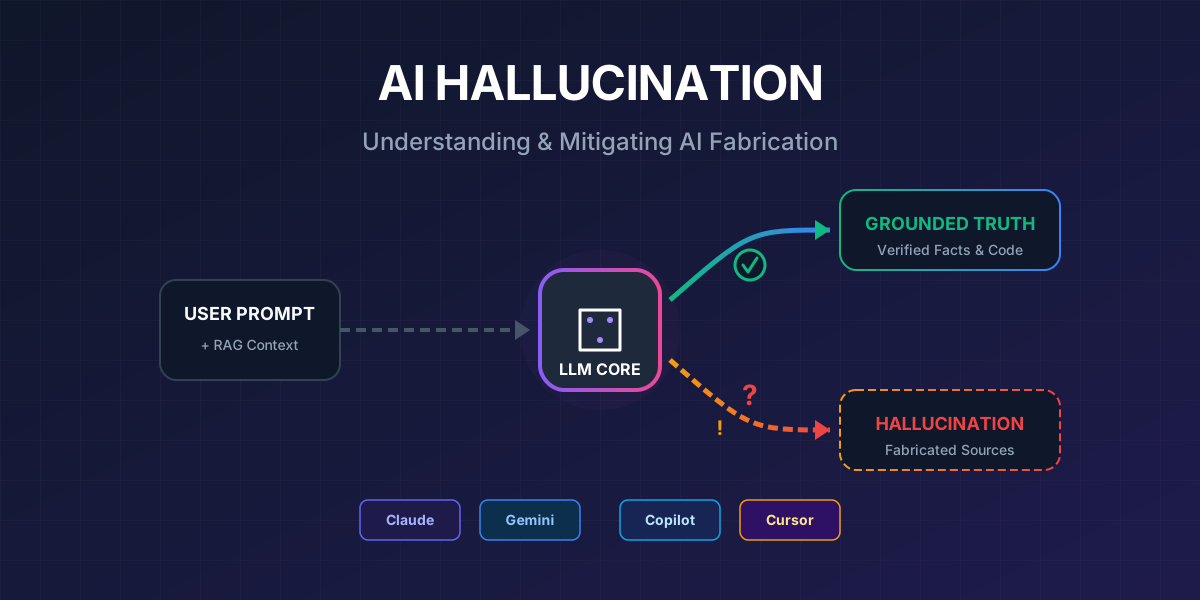
Bạn hỏi AI một câu đơn giản, và nhận được câu trả lời nghe rất thuyết phục — nhưng hoàn toàn sai. AI trích dẫn một nghiên cứu không tồn tại, gọi một API method không có thật, hoặc tự tin khẳng định một “sự thật” mà không ai có thể verify được.
Đó chính là AI hallucination — và nếu bạn đang dùng AI mỗi ngày, đây là vấn đề bạn phải hiểu rõ.
AI Hallucination Là Gì?
AI hallucination là hiện tượng AI tạo ra thông tin nghe rất hợp lý nhưng không chính xác, không có cơ sở, hoặc hoàn toàn bịa đặt. Thuật ngữ “hallucination” (ảo giác) được dùng vì AI “thấy” những thứ không tồn tại — giống như một người bị ảo giác nhìn thấy những thứ không có thật.
Các Dạng Hallucination Phổ Biến
| Dạng | Mô tả | Ví dụ |
|---|---|---|
| Factual Fabrication | Bịa đặt sự kiện, số liệu | ”Nghiên cứu của MIT năm 2023 cho thấy…” (nghiên cứu không tồn tại) |
| Citation Hallucination | Trích dẫn nguồn giả | Đưa ra link DOI hoặc URL không tồn tại |
| Code Hallucination | Gọi API/method không có thật | response.getStreamData() — method này không tồn tại |
| Confidence Hallucination | Trả lời rất tự tin nhưng sai | ”Chắc chắn rằng React 19 hỗ trợ…” (thông tin sai) |
| Context Drift | Mất ngữ cảnh trong cuộc thoại dài | Quên yêu cầu ban đầu, trả lời lạc đề |
| Conflation | Trộn lẫn thông tin từ nhiều nguồn | Ghép đặc điểm của thư viện A với tên thư viện B |
Tại Sao AI Hallucinate?
Để hiểu cách phòng tránh, trước tiên cần hiểu tại sao nó xảy ra.
Cơ Chế Hoạt Động Của LLM
graph TD
    A["Prompt đầu vào"] --> B["Tokenization"]
    B --> C["Embedding Layer"]
    C --> D["Transformer Layers<br/>(Attention Mechanism)"]
    D --> E["Probability Distribution<br/>cho token tiếp theo"]
    E --> F{"Temperature<br/>Setting"}
    F -->|Thấp| G["Token có xác suất cao nhất<br/>(Deterministic)"]
    F -->|Cao| H["Sampling ngẫu nhiên<br/>(Creative nhưng rủi ro)"]
    G --> I["Output"]
    H --> I

    style A fill:#4A90D9,stroke:#357ABD,color:#fff
    style E fill:#E74C3C,stroke:#C0392B,color:#fff
    style F fill:#F39C12,stroke:#E67E22,color:#fff
    style I fill:#27AE60,stroke:#219A52,color:#fff
Điểm mấu chốt: LLM không tra cứu sự thật — nó dự đoán token tiếp theo dựa trên xác suất. Khi không có đủ thông tin trong training data, nó sẽ “điền vào chỗ trống” bằng cách tạo ra token có xác suất cao nhất — mà token đó có thể hoàn toàn sai.
5 Nguyên Nhân Chính
mindmap
  root(("AI Hallucination<br/>Nguyên Nhân"))
    Dữ liệu huấn luyện
      Thiếu thông tin cụ thể
      Dữ liệu mâu thuẫn
      Dữ liệu lỗi thời
      Bias trong dataset
    Kiến trúc mô hình
      Dự đoán xác suất
      Không có cơ chế fact-check
      Attention mechanism giới hạn
    Prompt không rõ ràng
      Câu hỏi mơ hồ
      Thiếu context
      Quá rộng / quá dài
    Context window
      Token limit
      Mất thông tin đầu cuộc thoại
      Quá tải context
    Decoding strategy
      Temperature quá cao
      Top-p sampling
      Repetition penalty
Diagram Tổng Quan: Hệ Thống Chống Hallucination
Dưới đây là kiến trúc tổng quan của một hệ thống chống hallucination hiệu quả:
graph TB
    subgraph INPUT["📥 Input Layer"]
        U["User Query"]
        CTX["Context / Documents"]
        RULES["Rules & Constraints"]
    end

    subgraph GROUNDING["🔗 Grounding Layer"]
        RAG["RAG Pipeline"]
        WEB["Web Search"]
        KB["Knowledge Base"]
        CODE["Codebase Index"]
    end

    subgraph PROCESSING["⚙️ Processing Layer"]
        PE["Prompt Engineering"]
        COT["Chain-of-Thought"]
        TEMP["Temperature Control"]
        SYS["System Instructions"]
    end

    subgraph GENERATION["🤖 Generation Layer"]
        LLM["LLM Model"]
        THINK["Extended Thinking"]
    end

    subgraph VERIFICATION["✅ Verification Layer"]
        SELF["Self-Verification"]
        CITE["Citation Check"]
        CROSS["Cross-Validation"]
        HUMAN["Human Review"]
    end

    subgraph OUTPUT["📤 Output Layer"]
        RES["Verified Response"]
        CONF["Confidence Score"]
        SRC["Source References"]
    end

    U --> PE
    CTX --> RAG
    RULES --> SYS

    RAG --> PE
    WEB --> PE
    KB --> PE
    CODE --> PE

    PE --> LLM
    COT --> LLM
    TEMP --> LLM
    SYS --> LLM

    LLM --> THINK
    THINK --> SELF
    SELF --> CITE
    CITE --> CROSS
    CROSS --> HUMAN

    HUMAN -->|Pass| RES
    HUMAN -->|Fail| PE

    RES --> CONF
    RES --> SRC

    style INPUT fill:#3498DB,stroke:#2980B9,color:#fff
    style GROUNDING fill:#9B59B6,stroke:#8E44AD,color:#fff
    style PROCESSING fill:#F39C12,stroke:#E67E22,color:#fff
    style GENERATION fill:#E74C3C,stroke:#C0392B,color:#fff
    style VERIFICATION fill:#27AE60,stroke:#219A52,color:#fff
    style OUTPUT fill:#1ABC9C,stroke:#16A085,color:#fff
10 Phương Pháp Giảm Thiểu Hallucination
1. Retrieval-Augmented Generation (RAG)
RAG là phương pháp hiệu quả nhất để chống hallucination. Thay vì để AI trả lời từ “bộ nhớ” (training data), RAG bắt AI phải tra cứu nguồn thực trước khi trả lời.
sequenceDiagram
    participant U as User
    participant R as RAG System
    participant VDB as Vector Database
    participant LLM as AI Model

    U->>R: "API endpoint nào xử lý payment?"
    R->>VDB: Tìm kiếm tài liệu liên quan
    VDB-->>R: Top 5 documents có liên quan
    R->>LLM: Query + Retrieved Context
    Note over LLM: Trả lời DỰA TRÊN<br/>tài liệu thực tế
    LLM-->>U: "Theo API docs v3.2,<br/>endpoint /api/payments/process..."
Kết quả thực tế: RAG + guardrails có thể giảm 96% hallucination theo nghiên cứu năm 2025.
2. Prompt Engineering Nâng Cao
Cách bạn hỏi AI quyết định chất lượng câu trả lời.
❌ Prompt kém:
“Giải thích về microservices”
✅ Prompt tốt:
“Dựa trên tài liệu sau [paste tài liệu], hãy giải thích kiến trúc microservices được mô tả. Chỉ sử dụng thông tin trong tài liệu. Nếu không chắc chắn, hãy nói ‘Tôi không tìm thấy thông tin này trong tài liệu’.”
Các kỹ thuật cụ thể:
| Kỹ thuật | Mô tả | Hiệu quả |
|---|---|---|
| Grounding | Cung cấp tài liệu tham khảo | ⭐⭐⭐⭐⭐ |
| Chain-of-Thought | Yêu cầu suy luận từng bước | ⭐⭐⭐⭐ |
| Yêu cầu citation | Bắt AI trích dẫn nguồn | ⭐⭐⭐⭐ |
| Role assignment | Gán vai trò cụ thể | ⭐⭐⭐ |
| Temperature thấp | Giảm tính ngẫu nhiên | ⭐⭐⭐ |
| Output constraints | Giới hạn format đầu ra | ⭐⭐⭐ |
3. Chain-of-Thought (CoT) Prompting
Bắt AI “show your work” — suy luận từng bước trước khi đưa ra kết luận.
Hãy phân tích vấn đề này theo từng bước:
1. Liệt kê các giả định
2. Phân tích từng giả định
3. Kiểm tra logic
4. Đưa ra kết luận có dẫn chứng
5. Đánh giá độ tin cậy (1-10)
4. Temperature & Decoding Control
graph LR
    subgraph LOW["Temperature = 0.0-0.3"]
        L1["✅ Chính xác cao"]
        L2["✅ Lặp lại được"]
        L3["❌ Ít sáng tạo"]
    end

    subgraph MED["Temperature = 0.4-0.7"]
        M1["⚖️ Cân bằng"]
        M2["⚖️ Đa dạng vừa phải"]
        M3["⚖️ Rủi ro trung bình"]
    end

    subgraph HIGH["Temperature = 0.8-1.0+"]
        H1["❌ Dễ hallucinate"]
        H2["✅ Rất sáng tạo"]
        H3["❌ Khó dự đoán"]
    end

    style LOW fill:#27AE60,stroke:#219A52,color:#fff
    style MED fill:#F39C12,stroke:#E67E22,color:#fff
    style HIGH fill:#E74C3C,stroke:#C0392B,color:#fff
Rule of thumb:
- Factual tasks (code, data, research): Temperature 0.0–0.3
- Creative tasks (writing, brainstorming): Temperature 0.5–0.8
- Tránh temperature > 1.0 cho mọi production use case
5. Self-Verification Loops
Yêu cầu AI tự kiểm tra output của chính nó:
Sau khi trả lời, hãy:
1. Kiểm tra lại mỗi fact claim — nó có evidence không?
2. Đánh dấu bất kỳ claim nào bạn không chắc chắn bằng [UNCERTAIN]
3. Liệt kê các nguồn bạn đã tham khảo
4. Đánh giá confidence level tổng thể (1-10)
6. Multi-Model Cross-Validation
Sử dụng nhiều AI model để cross-check kết quả:
graph TD
    Q["Cùng một câu hỏi"] --> C["Claude"]
    Q --> G["Gemini"]
    Q --> CO["Copilot"]

    C --> COMP["So sánh kết quả"]
    G --> COMP
    CO --> COMP

    COMP -->|Đồng thuận| TRUST["✅ Độ tin cậy cao"]
    COMP -->|Mâu thuẫn| VERIFY["⚠️ Cần verify thêm"]

    style Q fill:#3498DB,stroke:#2980B9,color:#fff
    style TRUST fill:#27AE60,stroke:#219A52,color:#fff
    style VERIFY fill:#E74C3C,stroke:#C0392B,color:#fff
7. Confidence Scoring & Uncertainty Expression
Dạy AI biết nói “Tôi không biết”:
Quy tắc quan trọng:
- Nếu bạn không chắc chắn về một fact, hãy nói rõ ràng
- Phân loại mỗi claim:
  [VERIFIED] — có source rõ ràng
  [INFERENCE] — suy luận logic nhưng chưa verify
  [SPECULATION] — phỏng đoán, cần verify
  [UNKNOWN] — không có đủ thông tin để trả lời
8. Grounding với External Knowledge
Kết nối AI với nguồn dữ liệu bên ngoài để verify thông tin real-time:
- Web Search: Cho phép AI search Google/Bing trước khi trả lời
- API Integration: Kết nối với database, CRM, hoặc internal tools
- MCP (Model Context Protocol): Cho phép AI truy cập file system, browser, database
- Knowledge Files: Upload tài liệu tham khảo (PDF, docs, code)
9. Human-in-the-Loop (HITL)
AI không thay thế human review — đặc biệt cho:
- Medical advice
- Legal documents
- Financial decisions
- Production code deployment
- Security-critical systems
10. Feedback Loops & Continuous Improvement
graph LR
    A["AI Output"] --> B["Human Review"]
    B --> C{"Correct?"}
    C -->|Yes| D["Accept & Learn"]
    C -->|No| E["Flag Error"]
    E --> F["Analyze Root Cause"]
    F --> G["Update Prompt/Rules"]
    G --> H["Retrain/Refine"]
    H --> A

    style A fill:#3498DB,stroke:#2980B9,color:#fff
    style D fill:#27AE60,stroke:#219A52,color:#fff
    style E fill:#E74C3C,stroke:#C0392B,color:#fff
Áp Dụng Cho Từng Tool Cụ Thể
🟣 Claude — “The Honest AI”
Claude (Anthropic) được thiết kế với triết lý “honest, harmless, helpful”, có cơ chế built-in để giảm hallucination.
graph TB
    subgraph CLAUDE["Claude Anti-Hallucination Stack"]
        direction TB
        S1["🎯 System Prompt rõ ràng"]
        S2["📄 Document Grounding<br/>(Projects & Knowledge)"]
        S3["🔧 MCP Tools<br/>(Browser, Files, DB)"]
        S4["🧠 Extended Thinking"]
        S5["🔄 Self-Verification"]
        S6["❓ 'I don't know' Permission"]

        S1 --> S2 --> S3 --> S4 --> S5 --> S6
    end

    style CLAUDE fill:#7C3AED,stroke:#6D28D9,color:#fff
Kỹ thuật cụ thể cho Claude:
1. Cho phép Claude nói “Tôi không biết”
IMPORTANT RULES:
- If you don't have enough information to answer accurately,
  say "I don't have enough information to answer this with confidence"
- Never fabricate citations, URLs, or research papers
- If asked about events after your training cutoff, acknowledge
  the limitation
- Label uncertain claims with [UNCERTAIN]
Kỹ thuật này đã được chứng minh tăng 3x phản hồi “I don’t know” — giảm đáng kể false positives.
2. MCP (Model Context Protocol) — Game Changer
MCP cho phép Claude truy cập tools bên ngoài để verify thông tin:
{
  "tools": [
    {"type": "web_browser", "use": "Verify facts online"},
    {"type": "file_system", "use": "Read actual codebase"},
    {"type": "database", "use": "Query real data"},
    {"type": "code_execution", "use": "Test code snippets"}
  ]
}
Thay vì đoán, Claude có thể:
- Mở browser kiểm tra thông tin
- Đọc file thực tế trong codebase
- Query database để lấy data chính xác
- Chạy code để verify kết quả
3. Extended Thinking
Bật tính năng thinking (biểu tượng ⚡) để Claude suy luận từng bước trước khi trả lời — giống Chain-of-Thought nhưng native.
4. Document Grounding với Projects
Upload tài liệu vào Claude Projects để mọi cuộc thoại đều có context:
- API documentation
- Coding standards
- Architecture decision records
- Internal knowledge base
5. Verification Prompt Template cho Claude
After generating your response, please:
1. Re-read each factual claim you made
2. For each claim, identify your source:
   - [FROM_DOCUMENT] — from uploaded documents
   - [FROM_TRAINING] — from training data (may be outdated)
   - [INFERRED] — logical inference
   - [UNCERTAIN] — not confident
3. If any claim is marked [UNCERTAIN], provide alternative
   interpretations
4. Rate your overall confidence: High / Medium / Low
🔵 Gemini — “The Grounded AI”
Google Gemini mạnh ở khả năng grounding với Google Search và custom Gems với accuracy protocols.
graph TB
    subgraph GEMINI["Gemini Anti-Hallucination Stack"]
        direction TB
        G1["🔍 Google Search Grounding"]
        G2["💎 Custom Gems<br/>với Accuracy Protocol"]
        G3["📚 Knowledge Files<br/>(1M token context)"]
        G4["🌐 Web Search Priority"]
        G5["🏷️ Labeling System<br/>(VERIFIED/SPECULATION)"]
        G6["🔄 Self-Correction Protocol"]

        G1 --> G2 --> G3 --> G4 --> G5 --> G6
    end

    style GEMINI fill:#1A73E8,stroke:#1557B0,color:#fff
Kỹ thuật cụ thể cho Gemini:
1. Custom Gem với Accuracy Protocol
Tạo một Gem đặc biệt với instructions sau:
# Accuracy Protocol

## Core Rules
1. Only state what you can verify from provided sources or
   confirmed knowledge
2. Always search the web FIRST for factual claims
3. Label every claim with its verification status

## Mandatory Labels
- [VERIFIED] — confirmed from reliable source
- [INFERENCE] — logical but unverified
- [SPECULATION] — educated guess
- [UNVERIFIED] — could not verify

## Forbidden Behaviors
- Never present speculation as fact
- Never fabricate URLs, citations, or research papers
- Never claim certainty when evidence is insufficient
- Always provide source links for factual claims

## Self-Check Protocol
After each response:
1. Review every factual claim
2. Verify each has adequate sourcing
3. Rewrite any unsupported claims with proper labels
Kết quả: Giảm 94% false factual claims khi dùng Gem với accuracy protocol.
2. Web Search Priority
Thêm instruction: “Search this in your data and if you find it then reply otherwise don’t” — giảm hallucination ~50% cho Gemini Pro.
3. Knowledge Files (1M Token Context)
Upload tài liệu tham khảo trực tiếp:
- Gemini Advanced hỗ trợ context window lên đến 1 triệu tokens
- Đủ để upload toàn bộ codebase, documentation, brand guidelines
- AI trả lời chỉ dựa trên tài liệu đã upload
4. Practical Prompt Pattern cho Gemini
Yêu cầu: [Câu hỏi của bạn]

Quy tắc:
1. Tìm kiếm trên web TRƯỚC khi trả lời
2. Chỉ trả lời nếu tìm thấy thông tin xác thực
3. Trích dẫn URL nguồn cho mỗi fact
4. Nếu không tìm thấy: respond "Tôi không tìm thấy thông tin
   đáng tin cậy về vấn đề này"
5. Phân biệt rõ: FACT vs OPINION vs INFERENCE
🟢 Copilot — “The Integrated AI”
Microsoft Copilot (tích hợp Bing, Microsoft 365, GitHub) mạnh ở khả năng grounding qua Bing Search và tích hợp với hệ sinh thái Microsoft.
graph TB
    subgraph COPILOT["Copilot Anti-Hallucination Stack"]
        direction TB
        C1["🔍 Bing Search Grounding"]
        C2["📋 Custom Instructions"]
        C3["🏢 Microsoft Graph<br/>(Internal Data)"]
        C4["🛡️ Azure AI Content Safety"]
        C5["📎 Source Verification"]
        C6["🎯 Tone: Just-the-facts"]

        C1 --> C2 --> C3 --> C4 --> C5 --> C6
    end

    style COPILOT fill:#0078D4,stroke:#005A9E,color:#fff
Kỹ thuật cụ thể cho Copilot:
1. Custom Instructions cho Verification
Thiết lập Custom Instructions cho Copilot:
## My Communication Preferences
- Use a just-the-facts, businesslike tone
- Do NOT invent names, dates, numbers, quotes, statistics,
  or citations
- Always verify claims against reliable sources before stating
- If uncertain, say "I'm not confident about this" instead of
  guessing

## Research Rules
- Prioritize official sources (.gov, .edu, official docs)
- Always provide source URLs
- Distinguish between facts and interpretations
- State the date of the information source
2. Azure AI Content Safety — Correction Tool
Microsoft đã phát triển tool “Correction” trong Azure AI Content Safety API:
- Tự động detect potential hallucinations
- Cross-check với grounding documents
- Flag nội dung có thể không chính xác
3. RAG qua Bing Search
Copilot sử dụng RAG với Bing để ground responses:
- Tìm kiếm web real-time trước khi trả lời
- Cung cấp citation links
- Cross-reference nhiều nguồn
4. Giới hạn Scope
Hãy chỉ trả lời về [topic cụ thể].
Nếu câu hỏi nằm ngoài phạm vi này, hãy nói:
"Câu hỏi này nằm ngoài phạm vi chuyên môn của tôi."

Không đoán. Không suy luận quá xa.
Chỉ sử dụng thông tin từ [nguồn cụ thể].
🟡 Cursor — “The Code-Aware AI”
Cursor AI là coding assistant mạnh nhất hiện tại cho việc giảm code hallucination, nhờ khả năng index toàn bộ codebase và hiểu context dự án.
graph TB
    subgraph CURSOR["Cursor Anti-Hallucination Stack"]
        direction TB
        CU1["📁 Codebase Indexing"]
        CU2["📌 @file, @Docs, @Web References"]
        CU3["📏 Cursor Rules<br/>(.cursor/rules/)"]
        CU4["🔧 MCP Servers<br/>(DB Schema, APIs)"]
        CU5["📄 Project Documentation<br/>(project_milestones.md)"]
        CU6["🔄 Context Management"]

        CU1 --> CU2 --> CU3 --> CU4 --> CU5 --> CU6
    end

    style CURSOR fill:#F59E0B,stroke:#D97706,color:#000
Kỹ thuật cụ thể cho Cursor:
1. Cursor Rules — Giảm Đến 90% Hallucination
Tạo file .cursor/rules/accuracy.mdc:
---
description: Accuracy rules to minimize hallucination
globs: ["**/*"]
---

## Anti-Hallucination Rules

1. ALWAYS read the actual file before suggesting changes
2. NEVER assume an API exists — verify in the codebase first
3. NEVER generate import paths without checking they exist
4. If unsure about a library's API:
   - Use @Web to check official documentation
   - Use @Docs to reference indexed documentation
5. Always verify:
   - [ ] Import paths are correct
   - [ ] Function signatures match actual code
   - [ ] Types/interfaces exist in the project
   - [ ] Dependencies are in package.json
6. When generating new code:
   - Follow existing patterns in the codebase
   - Match the project's naming conventions
   - Use the same error handling patterns
2. Context References (@mentions)
Sử dụng @ references để cung cấp context chính xác:
| Reference | Mục đích | Ví dụ |
|---|---|---|
@file | Tham chiếu file cụ thể | @src/api/payment.ts |
@Docs | Tham chiếu documentation đã index | @Docs Stripe API |
@Web | Tìm kiếm web real-time | @Web React 19 new features |
@Codebase | Tìm trong toàn bộ codebase | @Codebase payment handler |
3. MCP Servers cho Database Schema
Kết nối MCP server để Cursor biết chính xác database schema:
{
  "mcpServers": {
    "prisma": {
      "command": "npx",
      "args": ["prisma-mcp-server"]
    }
  }
}
Lợi ích: Cursor không bao giờ đoán tên column hay relation — nó query schema thực tế.
4. Project Documentation
Tạo file documentation.md ở root:
# Project: E-Commerce Platform

## Tech Stack
- Framework: Next.js 14 (App Router)
- Database: PostgreSQL + Prisma ORM
- Auth: NextAuth.js v5
- Payment: Stripe API v2024-01

## Architecture
- /src/app — Next.js pages
- /src/lib — shared utilities
- /src/components — React components
- /prisma — database schema

## Naming Conventions
- Components: PascalCase
- Utils: camelCase
- API routes: kebab-case
- DB tables: snake_case
5. .cursorignore — Lọc Nhiễu
# .cursorignore
node_modules/
dist/
.next/
coverage/
*.lock
*.log
Loại bỏ file không liên quan giúp Cursor tập trung vào code thực sự và giảm context pollution.
So Sánh Tổng Hợp
graph LR
    subgraph COMPARE["So Sánh Khả Năng Chống Hallucination"]
        direction TB

        subgraph CL["Claude"]
            CL1["Extended Thinking ✅"]
            CL2["MCP Tools ✅"]
            CL3["Document Grounding ✅"]
            CL4["'I don't know' ✅✅"]
        end

        subgraph GM["Gemini"]
            GM1["Google Search ✅✅"]
            GM2["Custom Gems ✅"]
            GM3["1M Token Context ✅✅"]
            GM4["Labeling System ✅"]
        end

        subgraph CP["Copilot"]
            CP1["Bing Grounding ✅"]
            CP2["Azure Safety ✅✅"]
            CP3["MS Graph ✅"]
            CP4["Correction Tool ✅"]
        end

        subgraph CR["Cursor"]
            CR1["Codebase Index ✅✅"]
            CR2["Cursor Rules ✅✅"]
            CR3["MCP Servers ✅"]
            CR4["@References ✅✅"]
        end
    end
Bảng So Sánh Chi Tiết
| Tiêu chí | Claude | Gemini | Copilot | Cursor |
|---|---|---|---|---|
| Chống hallucination tổng quan | ⭐⭐⭐⭐ | ⭐⭐⭐⭐ | ⭐⭐⭐ | ⭐⭐⭐⭐⭐ |
| Grounding từ tài liệu | Projects | Knowledge Files | Bing + MS Graph | Codebase Index |
| Web Search | Qua MCP | Native Google | Native Bing | @Web reference |
| Custom Rules | System Prompt | Gems Instructions | Custom Instructions | .cursor/rules/ |
| Extended Thinking | ✅ Native | ✅ (limited) | ❌ | ❌ |
| External Tools | MCP Protocol | Google APIs | Azure APIs | MCP + @refs |
| Context Window | 200K tokens | 1M tokens | 128K tokens | Toàn bộ codebase |
| Tự nhận “không biết” | ⭐⭐⭐⭐⭐ | ⭐⭐⭐ | ⭐⭐ | ⭐⭐⭐ |
| Best for | General + Code | Research + Content | Enterprise + Microsoft | Code + Development |
Workflow Chống Hallucination Tối Ưu
Dưới đây là quy trình hoàn chỉnh để đạt chất lượng cao nhất khi làm việc với AI:
flowchart TD
    START(["🚀 Bắt đầu"]) --> Q["Xác định loại task"]

    Q -->|Viết code| CODE
    Q -->|Nghiên cứu / fact| RESEARCH
    Q -->|Nội dung sáng tạo| CREATIVE

    subgraph CODE["💻 Code Tasks"]
        C1["1. Cung cấp codebase context<br/>(@file, @Codebase)"]
        C2["2. Thiết lập Cursor Rules<br/>hoặc Claude SKILL"]
        C3["3. Temperature = 0.0-0.2"]
        C4["4. Yêu cầu verify imports,<br/>types, và APIs"]
        C5["5. Test code đã generate"]
        C1 --> C2 --> C3 --> C4 --> C5
    end

    subgraph RESEARCH["🔬 Research Tasks"]
        R1["1. Upload sources vào<br/>NotebookLM hoặc Projects"]
        R2["2. Bật Web Search<br/>(Gemini/Copilot)"]
        R3["3. Yêu cầu citations"]
        R4["4. Cross-validate với<br/>tool thứ 2"]
        R5["5. Human fact-check"]
        R1 --> R2 --> R3 --> R4 --> R5
    end

    subgraph CREATIVE["🎨 Creative Tasks"]
        CR1["1. Cung cấp examples/style"]
        CR2["2. Temperature = 0.5-0.7"]
        CR3["3. Tách fact claims<br/>ra khỏi creative content"]
        CR4["4. Verify mọi fact claims<br/>riêng biệt"]
        CR5["5. Review và iterate"]
        CR1 --> CR2 --> CR3 --> CR4 --> CR5
    end

    CODE --> VERIFY
    RESEARCH --> VERIFY
    CREATIVE --> VERIFY

    VERIFY["✅ Verification Checklist"]
    VERIFY --> DONE(["🎯 Output chất lượng cao"])

    style START fill:#3498DB,stroke:#2980B9,color:#fff
    style DONE fill:#27AE60,stroke:#219A52,color:#fff
    style CODE fill:#F39C12,stroke:#E67E22,color:#000
    style RESEARCH fill:#9B59B6,stroke:#8E44AD,color:#fff
    style CREATIVE fill:#E74C3C,stroke:#C0392B,color:#fff
Verification Checklist — Áp Dụng Mọi Lúc
Trước khi tin bất kỳ output nào từ AI, hãy kiểm tra:
- Facts: Mọi số liệu, ngày tháng, tên có chính xác?
- Sources: AI có cung cấp source không? Source có tồn tại không?
- Code: Import paths có đúng? APIs có tồn tại? Types có match?
- Logic: Có logical fallacy nào không?
- Recency: Thông tin có outdated không?
- Consistency: AI có tự mâu thuẫn ở đâu không?
- Completeness: AI có bỏ sót edge cases quan trọng không?
- Confidence: AI có tự đánh giá confidence level không?
Kết Luận
AI hallucination không thể loại bỏ hoàn toàn — vì nó là hệ quả tất yếu của cách LLM hoạt động (dự đoán xác suất, không tra cứu sự thật). Nhưng nó có thể giảm thiểu đáng kể bằng:
- RAG + Grounding — Neo AI vào nguồn dữ liệu thực
- Prompt Engineering — Hỏi đúng cách
- Tool Integration — Cho AI truy cập external tools (MCP, Web Search)
- Verification Loops — Bắt AI tự kiểm tra
- Human Oversight — Con người vẫn là checkpoint cuối cùng
Công thức tối ưu:
Chất lượng = Context tốt + Rules rõ ràng + Tools verification + Human review
Hãy nhớ: AI là trợ lý, không phải sự thật tuyệt đối. Sử dụng đúng cách, nó tăng productivity 10x. Sử dụng sai, nó tạo ra 10x rắc rối.
📖 Bạn muốn tìm hiểu thêm về cách xây dựng workflow AI hiệu quả? Đọc series AI Workflow Mastery — hướng dẫn chi tiết Claude Skills, Gemini Gems & NotebookLM.