
PRODUCT CASE STUDY
Bé Vui Học Studio — An AI Video Workshop
A private, self-hosted workshop for bilingual educational videos: editable AI scripts, scene previews and parent-controlled production and publication.
- Role
- Product Lead & Technical Lead
- For
- Parents and children
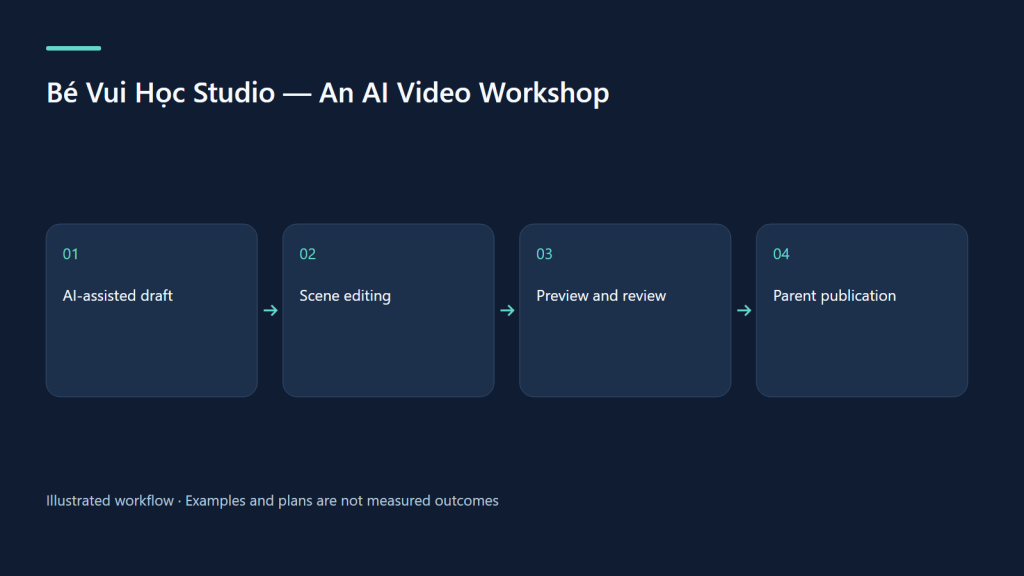
A workshop, not an automatic publishing machine
Studio brings the kids-video workflow into an editable web application. A parent or child can start with a topic, develop a script, arrange scenes and review a preview. Expensive production actions and YouTube publication stay under parent control.
What is implemented
The source includes a video library, scene editor, AI drafting and improvement, bilingual narration, build previews, quality checks, thumbnails, jobs with streaming logs, and a parent-managed YouTube queue. Lesson, how-to, story and travel modes share structured video files. A child can ask for a parent review.
Product and technical decisions
The interface uses React, Vite and Tailwind; a Hono server on Node handles the API and SQLite stores application state. Rendering is a separate job. Role checks run on the server, and scheduled or published videos are read-only for children with a duplicate-to-edit path.
Access is deliberately restricted
The website currently presents a Cloudflare Access sign-in screen to anonymous visitors. The app then requires its own profile login. The introduction is publicly accessible at bevuihoc.luonghongthuan.com; it presents a showcase rather than an authenticated authoring session. The Studio host itself remains restricted by its edge access policy. This portfolio page does not change that policy or expose family profiles.
Evidence and limits
This description was checked against source commit 090c39fd976ed7e63ea5b9d9835855f07801c3d3 on 8 October 2026 and the deployed service health endpoint. An authenticated end-to-end family session was not run for this portfolio release. Source features are implementation evidence, not proof of educational or commercial outcomes. TikTok upload automation is not described as implemented; exported videos can be reviewed and posted separately.
Read the walkthrough
The video and Studio series explains the workflow, costs and family exercises. Bé Vui Học is the learning project this workshop supports.
Watch the source-backed local demo
These HyperFrames clips use the actual Studio UI at source commit 238bba2, with repository fixtures. Narration is English; caption tracks provide an English transcript and Vietnamese summary. Cue timing is authored at sentence level. AI, embedding and YouTube services are simulated; no family data or real channel uploads are shown.
Review both languages together
MP4 · English transcript · Tóm tắt tiếng Việt
What was actually verified
We authenticated a fixture parent profile, opened creation, script, SEO and queue screens, edited paired titles, saved and read the saved source through the local API. Seven UI captures completed without page errors. The videos illustrate this limited workflow; the Studio render pipeline, child workflow and live YouTube upload were not exercised in this capture.
Try the same review exercise
Choose “count three apples” as the objective. Compare both titles and every scene against that objective. Save, reopen, and verify the pair. Before publication, separately check narration, the number of visible objects, quiz answers, audience settings and the final rendered file. A high internal SEO score cannot replace these checks or guarantee discovery.
Evidence & next steps
Implementation evidence is separate from measured user or business outcomes. Next: validate the complete user journey and its results.