
JOURNAL
I Built This Site in a Weekend with Astro (And You Should Too)
After trying Next.js, Gatsby, Hugo, and plain HTML for personal sites, I finally found the framework that fits. Here's why Astro won.
On this page
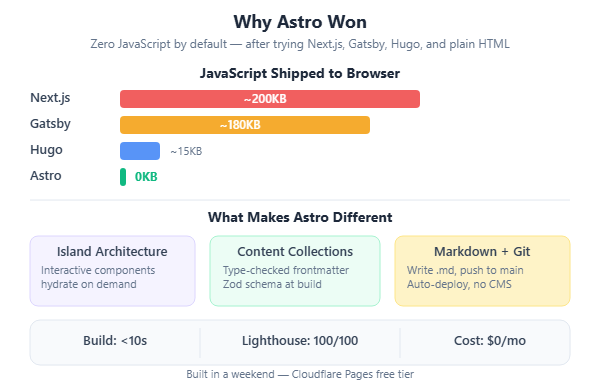
I’ve rebuilt my personal site at least five times. WordPress in 2012. A custom .NET MVC app in 2015 (why). Gatsby in 2019 (fought with GraphQL more than I wrote content). Hugo in 2021 (fast but the templating language made me sad). Next.js in 2023 (shipped 200KB of JavaScript to display text).
This time I used Astro and actually shipped the thing in a weekend. Here’s why it stuck.
The Problem with Everything Else
Most JavaScript frameworks ship a runtime to the browser. For a blog that’s 95% static text, that’s absurd. My Next.js portfolio was sending React, a router, and a bunch of hydration code to the browser so users could… read paragraphs. The Lighthouse score was fine but I knew the JavaScript was unnecessary.
Hugo was fast and simple but Go’s templating language is painful for anything beyond basic pages. I wanted to use components, not wrestle with {{ range .Pages }}{{ if .Params.featured }} syntax.
What Makes Astro Different
Zero JavaScript by default. Astro renders everything to HTML at build time. The browser gets HTML and CSS. That’s it. Unless I explicitly say “this component needs JavaScript,” nothing ships. My site scores 100/100 on Lighthouse without trying.
Content Collections. This is the killer feature for a blog. I define a schema for my blog posts and projects using Zod:
const posts = await getCollection('blog');
Frontmatter is type-checked at build time. If I forget the pubDate field, the build fails. If I put a string where a date should be, the build fails. After years of “why isn’t my post showing up” debugging with other frameworks, this is refreshing.
Write in Markdown, deploy with Git. I write a .md file, push to main, Cloudflare Pages deploys automatically. No CMS, no admin panel, no database. The entire site is in a Git repo. Content is versioned, diffable, and backed up for free.
Island architecture. If I ever want an interactive component — a search bar, a comment system, a chart — I can add it as an “island” without hydrating the entire page. It’s opt-in interactivity, which is how it should be.
What I Built
- Dark/light theme with system preference detection
- Blog with tags and date sorting
- Projects section with featured filtering
- RSS feed (because RSS is still great)
- Contact page
- SEO meta tags and sitemap — automatically generated
Build time is under 10 seconds. Deploy is automatic. Total cost: $0 (Cloudflare Pages free tier).
The Trade-offs
Astro isn’t for everything. If I was building a dashboard with complex client-side state, I’d use Next.js or SvelteKit. If I needed server-side rendering with dynamic data, same. Astro’s sweet spot is content-heavy sites where most pages don’t need JavaScript.
For a portfolio and blog? It’s exactly right. I spend my time writing content, not fighting the framework. And that’s the whole point.
Related reading
08 Oct 2026 · 4 min read
architecture
English Lesson — Wednesday Morning: Failover & High Availability Vocabulary
Wednesday architecture English: failover, pronunciation drills, a vocabulary table, two exercises, and an idiom every on-call engineer should know.
Read more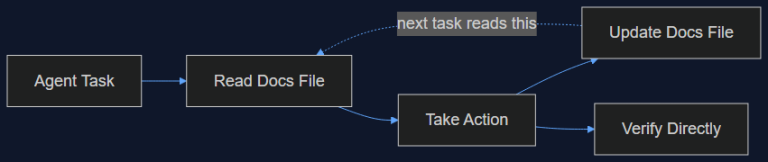
06 Oct 2026 · 5 min read
agentic coding
My Agent Didn't Forget. It Never Wrote Anything Down.
A Hacker News post about agent memory landed the same week I'd debugged a real dedup failure caused by exactly the problem it describes. I tested the fix against my own incident — here's what held up and what didn't.
Read more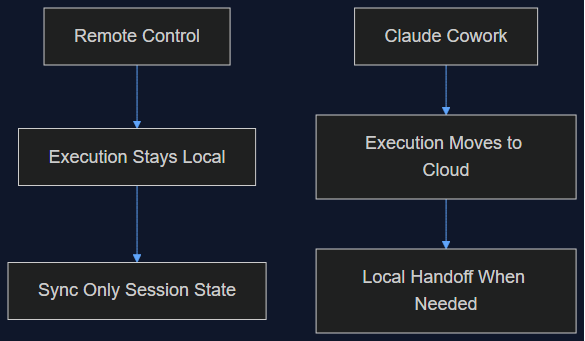
06 Oct 2026 · 5 min read
agentic coding
Claude Cowork Just Did the Thing I Said Remote Control Wasn't Doing
In August I wrote that Claude Code's Remote Control was a sync layer, not a cloud migration, and that keeping execution local was the point. This week Anthropic moved Cowork's execution to the cloud by default. Here's why both were the right call — for different products.
Read more
Discussion
Comments are reviewed before publication. Your email is kept private.